
Safe to spend today
It takes your take-home pay, subtracts what you've spent and the bills still due before payday, sets your savings aside, and divides what's left by the days until payday.

Know what you can spend today and still cover every bill and savings goal before payday. Pay once, no subscription.
$17.99 one time, buy direct
Instant download: your private app link and the free 6-page how-to PDF guide, right after you pay.
Buy on Etsy · $19.9935% off on Etsy: code SAVE35
Try the free demoIt takes your take-home pay, subtracts what you've spent and the bills still due before payday, sets your savings aside, and divides what's left by the days until payday.
Weekly, every two weeks, twice a month or monthly. Plan by category, with a warning if you plan more than you make.
Bills on a calendar with due-soon reminders and overdue alerts. Tap a bill to mark it paid.
Progress bars for a vacation, an emergency fund or anything you like.
Snowball or avalanche, your debt-free date, and how much sooner an extra payment gets you there. Log a payment and the balance drops by itself.
Quick picks like Gas, Groceries and Rent fill in the category for you.
Money in, money out and spending by category.
Pick your look, and export to Excel or Google Sheets (CSV) anytime.
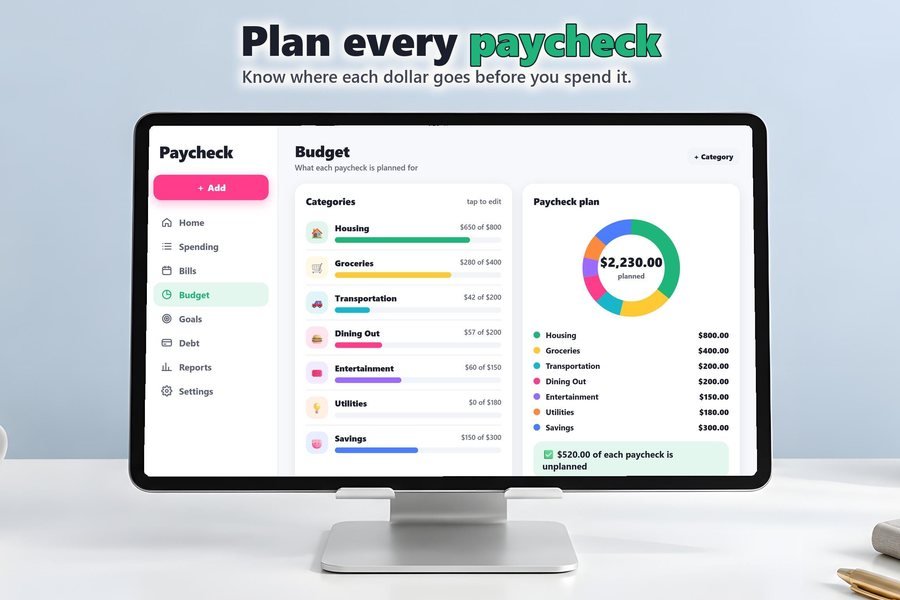
Pick weekly, every two weeks, twice a month or monthly, then plan your categories.
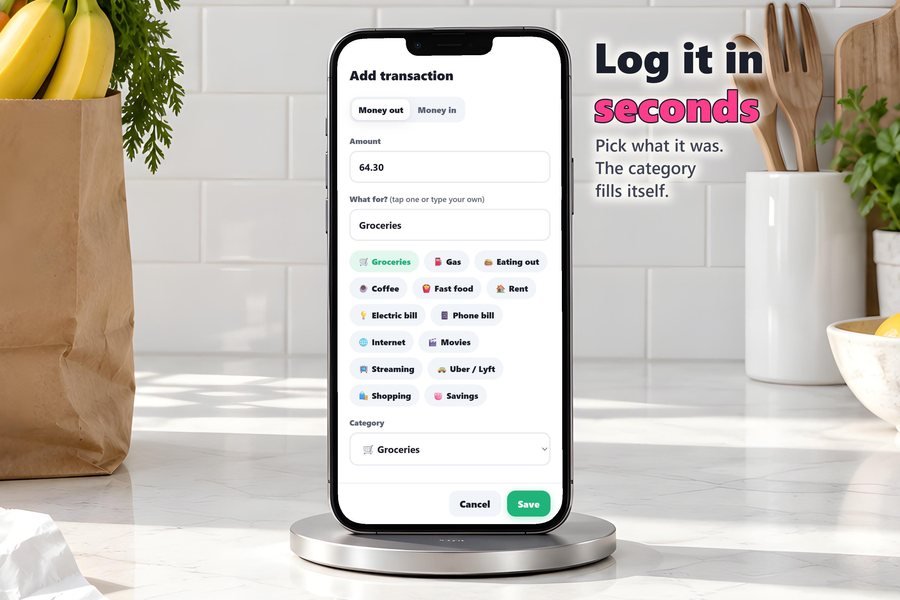
Add a purchase in seconds. Quick picks fill in the category for you.
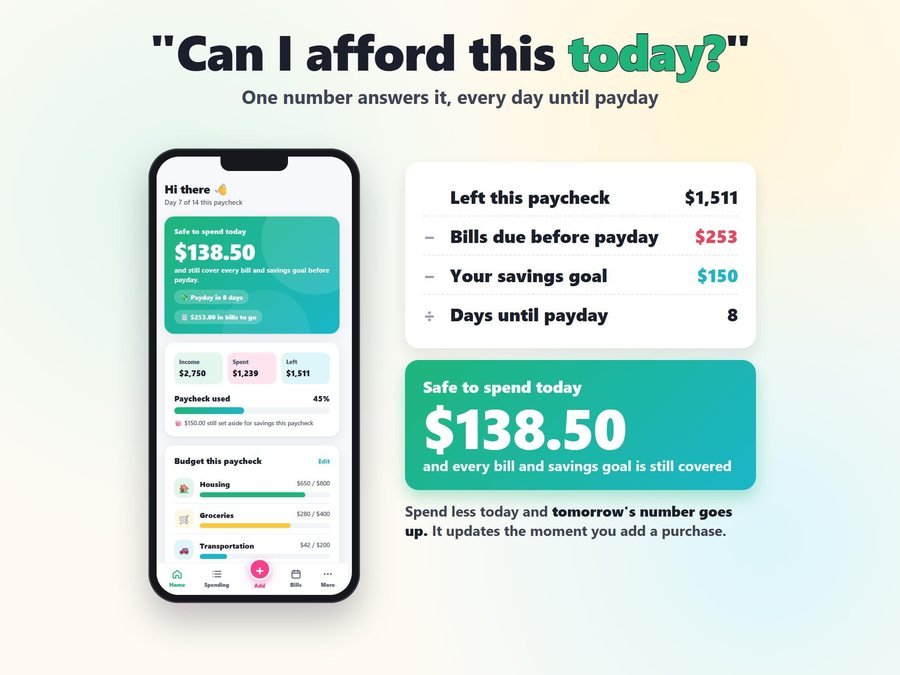
The number updates every time, after your bills and savings are covered.
The 5-minute tutorial, start to finish.
Plus the free 6-page how-to PDF guide comes with your purchase.
Your numbers stay on your device. No account, no password, no bank login, and nothing is sent to us or anyone else.
4.5 from 2 Etsy reviews
“Fantastic app, really help me visually see how much I can spend each day and see where the money is going”
“Super easy and very convenient with having it on my phone! It’s exactly what I was wanting.”
Real reviews of the Paycheck Budget App from our Etsy shop, word for word. Our Etsy shop has 150 reviews with a 4.8-star average.
Read all our reviews on Etsy →No. One purchase, yours to keep, with free updates delivered right in the app.
No. You add your purchases yourself, which takes a few seconds each, and your numbers stay on your device.
It's your take-home pay, minus what you've spent, the bills still due before payday and your savings, divided by the days until you get paid.
Yes. Pick weekly, every two weeks, twice a month or monthly.
Android phones, iPads and Windows or Mac computers. It installs from your link like a real app, opens full screen, and keeps working without internet once it's installed.
It doesn't sync by itself. Back up to a small file and restore it on the other device.
Buy direct and you land on your download page right after you pay, with your private app link and the free how-to PDF guide. On Etsy, open Purchases in a web browser and click Download Files.
Yes. The free demo opens right in your browser, with no sign-up.
More tools for your money.
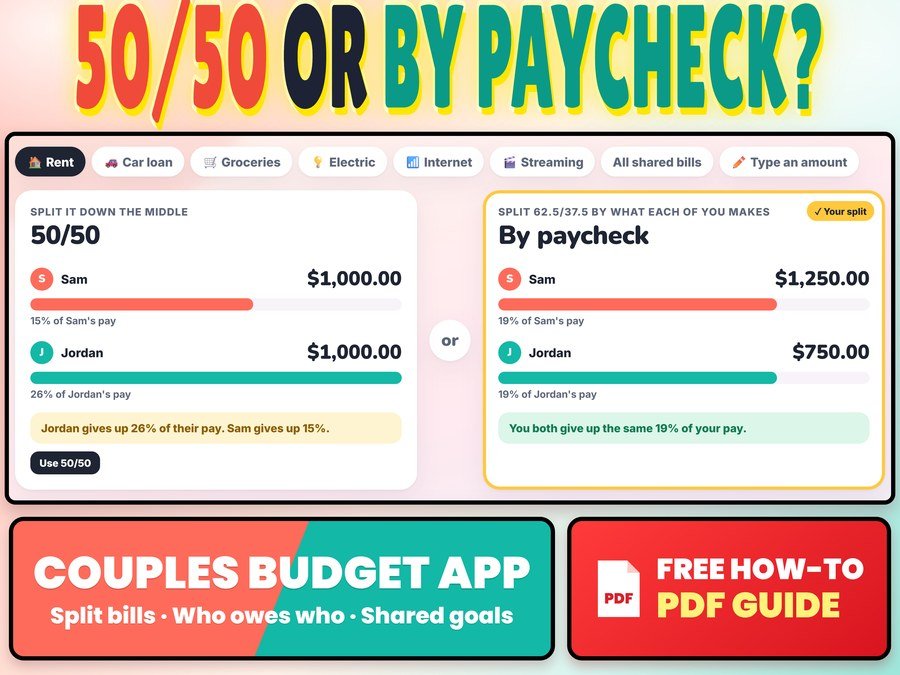
Split bills 50/50 or by paycheck and see who owes who
Buy direct · $12.99or on Etsy · $14.99See it on Smart Tools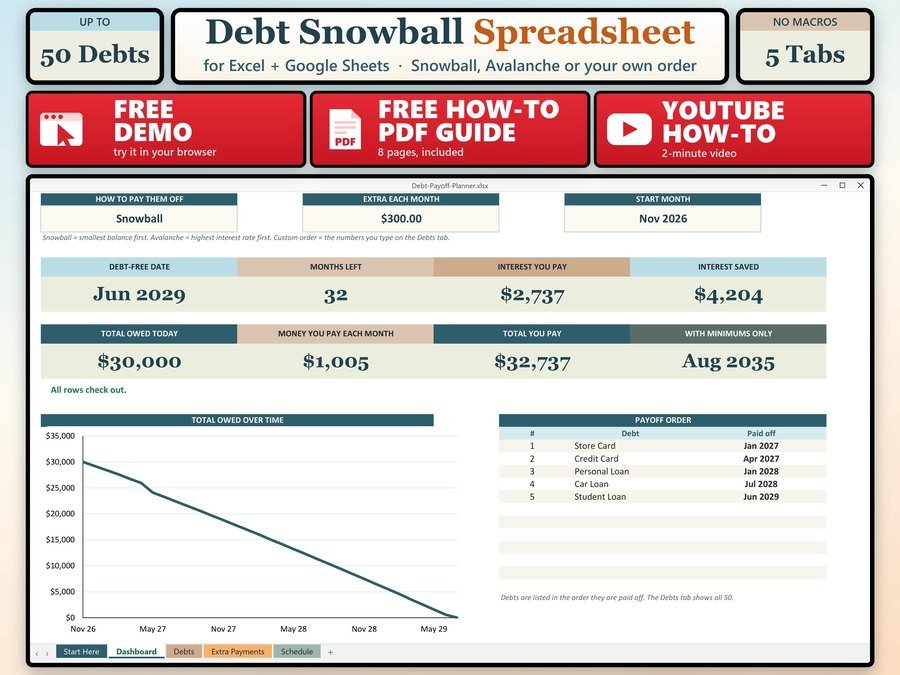
See the month you will be debt free
Buy direct · $7.99or on Etsy · $9.99See it on Smart Tools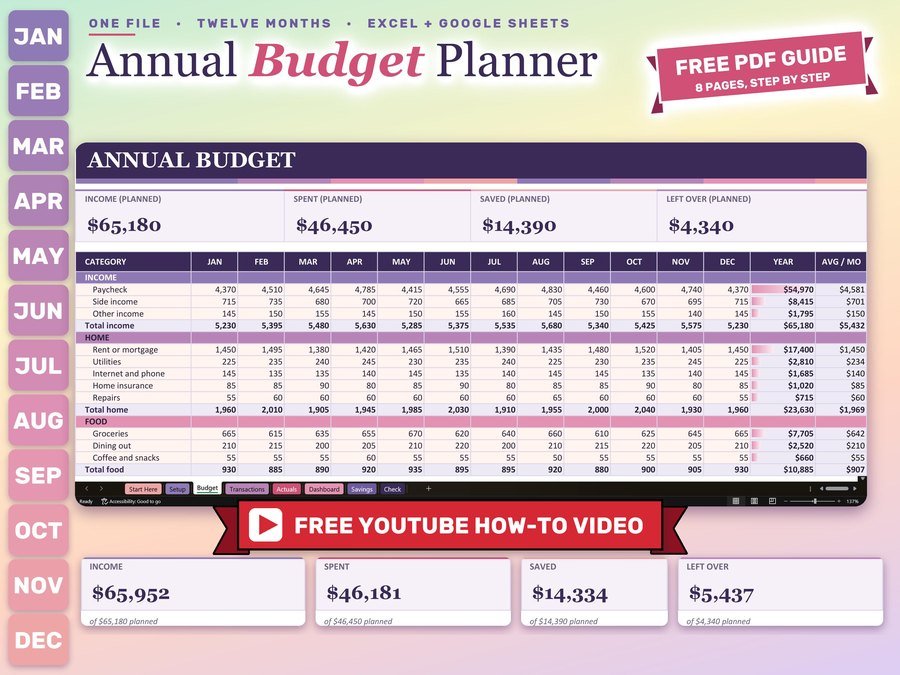
Monthly and yearly budget planner
Buy direct · $12.99or on Etsy · $14.99See it on Smart ToolsQuestions before you buy? Send us a message. Lost your download link? Message us.