
Records that build themselves
Check off a lesson and it counts as a school day and adds to your hours, so attendance, reports and the transcript fill in on their own.

Plan lessons for every child, track attendance and hours, and print reports and a transcript on your phone, tablet or computer.
$14.99 one time, buy direct
Instant download: your private app link, the free 8-page how-to PDF guide and the 100-page printable pack, right after you pay.
Buy on Etsy · $16.9935% off on Etsy: code SAVE35
Try the free demoCheck off a lesson and it counts as a school day and adds to your hours, so attendance, reports and the transcript fill in on their own.
Hand over the tablet and your child sees only their own day: big lesson cards and one tap to check each one off.
Every unfinished lesson slides to its subject's next school day, in the same order. Undo puts everything back.
Your week at a glance, a lesson on any day, and a day off with one tap. Add a break and the lessons after it move back.
A calendar for each child. A lesson or a field trip makes the day count, or mark a day by hand and add extra minutes.
Books with pages, stars and notes, photos of your child's work, and a goal list for each child.
Attendance and hours, subjects and lessons, reading list, transcript and portfolio, one page per child.
Credits and GPA (A to F on a 4.0 scale) built from lesson scores or a final grade you type. Add past courses too.

Name each subject, pick the days it's taught, set the minutes and add the lessons.
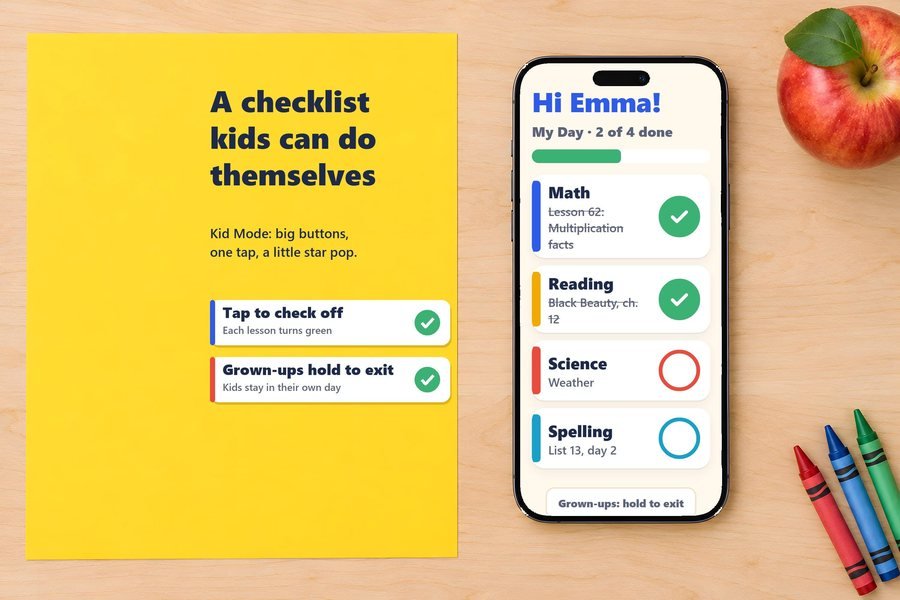
Check them off as you go, or let each child do it in Kid Mode.

Attendance, hours and the transcript are ready to print or save as a PDF.
The 3-minute how-to video, start to finish.
Plus the free 8-page how-to PDF guide comes with your purchase.
Print as many as you need for each child. US Letter (fits A4).
The Homeschool Planner App doesn't have reviews yet.
Our Etsy shop has 150 reviews with a 4.8-star average.
Read all our reviews on Etsy →No. One purchase and the app is yours to keep. If we release an update, the app offers it the next time you open it online.
Yes. Add each child and their subjects, and Today shows every child's lessons.
Tap Missed a day? and every unfinished lesson slides to its subject's next school day, in the same order. Undo puts everything back.
Yes, with credits and GPA (A to F on a 4.0 scale), built from lesson scores or a final grade you type.
No. You type in the school days and hours your state asks for, and the meter keeps count. Check your own state's requirements.
Yes. Once you've opened it from your link, it keeps working without internet.
US Letter, and they fit A4. Print as many as you need for each child.
Buy direct and you land on your download page right after you pay, with your app link, the how-to guide and the printable pack. On Etsy, open Purchases in a web browser and click Download Files.
Yes. The free demo opens right in your browser, with no sign-up.
More planners for your family.
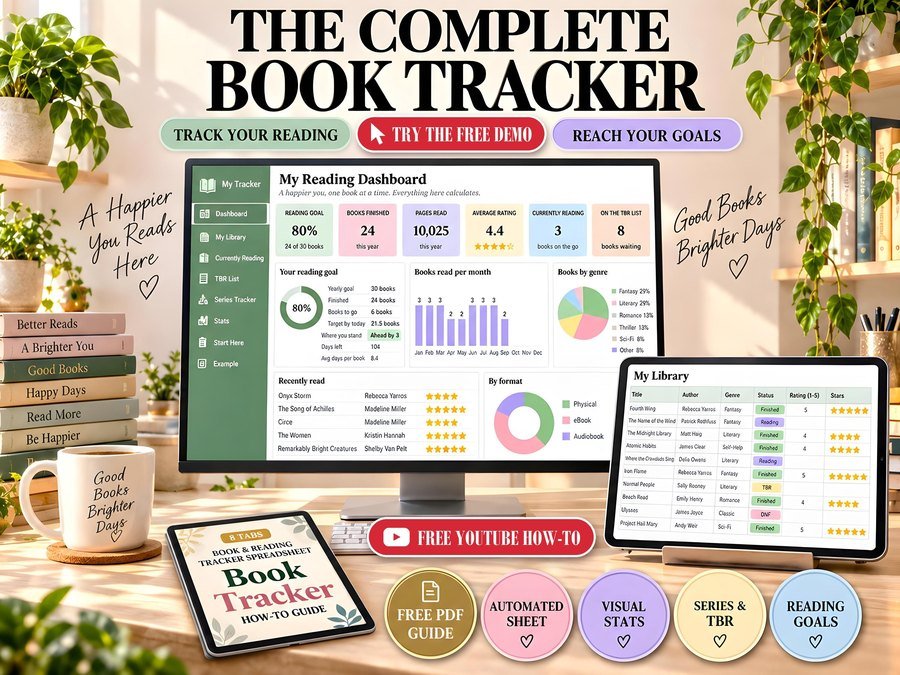
Reading tracker with goals and stats
Buy direct · $10.99or on Etsy · $12.99See it on Smart Tools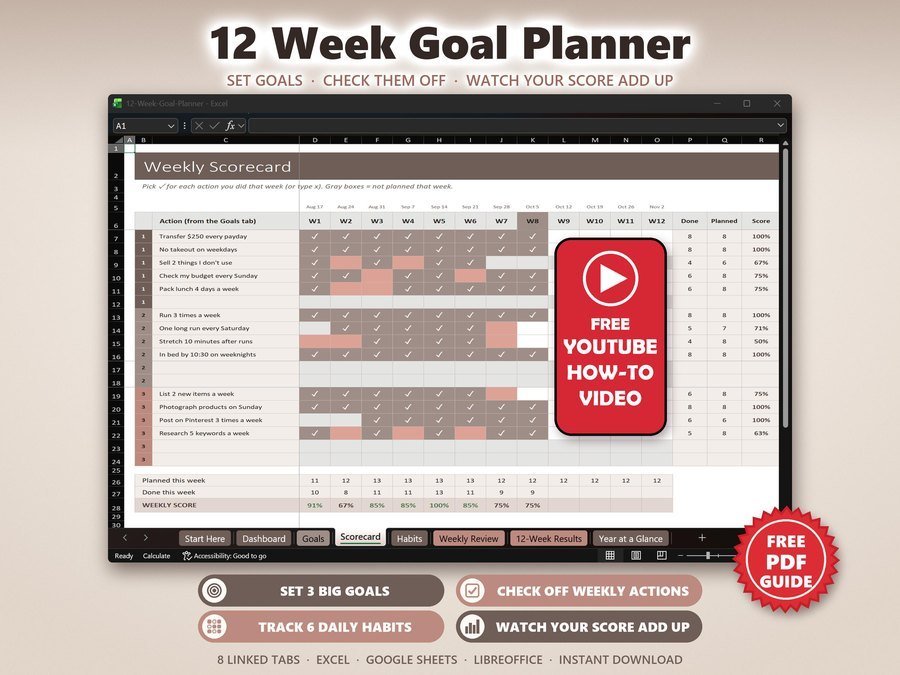
12 week goals, habits and accountability
Buy direct · $7.99or on Etsy · $9.99See it on Smart Tools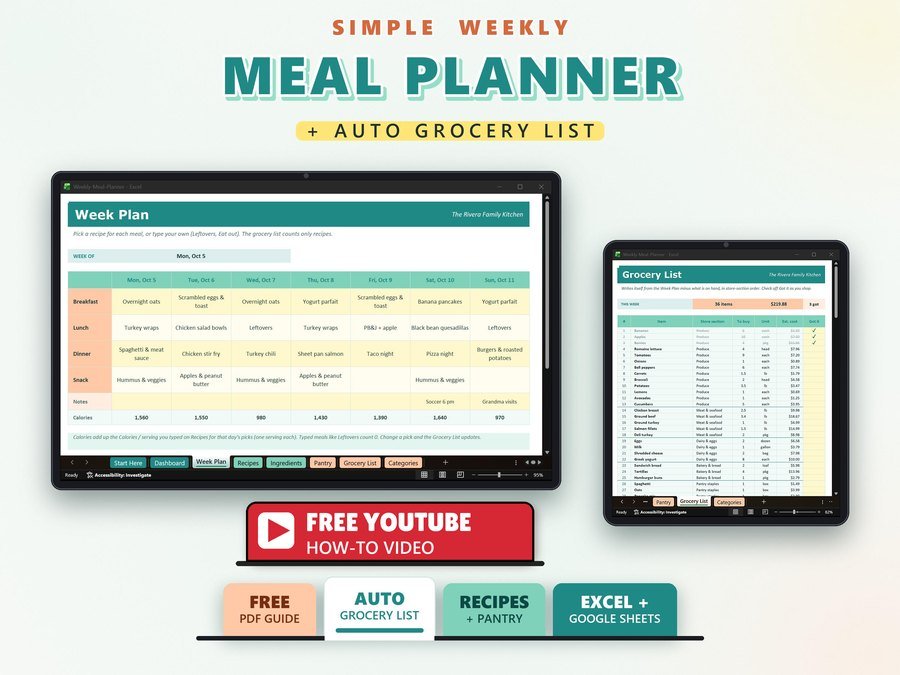
Weekly meals with a grocery list
Buy direct · $10.99or on Etsy · $12.99See it on Smart ToolsQuestions before you buy? Send us a message. Lost your download link? Message us.