
One bill per tenant
Rent, their share of the utilities and any fees on one monthly bill. Rent is prorated automatically when a tenant moves in or out mid-month.

Every tenant gets one monthly bill with rent, their share of the utilities and any fees, and you see who has paid, who paid part and who is late.
$14.99 one time, buy direct
Instant download: your private app link and the free 12-page how-to PDF guide, right after you pay.
Buy on Etsy · $16.9935% off on Etsy: code SAVE35
Try the free demo Or try the free rent and bills calculator →Rent, their share of the utilities and any fees on one monthly bill. Rent is prorated automatically when a tenant moves in or out mid-month.
Equally, by number of people, by square feet, by your own percent or by meter reading. The shares always add up to the exact bill, to the cent.
Pet rent, parking, storage or any fee you name. Late fees are added automatically after your grace days, as a flat amount or a percent of rent.
Record a payment in seconds: Zelle, cash, check, Venmo, Cash App or bank. Partial payments carry to next month, and overpayments become a credit.
Every tenant shows PAID, PARTIAL, DUE or LATE. Home shows what you've collected this month, who is late, who is due soon and which leases end soon.
A running ledger for every month, a clean statement for each tenant with the utility split line by line, payment receipts and a security deposit log.
Expenses per property, your true utility cost after tenants pay their share, and profit per property by month and by year, with a chart.
A year-end summary per property, organized for tax time, plus a CSV export for Excel. Mark a repair done and its cost goes into your expenses.
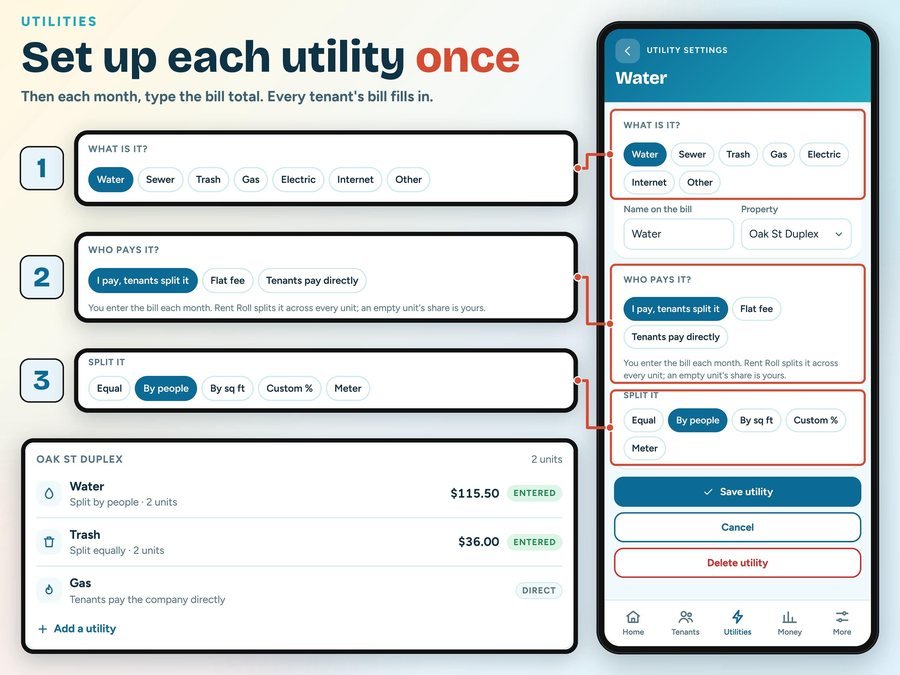
Say what each bill is, who pays it and how to split it.
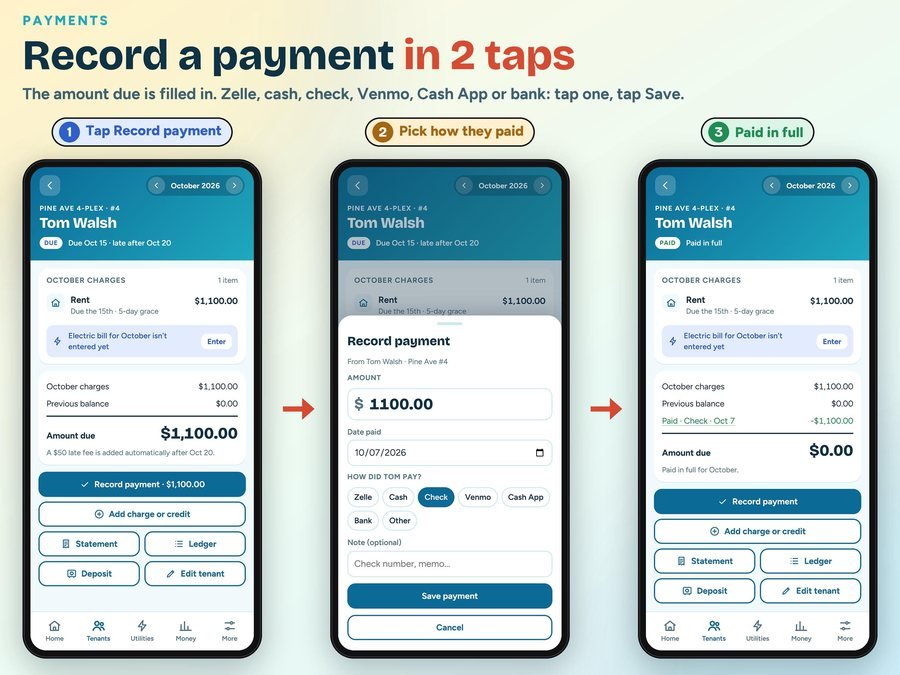
Amount, date and how they paid. Partial payments are fine.
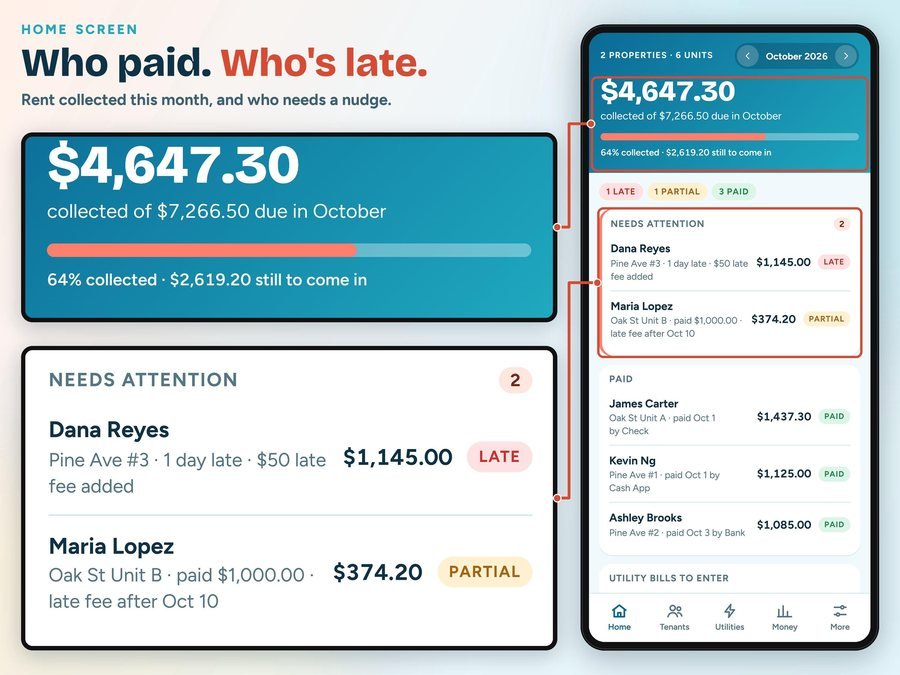
Home shows what you've collected and who is late or due soon.
See Rent Roll in action, step by step.
Plus the free 12-page how-to PDF guide comes with your purchase.
The Rent Roll Landlord App doesn't have reviews yet.
Our Etsy shop has 150 reviews with a 4.8-star average.
Read all our reviews on Etsy →No. It's a one-time purchase with no subscription.
Yes. Split equally, by number of people, by square feet, by your own percent or by meter reading, and the shares always add up to the exact bill.
Yes. Late fees are added automatically after your grace days, as a flat amount or a percent of rent.
Yes. Partial payments are allowed, balances carry to next month, and overpayments become a credit.
Yes. Each tenant gets a clean monthly statement with the utility split shown line by line, to print or save as a PDF.
Yes, once it's installed. Your data stays on your device, and nothing you type is ever uploaded.
Yes. Backup and Restore moves your data between them.
Buy direct and you land on your download page right after you pay, with your private app link and the free how-to PDF guide. On Etsy, open Purchases in a web browser and click Download Files.
Yes. The free demo opens right in your browser, with no sign-up.
More tools for your rentals and your money.
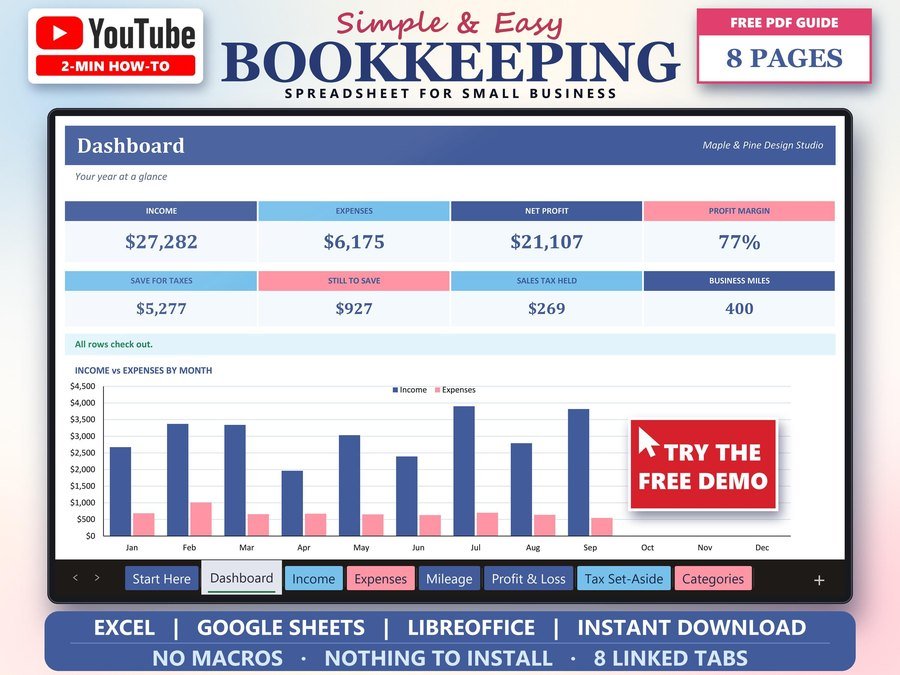
Income, expenses and profit for small business
Buy direct · $15.99or on Etsy · $17.99See it on Smart Tools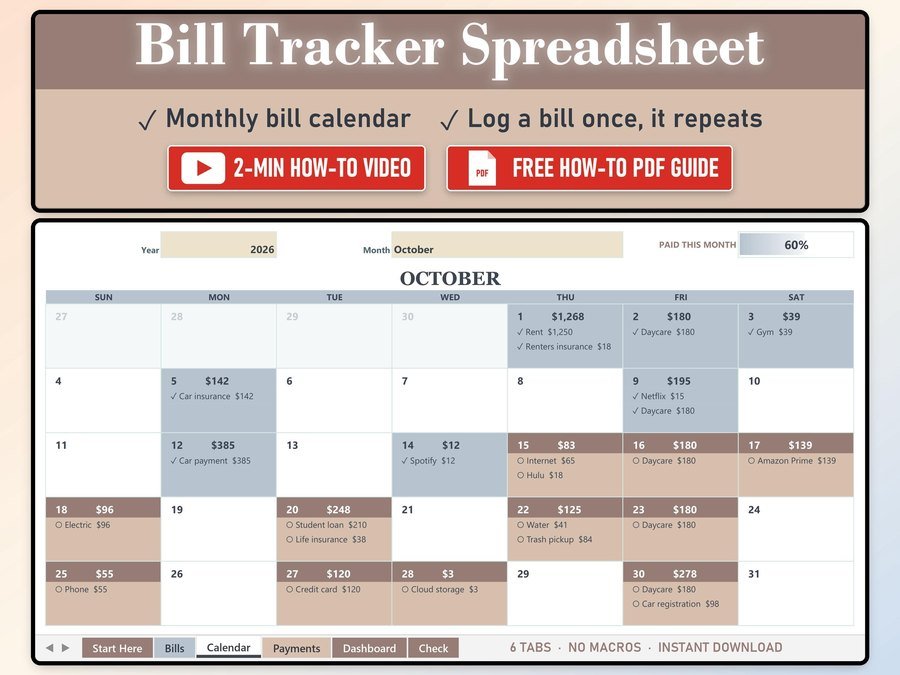
Every bill on a monthly calendar
Buy direct · $10.99or on Etsy · $12.99See it on Smart Tools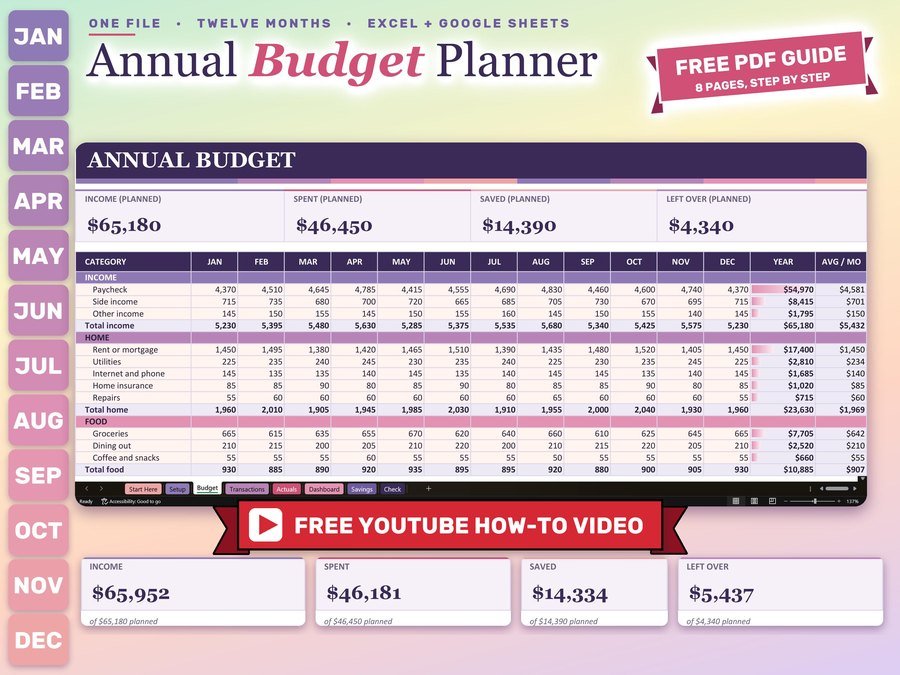
Monthly and yearly budget planner
Buy direct · $12.99or on Etsy · $14.99See it on Smart ToolsQuestions before you buy? Send us a message. Lost your download link? Message us.