
Scan a book to add it
Point your camera at the barcode on the back and the title, author, pages and cover fill in by themselves. No barcode? Search by title, author or ISBN.

Scan a book to add it, track your reading streak and yearly goal, and see your year in books. It works in your web browser on iPhone, iPad, Android, Kindle Fire tablets and computers.
$14.99 one time, on Etsy
Point your camera at the barcode on the back and the title, author, pages and cover fill in by themselves. No barcode? Search by title, author or ISBN.
Floating Shelves where longer books get thicker spines, a Cover wall or a List. Search and filter by status, format, spice, mood or trope.
Half-star ratings, 0 to 5 spice peppers, tropes and moods, plus your notes and favorite characters. Tap a book's cover to flip it.
Track each book by pages, percent, Kindle location or audiobook minutes. Add 10 pages in one tap, and tap Mark finished for confetti.
Add the minutes you read today and watch your streak and your hours grow.
Set your yearly reading goal and the ring tells you if you're ahead or behind. Earn badges as you read and make your own mini challenges.
Books, pages, hours, average rating, genres, moods, top tropes and top authors. One tap makes a recap picture of your year to share.
See where you are in a series and what's next, keep a wishlist, and note where each book came from and who you lent it to.
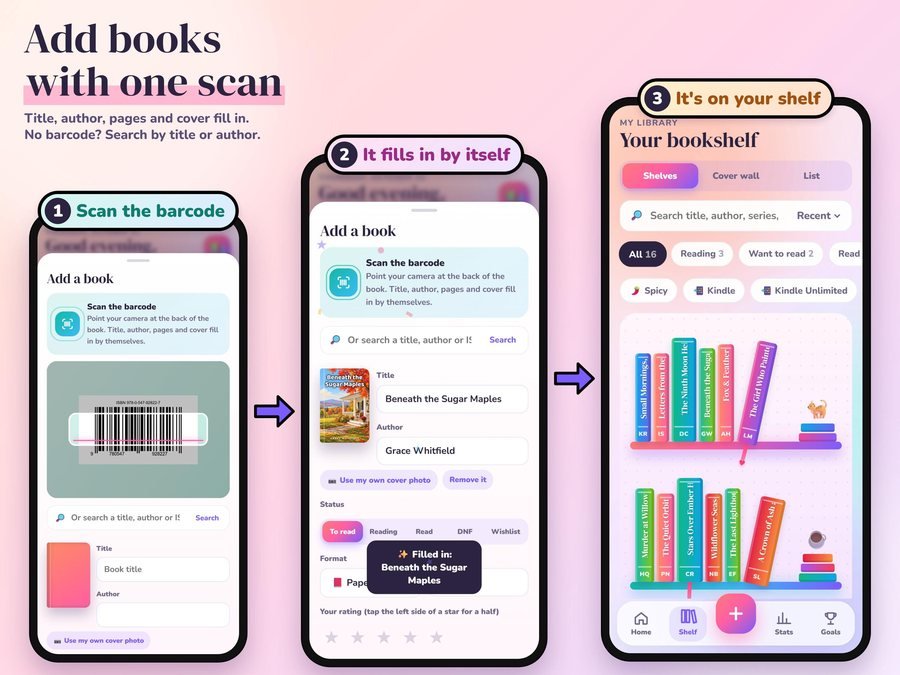
Scan the barcode and the title, author and cover fill in. The book lands on your shelf.
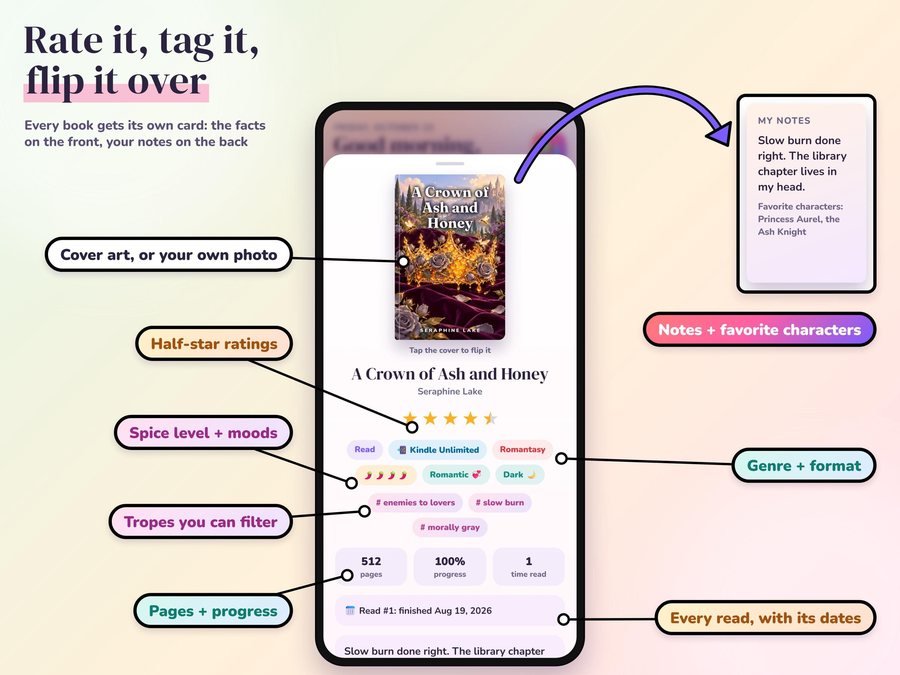
Stars, spice, moods and tropes on the front, your notes and favorite characters on the back.
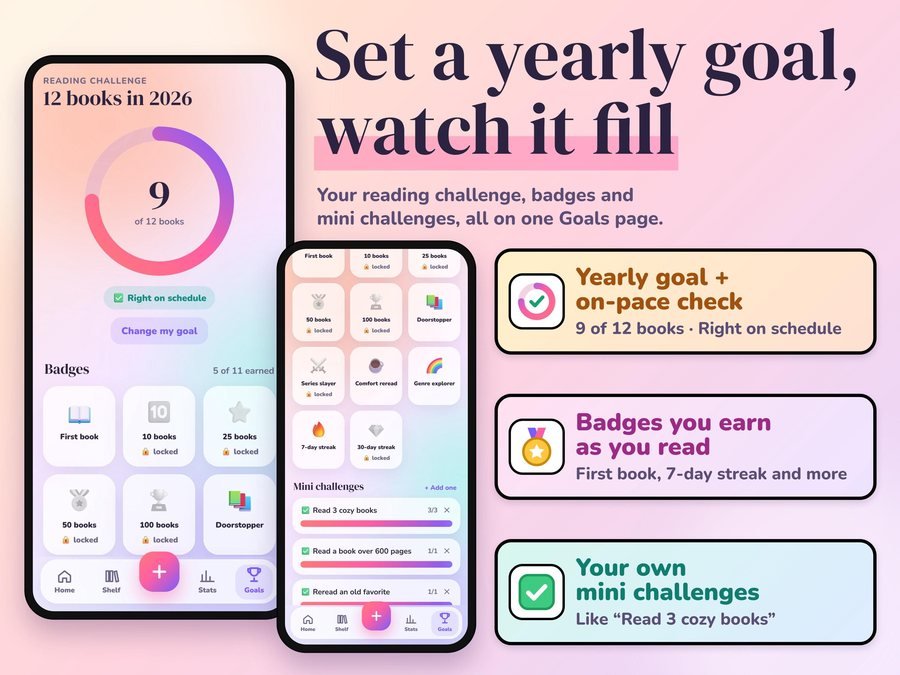
The ring fills as you finish books and tells you if you're on schedule.
Track Kindle books by percent or location, mark Kindle Unlimited borrows, and bring in your Kindle highlights from My Clippings.txt or the Kindle app's notebook. It runs on Kindle Fire tablets, not on Kindle e-readers.
Readlark doesn't have reviews yet.
Our Etsy shop has 150 reviews with a 4.8-star average.
Read all our reviews on Etsy →Scan the barcode on the back with your phone or tablet camera and the title, author, pages and cover fill in by themselves. No barcode? Search by title, author or ISBN, or type it in and snap your own cover photo.
It runs on Kindle Fire tablets. It doesn't run on Kindle e-readers, so track those books on your phone, tablet or computer. Kindle books can be tracked by percent or location.
Yes. Readlark opens the .csv library export from the two book sites shown on the "Bring your books over" photo, plus your Kindle highlights. Books already on your shelf aren't added twice, and nothing you typed is overwritten.
Yes. Set your yearly reading goal and the ring fills as you finish books, telling you if you're ahead or behind. You can make your own mini challenges too.
No. It's a one-time purchase, no subscription, with no account, no sign-up and no ads.
It doesn't sync by itself. Save a backup file and open it on the other device to move your books.
Yes, for one reader. Please don't post your app link publicly.
It's a digital download. After you buy on Etsy, open Purchases in a web browser and click Download Files, then open the guide PDF and tap your private app link.
Yes. The free demo opens right in your browser, with no sign-up.
More for readers and your yearly goals.
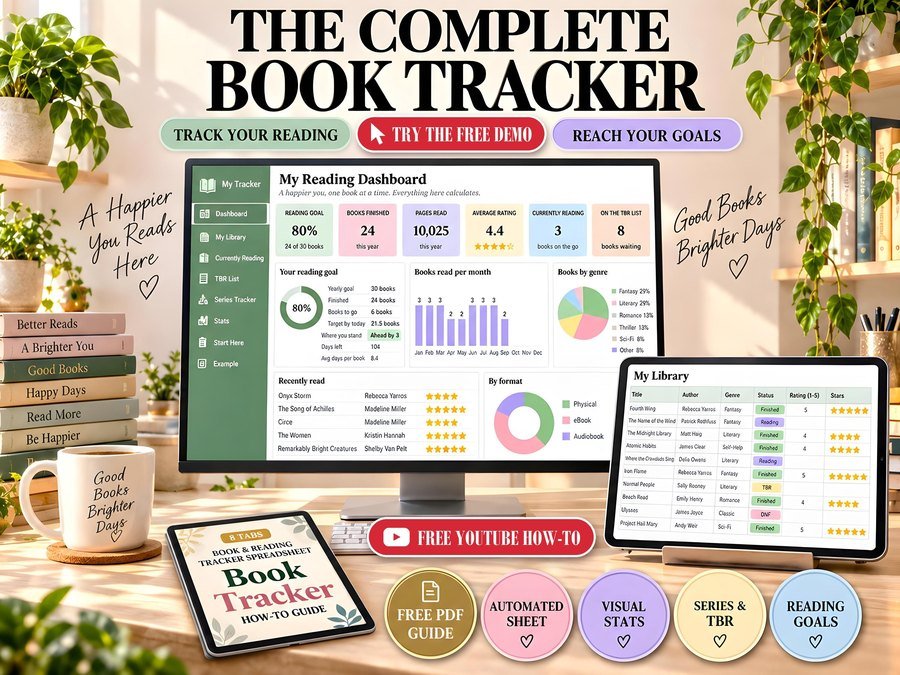
Reading tracker with goals and stats
Buy direct · $10.99or on Etsy · $12.99See it on Smart Tools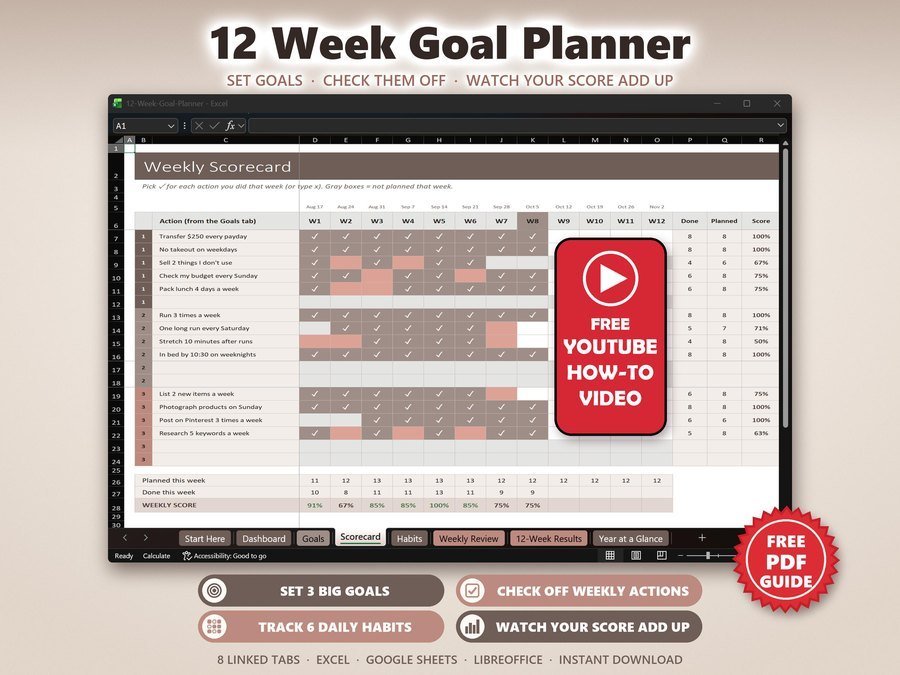
12 week goals, habits and accountability
Buy direct · $7.99or on Etsy · $9.99See it on Smart Tools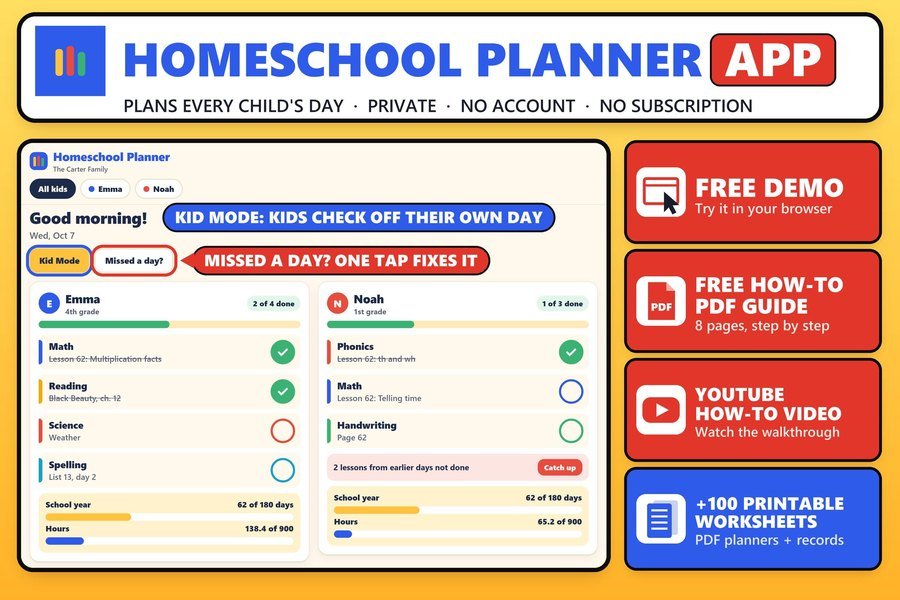
Lesson plans, attendance and records for each child
Buy direct · $14.99or on Etsy · $16.99See it on Smart ToolsQuestions before you buy? Send us a message. Lost your download link? Message us.