
Your debt-free date
Your debt-free date, months left, the interest you'll pay and the interest you save compared with paying only the minimums.
See the month you'll be debt free
Type your debts once, pick how you want to pay them off, and see your debt-free date, the interest you'll pay and the interest you save compared with paying only the minimums.
$7.99 one time, buy direct
Instant download: the spreadsheet (.xlsx) and the free 8-page how-to PDF guide, right after you pay.
Buy on Etsy · $9.9935% off on Etsy: code SAVE35
Try the free demoYour debt-free date, months left, the interest you'll pay and the interest you save compared with paying only the minimums.
Snowball (smallest balance first), Avalanche (highest interest rate first, which usually costs the least interest) or your own order.
When a debt is paid off, its payment rolls into the next one automatically.
Credit cards, store cards, car loans, student loans, personal loans, a mortgage, medical bills and more.
Add a bonus or a gift as an extra payment and watch your date move.
Every month worked out for you, covering up to 30 years.
A chart of your balance falling to zero, and the month each debt disappears.
A Check column tells you exactly what a row needs, like a missing balance or a payment that doesn't cover the interest.
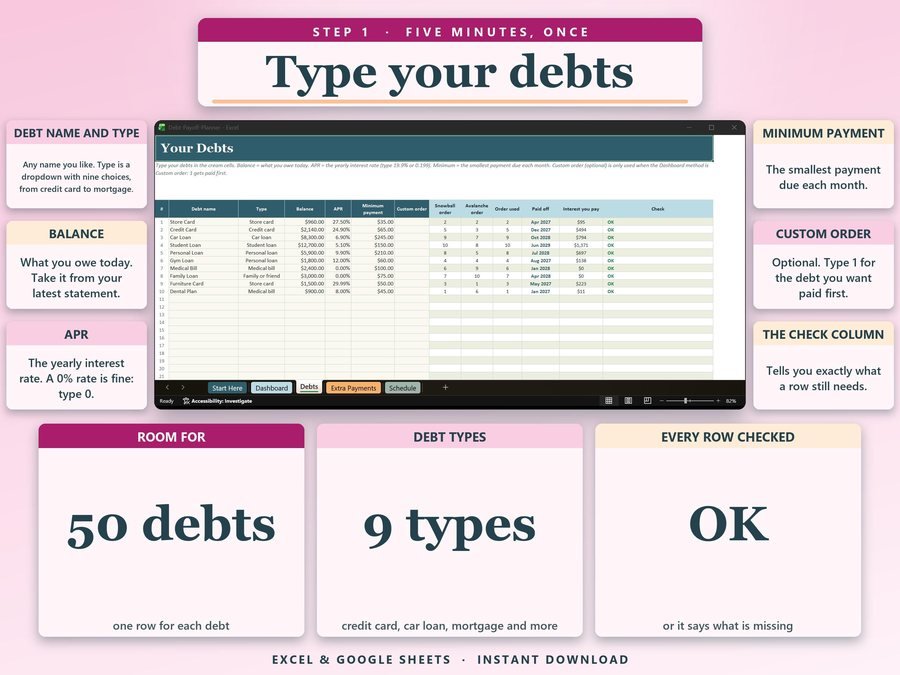
The name, type, balance, APR and minimum payment for each one.
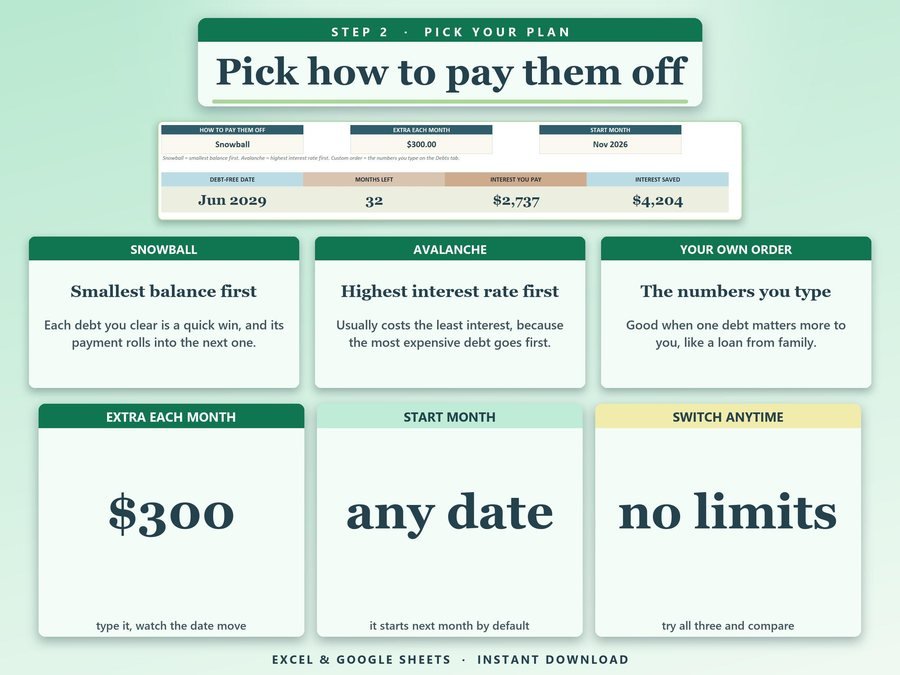
Snowball, Avalanche or your own order, plus any extra each month.
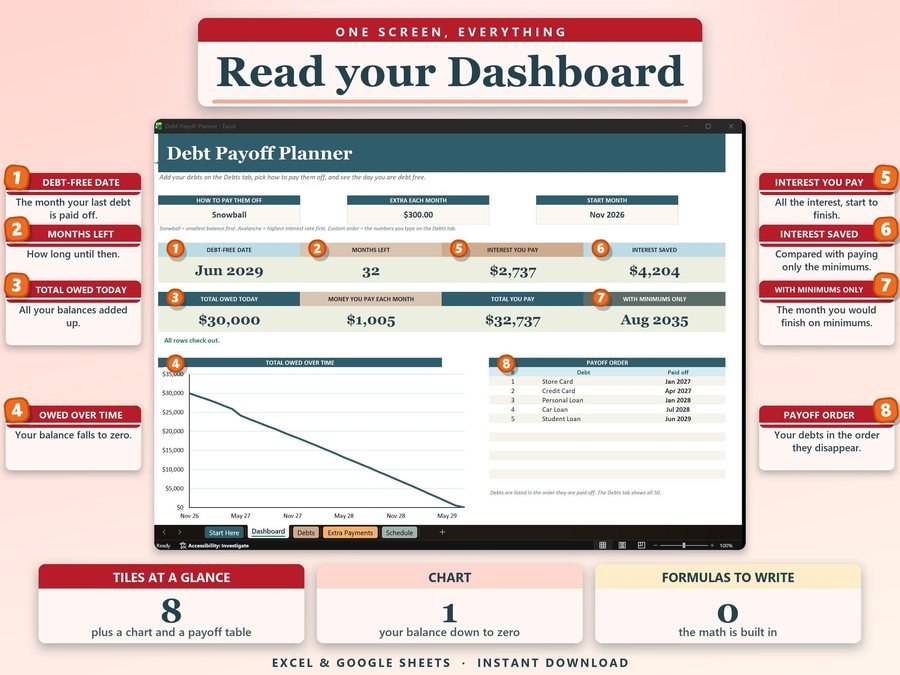
Your debt-free date, months left and the interest you save, all worked out.
The 2-minute how-to video, start to finish.
Plus the free 8-page how-to PDF guide comes with your purchase.
Change the extra you pay each month or add a bonus, and your debt-free date, months left and the interest you pay update with it.
The Debt Snowball Spreadsheet doesn't have reviews yet.
Our Etsy shop has 150 reviews with a 4.8-star average.
Read all our reviews on Etsy →Snowball pays the smallest balance first, so you get quick wins. Avalanche pays the highest interest rate first, which usually costs the least interest. You can also choose your own order.
Up to 50: credit cards, store cards, car loans, student loans, personal loans, a mortgage, medical bills and more.
Yes. Add it on the Extra Payments tab and watch your debt-free date move.
The month-by-month schedule covers up to 30 years.
Yes. Upload the file to Google Drive, open it, then choose File, Save as Google Sheets. Google Sheets doesn't keep the Excel formula locks, so type only in the cream cells.
No. The numbers are estimates from the rates and payments you type, and real lenders may round or charge fees differently.
Buy direct and you land on your download page right after you pay, with the spreadsheet and the free how-to PDF guide. On Etsy, open Purchases in a web browser and click Download Files.
Yes. Try the free demo right in your browser before you buy.
More tools for your money.
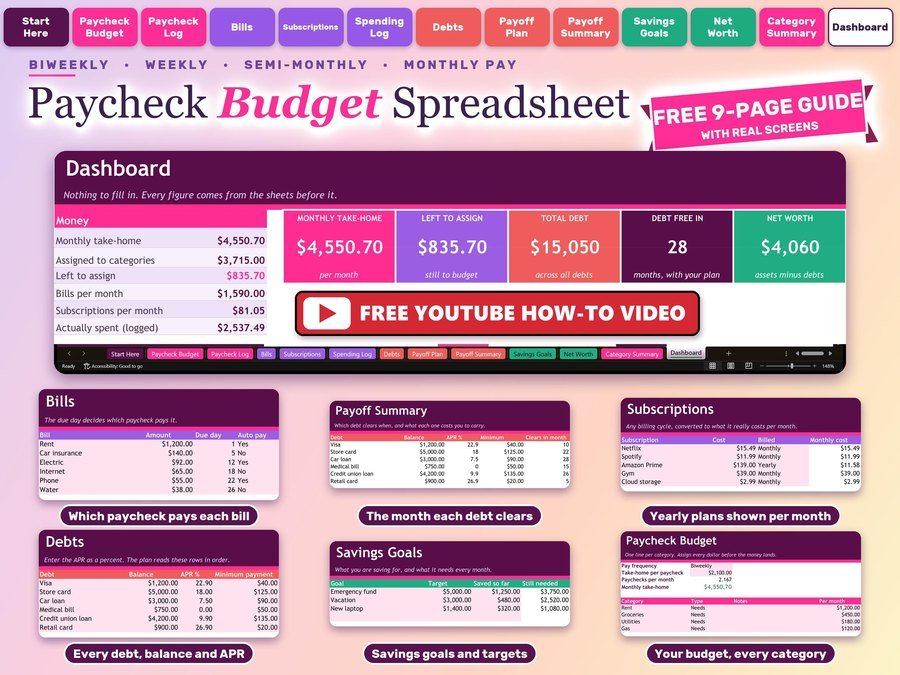
Plan every paycheck, bills and debt payoff
Buy direct · $10.99or on Etsy · $12.99See it on Smart Tools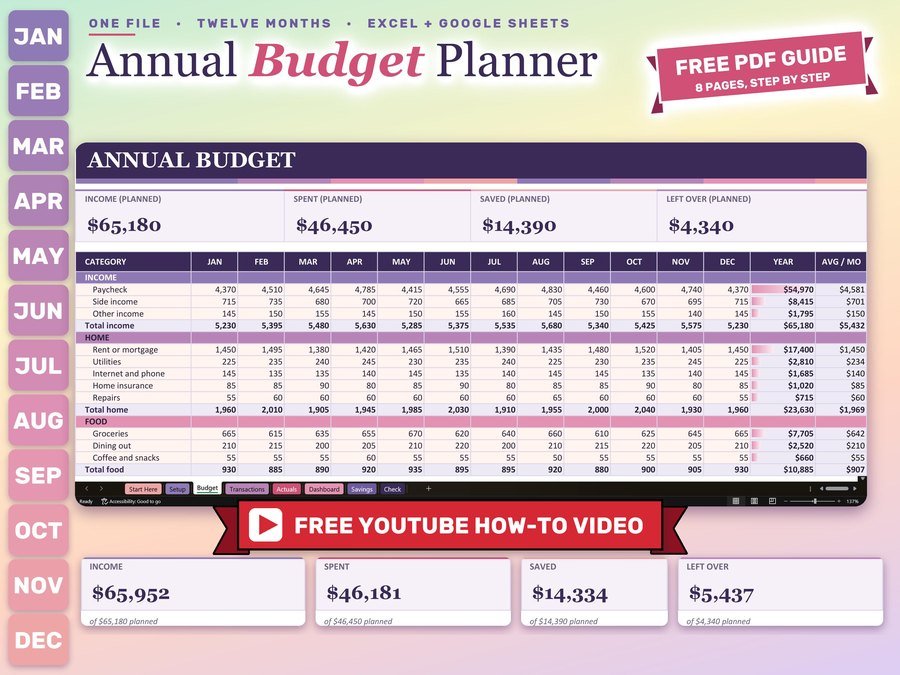
Monthly and yearly budget planner
Buy direct · $12.99or on Etsy · $14.99See it on Smart Tools
Biweekly budget, bills and debt payoff on your phone
Buy direct · $17.99or on Etsy · $19.99See it on Smart ToolsQuestions before you buy? Send us a message. Lost your download link? Message us.