
Budget by paycheck
Weekly, biweekly, semi-monthly or monthly pay becomes one real monthly budget. Give every dollar a job until Left to assign reads zero.
Budget by paycheck, then watch your debt disappear
Turn weekly, biweekly, semi-monthly or monthly pay into one clear monthly budget, then see the exact month you'll be debt free with the debt snowball or avalanche.
$10.99 one time, buy direct
Instant download: the spreadsheet (.xlsx) and the free 9-page how-to PDF guide, right after you pay.
Buy on Etsy · $12.9935% off on Etsy: code SAVE35
Try the free demoWeekly, biweekly, semi-monthly or monthly pay becomes one real monthly budget. Give every dollar a job until Left to assign reads zero.
Enter a bill's due day once and it tells you which paycheck covers it.
Choose a strategy from a dropdown, add whatever extra you can afford, and it plays the whole plan forward month by month for ten years.
See the month you're debt free and the total interest you'll pay. Flip the dropdown to the other strategy and both figures update.
Yearly subscriptions show as a real monthly cost, with the amount you've marked to cancel.
Sinking funds with a target, saved so far, months left and the amount needed per month.
Assets and liabilities, with every debt pulled in automatically from the Debts tab.
Five cards: take-home, left to assign, total debt, months to debt free and net worth. Plus budget against actual spending for every category.
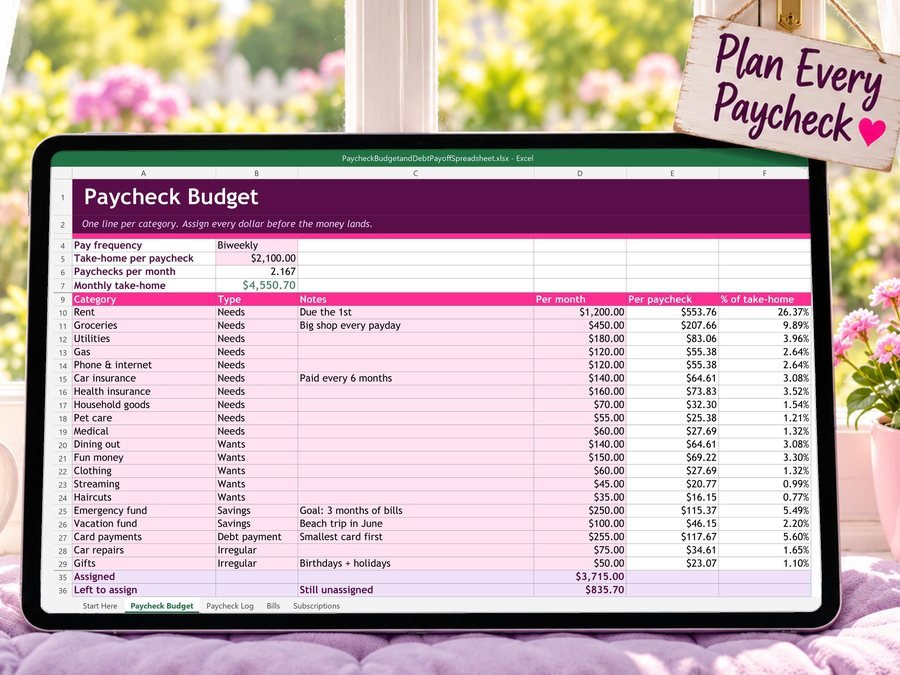
Pick how often you're paid and enter your take-home. It does the monthly math for you.
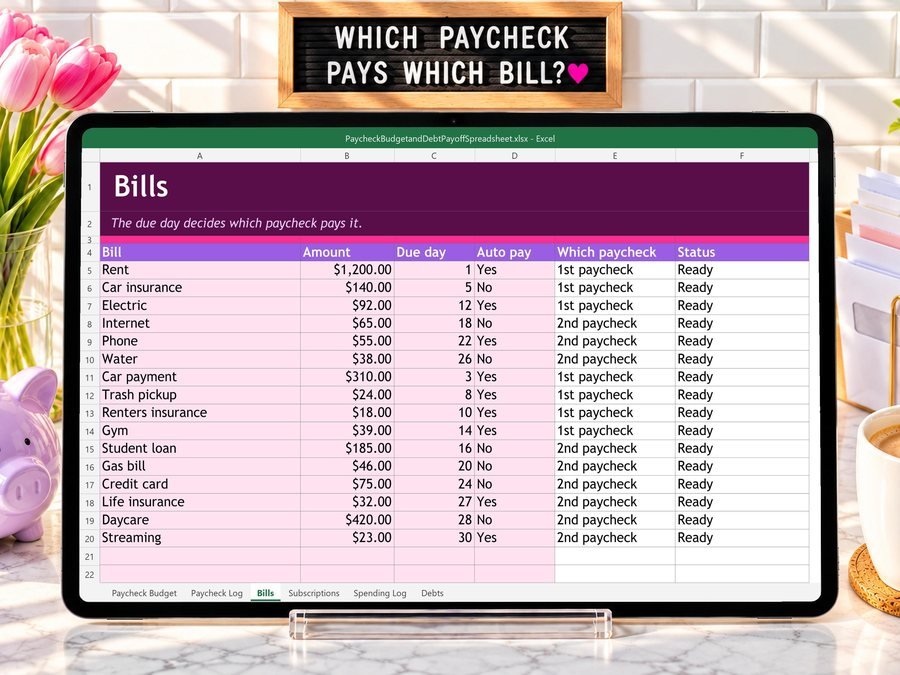
Enter each bill's due day once and it tells you which paycheck covers it.

Enter each balance, APR and minimum, then choose Snowball or Avalanche.
See how to set up and use the Paycheck Budget Spreadsheet.
Plus the free 9-page how-to PDF guide comes with your purchase.
The Paycheck Budget Spreadsheet doesn't have reviews yet.
Our Etsy shop has 150 reviews with a 4.8-star average.
Read all our reviews on Etsy →Yes. Pick weekly, biweekly, semi-monthly or monthly pay and it turns it into a real monthly budget.
Yes. Choose one from the dropdown, then flip it to the other. The debt-free month and the total interest update in a second, so you can see which one saves you more.
Up to 12 debts, with a 120-month payoff plan.
No. The Dashboard pulls every figure from the tabs before it. There's nothing to fill in on it.
Yes. It works in Microsoft Excel, Microsoft 365, Google Sheets and LibreOffice Calc. Google Sheets removes the formula protection on import, so every cell is editable there.
Buy direct and you land on your download page right after you pay, with the spreadsheet and the free how-to PDF guide. On Etsy, open Purchases in a web browser and click Download Files.
Yes. Try the free demo right in your browser before you buy.
More tools for your money.

Biweekly budget, bills and debt payoff on your phone
Buy direct · $17.99or on Etsy · $19.99See it on Smart Tools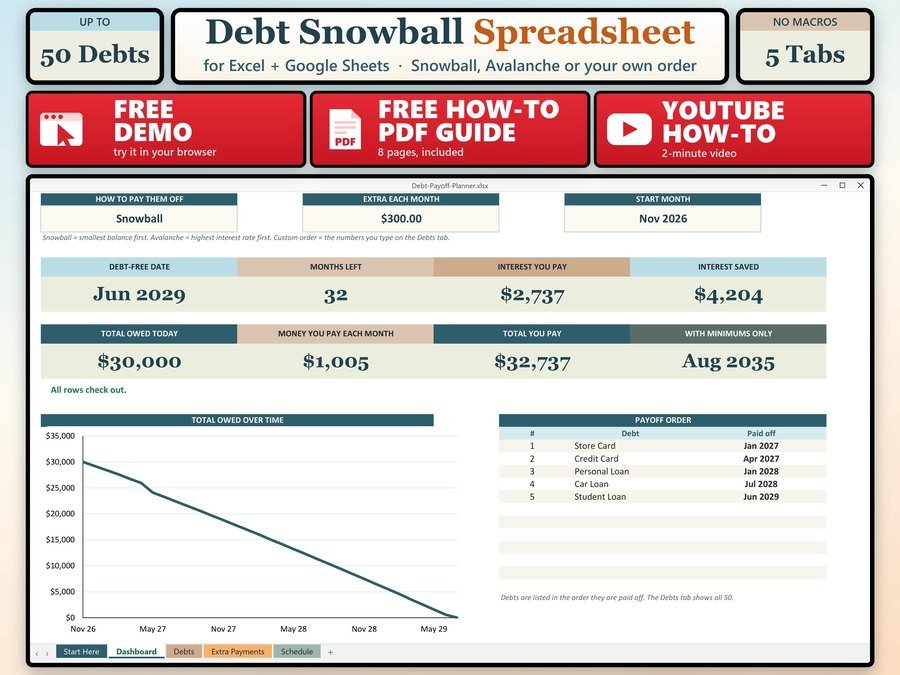
See the month you will be debt free
Buy direct · $7.99or on Etsy · $9.99See it on Smart Tools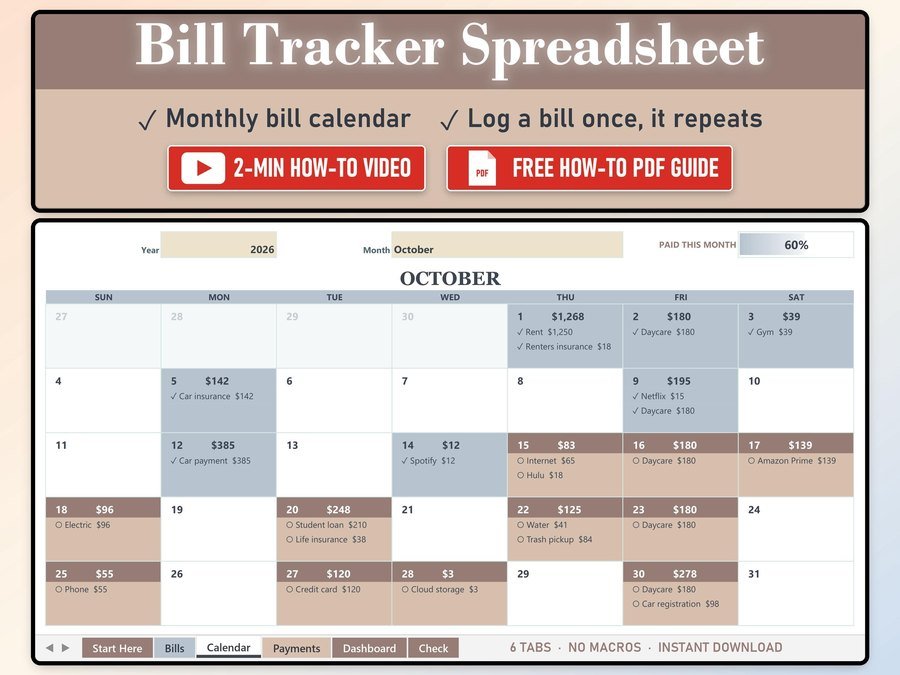
Every bill on a monthly calendar
Buy direct · $10.99or on Etsy · $12.99See it on Smart ToolsQuestions before you buy? Send us a message. Lost your download link? Message us.