
Log every bill once
Each bill, subscription, debt payment and paycheck one time: the amount, how often and the first due date.
Every bill on a monthly calendar
Log every bill once and the calendar fills itself in, every month. Log a payment and the day turns from tan (still due) to blue-gray (paid).
$10.99 one time, buy direct
Instant download: the spreadsheet (.xlsx) and the free 7-page how-to PDF guide, right after you pay.
Buy on Etsy · $12.9935% off on Etsy: code SAVE35
Each bill, subscription, debt payment and paycheck one time: the amount, how often and the first due date.
Pick any month and every due day shows its total, with up to 3 bills a day by name.
A bar at the top of the calendar fills as you log payments. It counts dollars, not bills.
Log a payment and the day turns from tan to blue-gray, with a check mark next to each bill paid in full.
Weekly, every 2 weeks, monthly, quarterly, yearly or one time. A bill due on the 31st shows on the last day of shorter months.
Paid off a bill? Give it an end date and it stops showing up.
Due this month, paid so far, left to pay and income this month, plus what your bills cost per month and per year.
Plain-language checks catch mistakes like an amount typed as text or a bill name used twice.
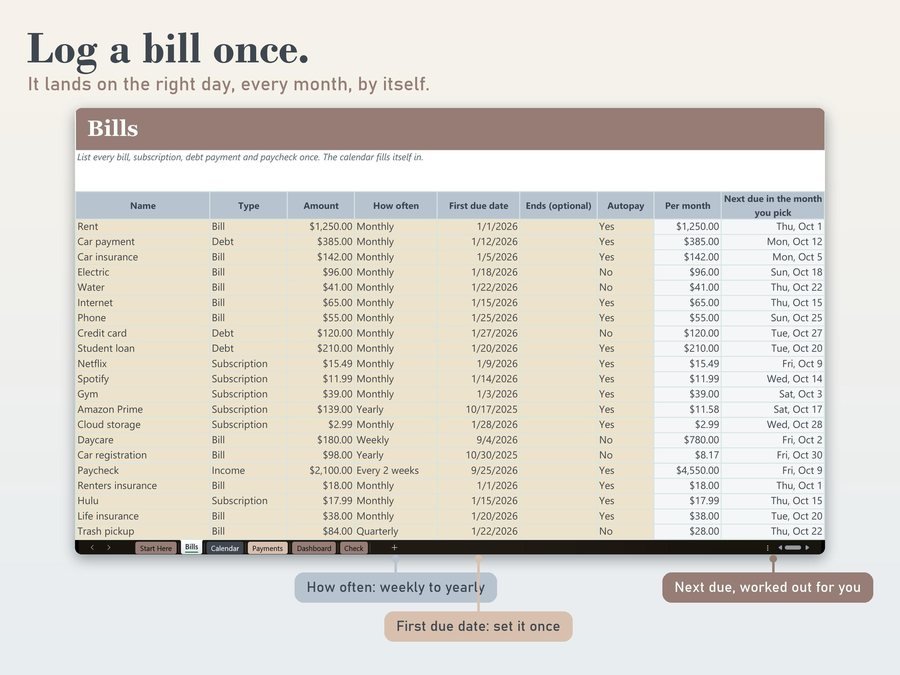
On the Bills tab: the amount, how often and the first due date.
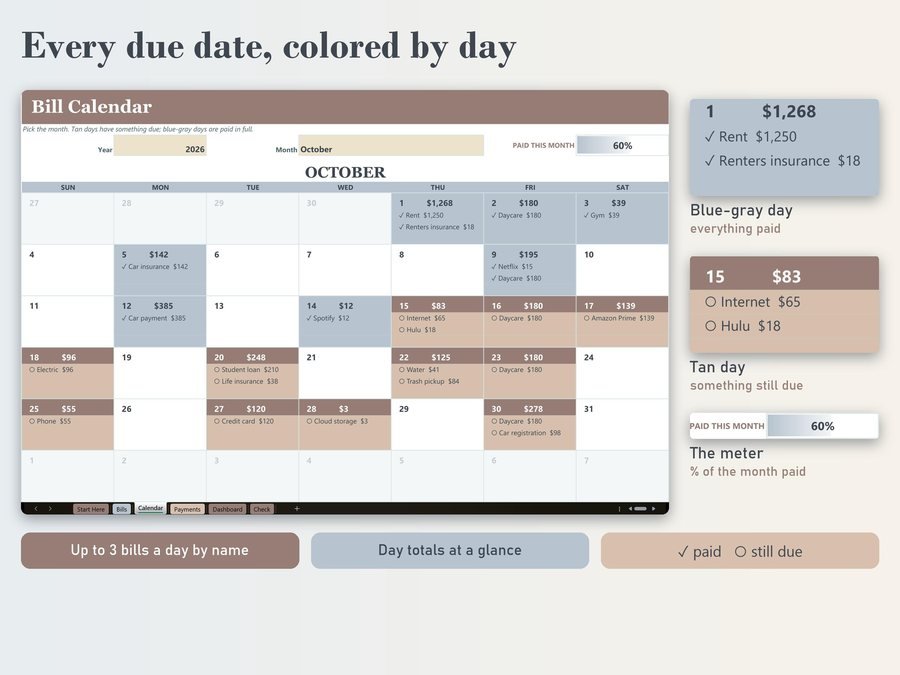
The Calendar shows every due day with its total.
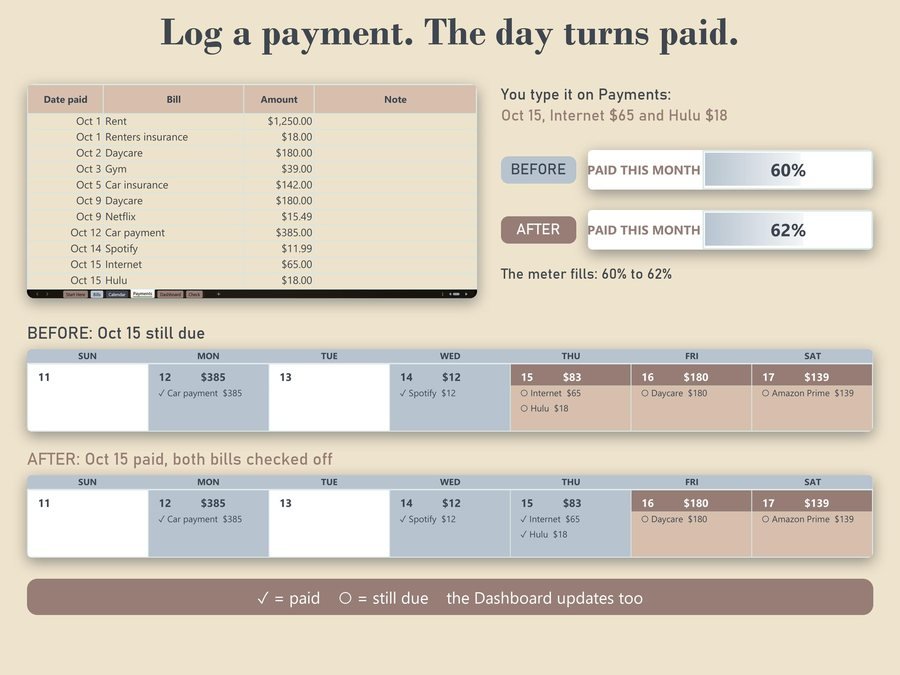
The calendar, the meter and the Dashboard update right away.
The 2-minute how-to video, start to finish.
Plus the free 7-page how-to PDF guide comes with your purchase.
The Dashboard lists every bill coming up this month as Paid, Part paid or Due, next to your income this month.
5.0 from 1 Etsy review
“They are quick to respond to questions and when I inquired about wanting something a little bit different, they sent me an update the next day! Definitely recommend. It is also nice to have this as an option to use on excel desktop.”
Real reviews of the Bill Calendar Spreadsheet from our Etsy shop, word for word. Our Etsy shop has 150 reviews with a 4.8-star average.
Read all our reviews on Etsy →Weekly, every 2 weeks, monthly, quarterly, yearly or one time.
It shows on the last day of shorter months.
Give it an end date and it stops showing up.
Room for 60 bills, subscriptions, debts and paychecks, and 300 payments.
Dollars. It shows how much of the month's bills are covered, and it follows the month you pick.
Yes. Upload the file and choose File, Save as Google Sheets (the guide shows how). The formulas aren't locked there, and on the Payments tab you type the bill name instead of picking it from a drop-down.
Buy direct and you land on your download page right after you pay, with the spreadsheet and the free how-to PDF guide. On Etsy, open Purchases in a web browser and click Download Files.
Yes. Watch the 2-minute how-to video on this page to see how it works.
More tools for your money.
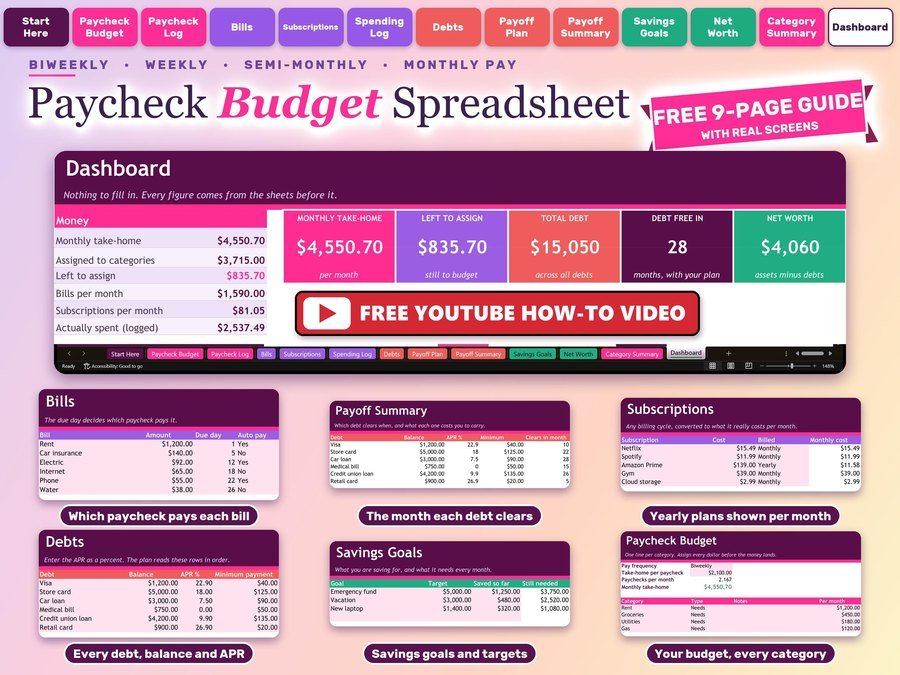
Plan every paycheck, bills and debt payoff
Buy direct · $10.99or on Etsy · $12.99See it on Smart Tools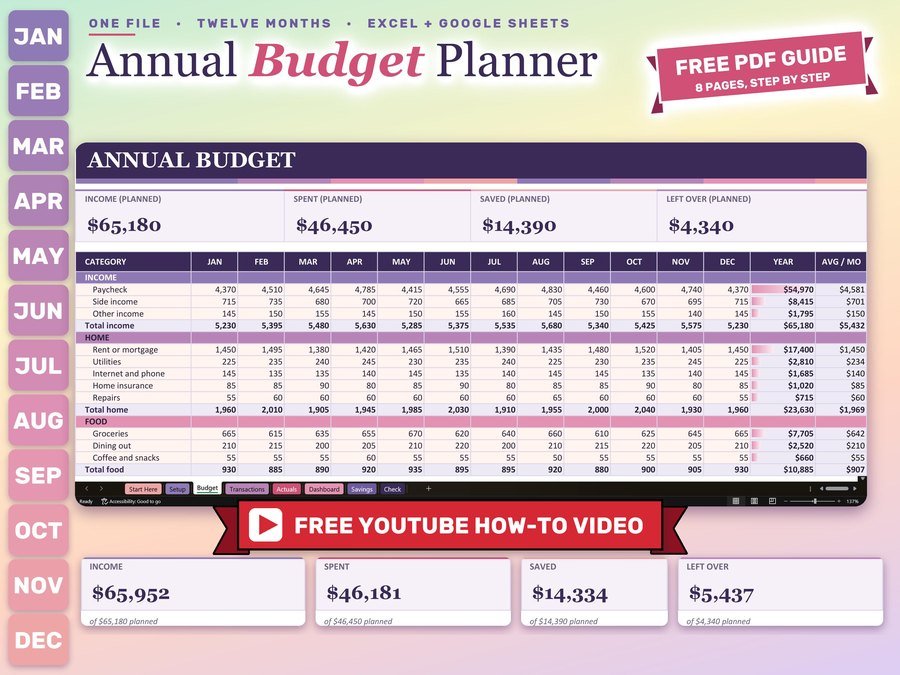
Monthly and yearly budget planner
Buy direct · $12.99or on Etsy · $14.99See it on Smart Tools
Biweekly budget, bills and debt payoff on your phone
Buy direct · $17.99or on Etsy · $19.99See it on Smart ToolsQuestions before you buy? Send us a message. Lost your download link? Message us.