
Your month at a glance
This month's total with what's paid so far and what's still to come, your typical month, per year and per day, and the next 7 days.
Every bill and subscription you pay in one list, with what comes out before payday, free trial reminders and the money you keep by canceling. It works in your web browser on a phone, tablet or computer.
$14.99 one time, on Etsy
This month's total with what's paid so far and what's still to come, your typical month, per year and per day, and the next 7 days.
Rent, power and your phone to streaming, the gym, insurance and yearly memberships. Quick pick has 64 common bills and subscriptions: tap one, then type the price from your own bill.
Tell it when you get paid and see what comes out of each paycheck for the next 4 paydays.
Add a trial the day you sign up and see the last day to cancel, with a reminder before it charges.
Every charge on a month calendar, and the next 12 months with the yearly and 6-month charges called out so they never surprise you.
The money you kept since canceling, what that comes to each year, and the ones you could cancel: used rarely, price went up, paused, or on your list twice.
Pick who shares each bill and who pays it, and see each person's share and who owes who each month.
Open a CSV file from your bank or card and it finds the charges that repeat. The file is read on your device only: nothing is uploaded.
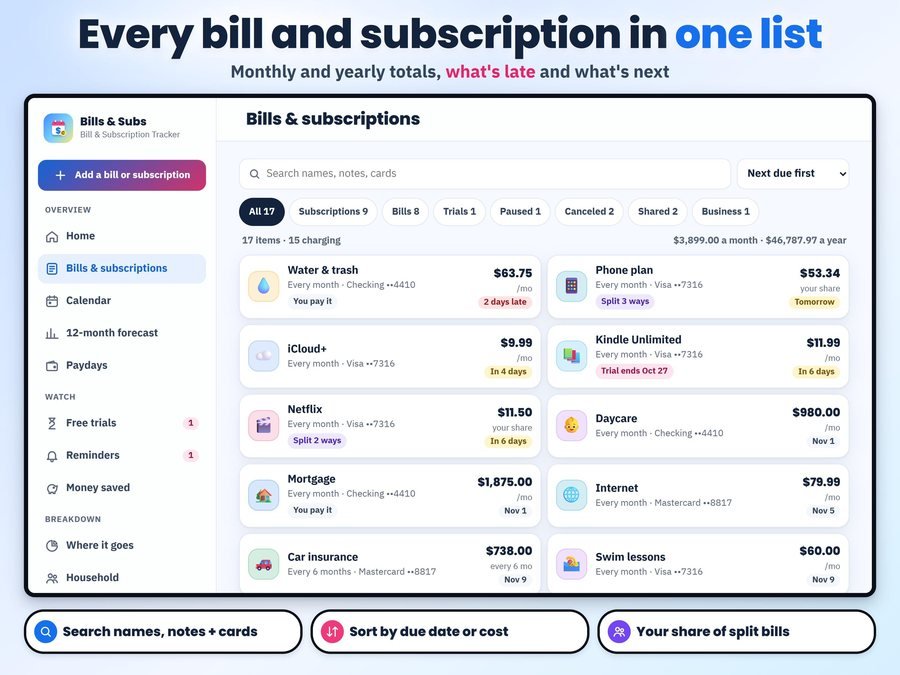
Tap a name under Quick pick or type your own, then the amount, how often and the next date.
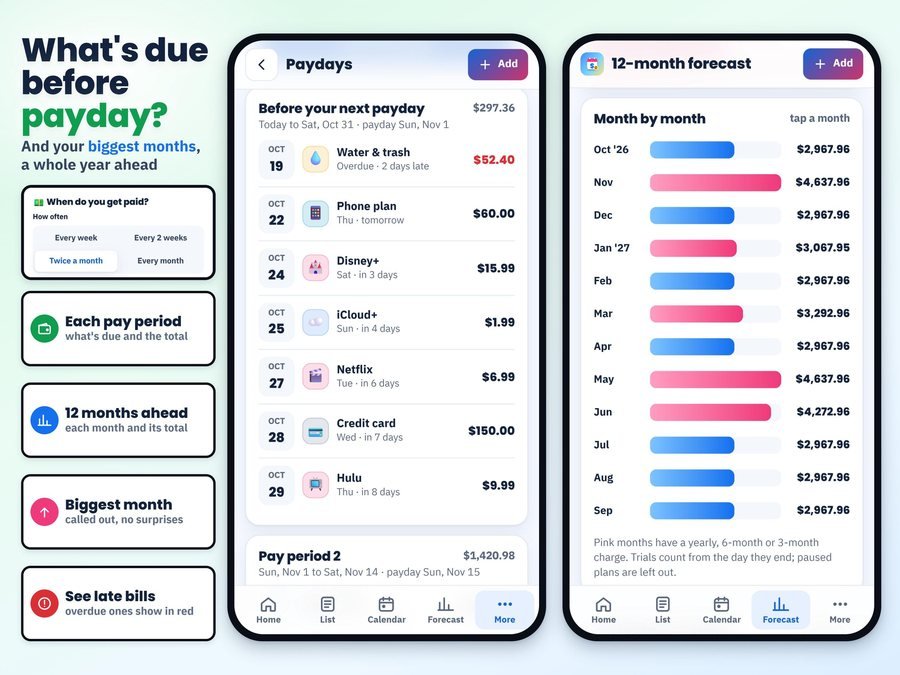
See what comes out before your next payday and the biggest months of the year ahead.

Cancel what you rarely use and watch the money you keep add up.
See how to add your bills and subscriptions and read your month, start to finish.
Plus the free 6-page how-to PDF guide comes with your purchase.
One tap saves a calendar file with every charge for the next 12 months, each with an alert at 9 AM a few days before, plus each trial's last day to cancel. Open it on iPhone, with Google Calendar on Android, or in Outlook or Apple Calendar on a computer.
The Bill & Subscription Tracker App doesn't have reviews yet.
Our Etsy shop has 150 reviews with a 4.8-star average.
Read all our reviews on Etsy →No. It never sees your bank login. You add bills yourself, or open a CSV file you downloaded from your bank and it finds the charges that repeat, on your device only.
No. Pay once, with no subscription and no ads.
Yes. Add a trial the day you sign up and it shows the last day to cancel and reminds you. For phone alerts, save the calendar file to your phone's calendar.
Yes. Tell it when you get paid (every week, every 2 weeks, twice a month or every month) and see what comes out of each paycheck for the next 4 paydays.
Yes. Add the people you share with, pick who shares each bill and who pays it, and see who owes who each month.
No. It shows you when and how, with the cancel page link and steps you saved, and you do the canceling.
A phone, tablet or computer with Chrome, Safari, Edge or Firefox. It works offline after the first open, and your list stays on your device.
It's a digital download. After you buy on Etsy, open Purchases in a web browser and click Download Files, then open the guide PDF and tap your private app link.
Yes. The free demo opens right in your browser, with no sign-up.
More tools for your money.
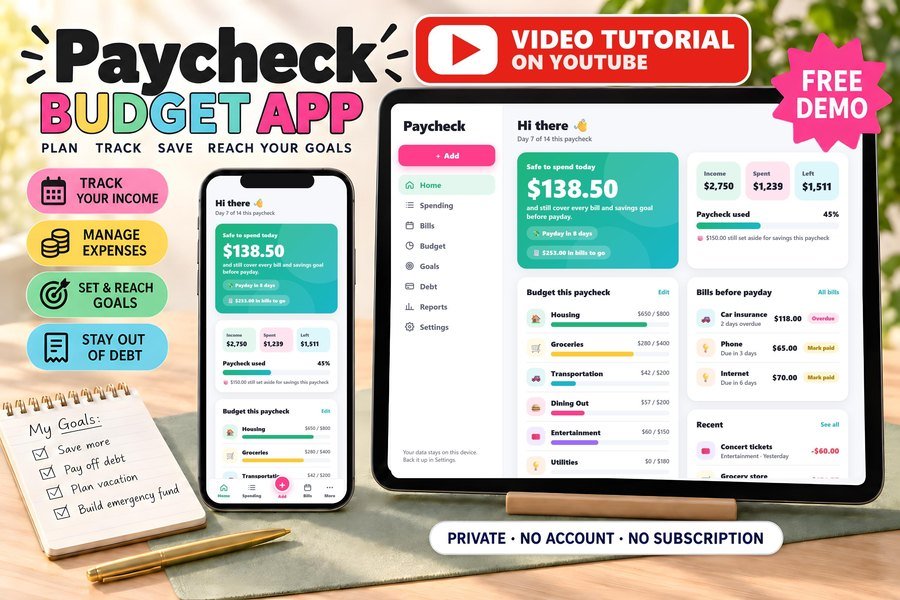
Biweekly budget, bills and debt payoff on your phone
Buy direct · $17.99or on Etsy · $19.99See it on Smart Tools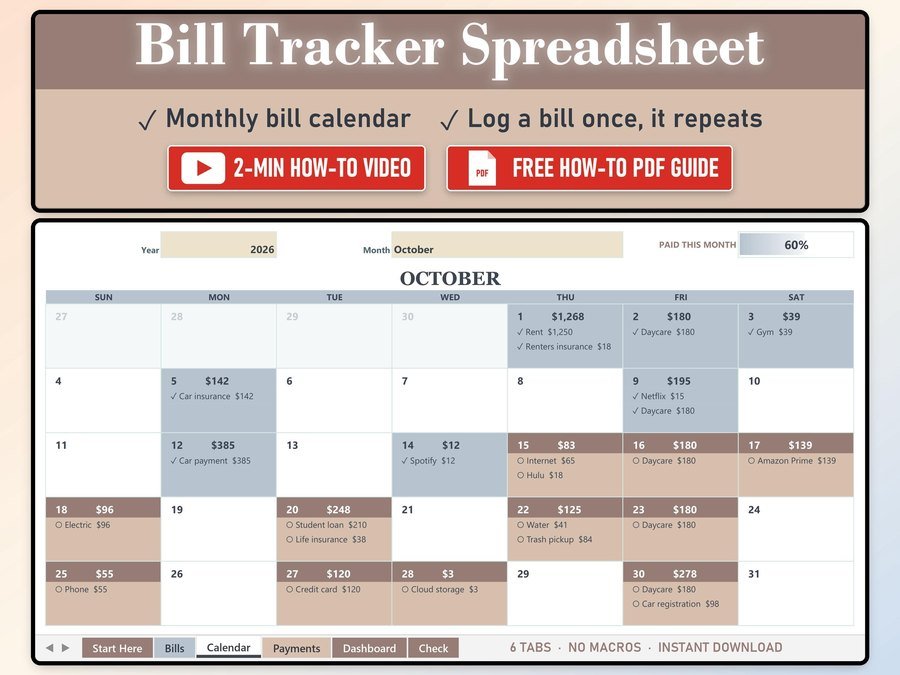
Every bill on a monthly calendar
Buy direct · $10.99or on Etsy · $12.99See it on Smart Tools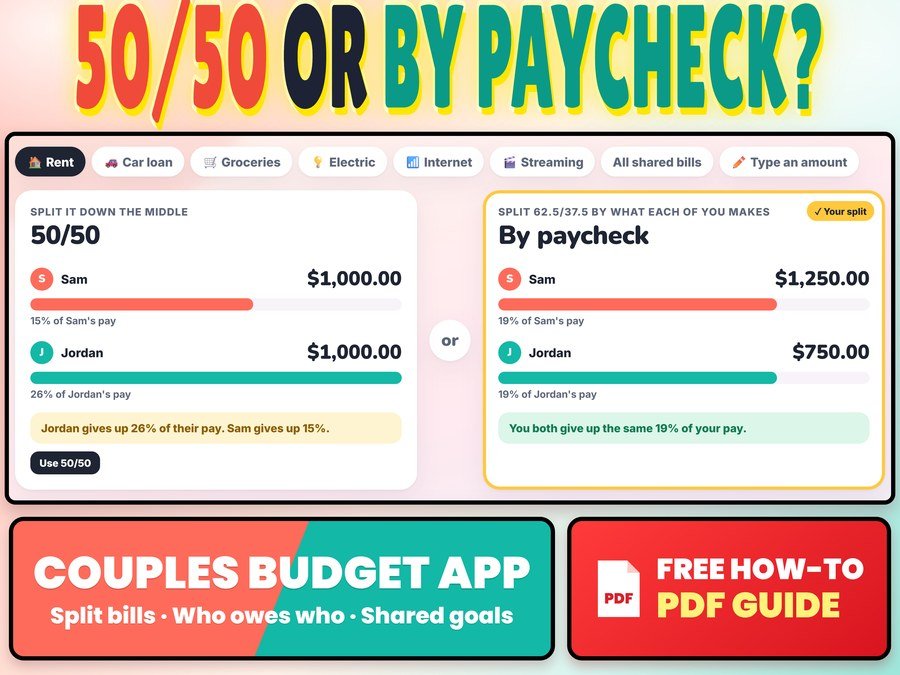
Split bills 50/50 or by paycheck and see who owes who
Buy direct · $12.99or on Etsy · $14.99See it on Smart ToolsQuestions before you buy? Send us a message. Lost your download link? Message us.