
Pro quotes + invoices
Add work from your price list and send a clean PDF with your logo and brand color. Tax per line, discounts, fees like a trip charge, and deposits. Unlimited quotes and invoices.
Pro quotes and invoices on your phone, every job from lead to paid, and who still owes you. Pay once, no monthly fee.
$17.99 one time, buy direct
Instant download: your private app link and the free 6-page how-to PDF guide, right after you pay.
Buy on Etsy · $19.9935% off on Etsy: code SAVE35
Try the free demo Or make a free invoice now →Add work from your price list and send a clean PDF with your logo and brand color. Tax per line, discounts, fees like a trip charge, and deposits. Unlimited quotes and invoices.
When the client says yes, tap Turn into invoice. The client, the lines and the prices carry over. Clients can sign right on your screen.
Give the client a choice on one quote. Each option shows its own total, and you pick the one they chose.
Your own PayPal, Venmo, Cash App, Square, Stripe or Zelle details print on every invoice with a scan-to-pay QR code. Record deposits and part payments, then tap Mark paid.
Home shows who owes you, what's overdue and quotes with no answer yet, with a friendly reminder ready to send from your phone. Overdue invoices offer a one-tap late fee.
Every job moves from Lead to Quoted, Scheduled, In progress, Done, Invoiced and Paid, with its visits, checklist, notes, photos, hours and costs.
Start a timer, snap receipts and log business miles. Turn them into invoice lines in one step, and they're never billed twice.
Money in by month, profit + loss, who owes you by age, and your top sellers. Export a CSV file for Excel, Google Sheets or your tax pro.
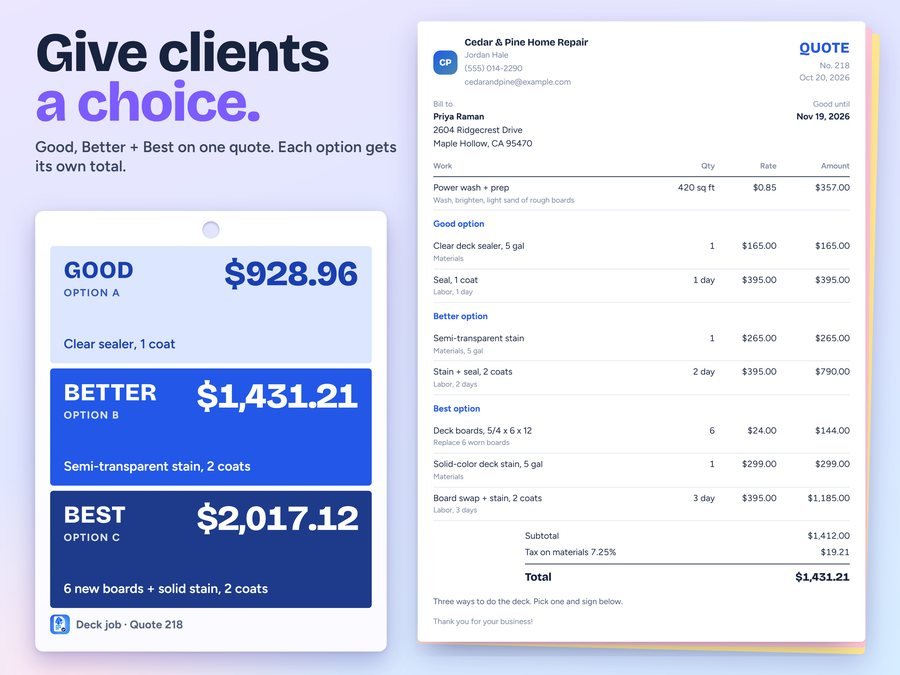
Pick the client, add work from your price list, offer Good, Better and Best if you like, and send the PDF from your phone.
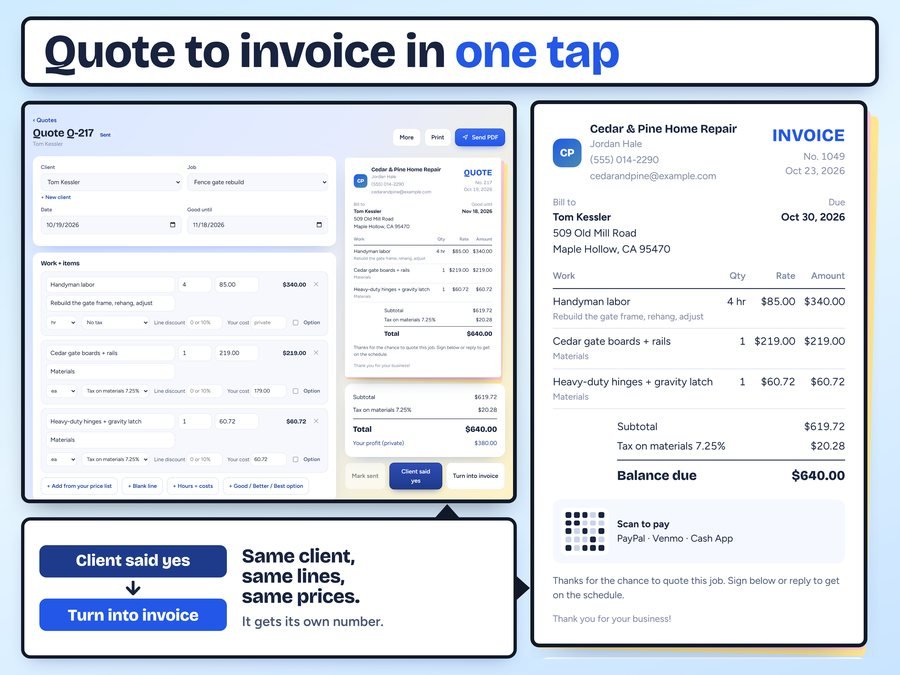
When the client says yes, one tap makes the invoice with the same client, lines and prices, and its own number.

Your pay links print with a QR code. Record the payment, and the PAID stamp lands on the invoice.
The whole app, start to finish: set up, send a quote, turn it into an invoice and get paid.
Plus the free how-to PDF guide comes with your purchase.
Pick a starter pack and your price list and job checklists fill in with example rates you can change to yours.
Quotehound is new in our shop, so it doesn't have reviews yet.
Our Etsy shop has 150 reviews with a 4.8-star average.
Read all our reviews on Etsy →No. You pay once, and that's it. There's no subscription, no account and no ads.
Yes. It runs in your web browser on iPhone, iPad, Android and computers. Add it to your Home Screen and it opens like any other app.
Only the first time you open it. After that it works offline.
No. Quotehound doesn't take payments. Your own PayPal, Venmo, Cash App, Square, Stripe or Zelle details print on every invoice with a scan-to-pay QR code, and your client pays you there.
Only on your device. Save a backup file every week from Settings, and before you change phones or clear your browser. The app reminds you.
It doesn't sync between devices by itself. To move your data, save a backup file on one device and open it on the other.
Buy direct and you land on your download page right after you pay, with your private app link and the free how-to PDF guide. On Etsy, open Purchases in a web browser and click Download Files.
Yes. The free demo opens right in your browser, with no sign-up. It's for trying things out, so it doesn't save your work.
It has starter packs for handyman, lawn care, pressure washing, cleaning, mobile mechanic, pet sitting and freelance work, and it works for any small business that sends quotes and invoices.
Spreadsheets for the rest of your business. Excel + Google Sheets.
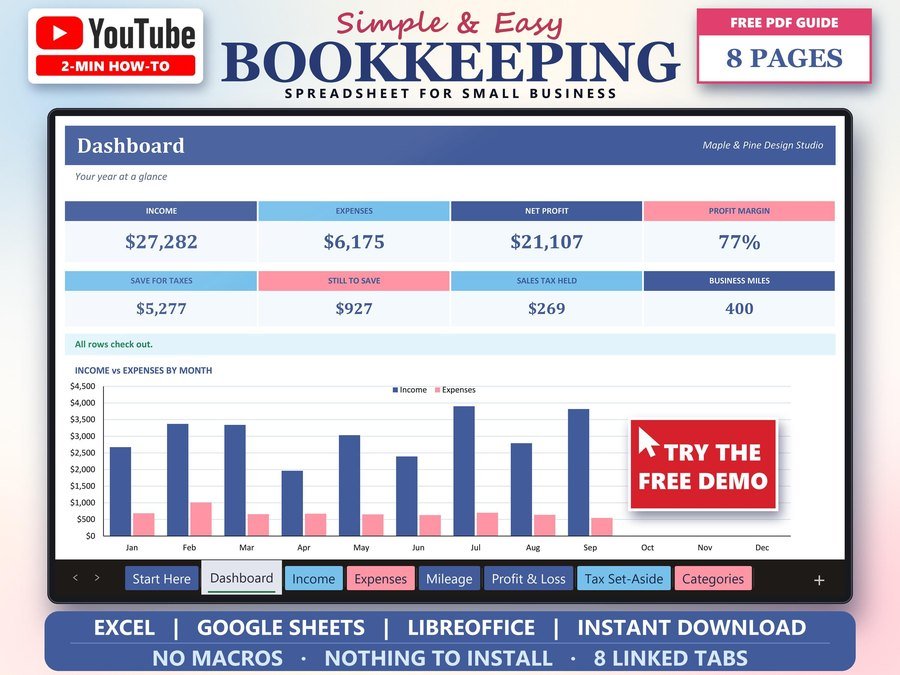
Income, expenses and profit for a small business. Excel + Google Sheets.
Buy direct · $15.99or on Etsy · $17.99 See it on Smart Tools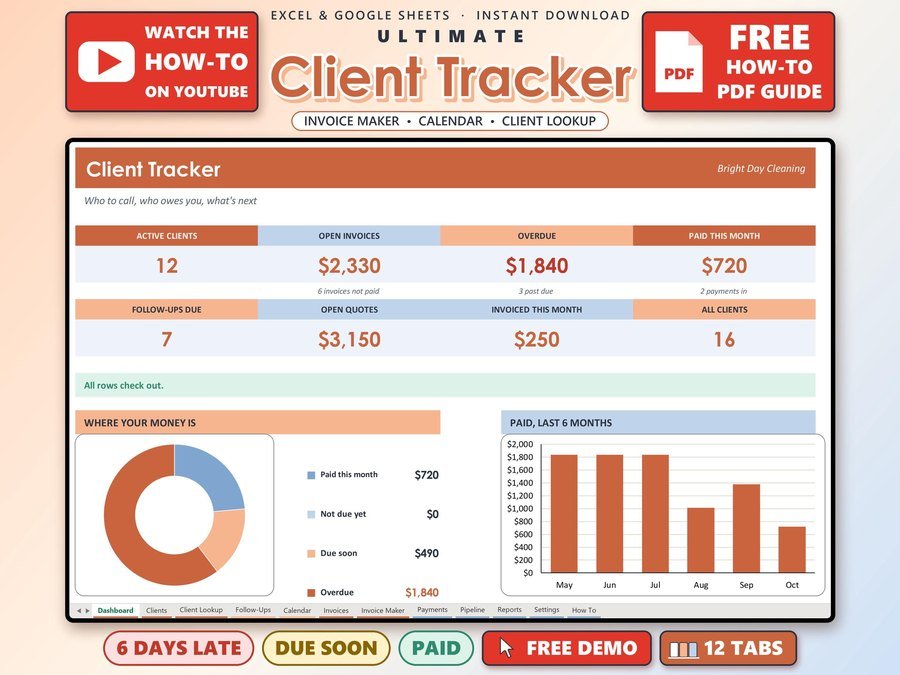
Your clients, invoices and payments in one place. Excel + Google Sheets.
Buy direct · $17.00or on Etsy · $19.00 See it on Smart Tools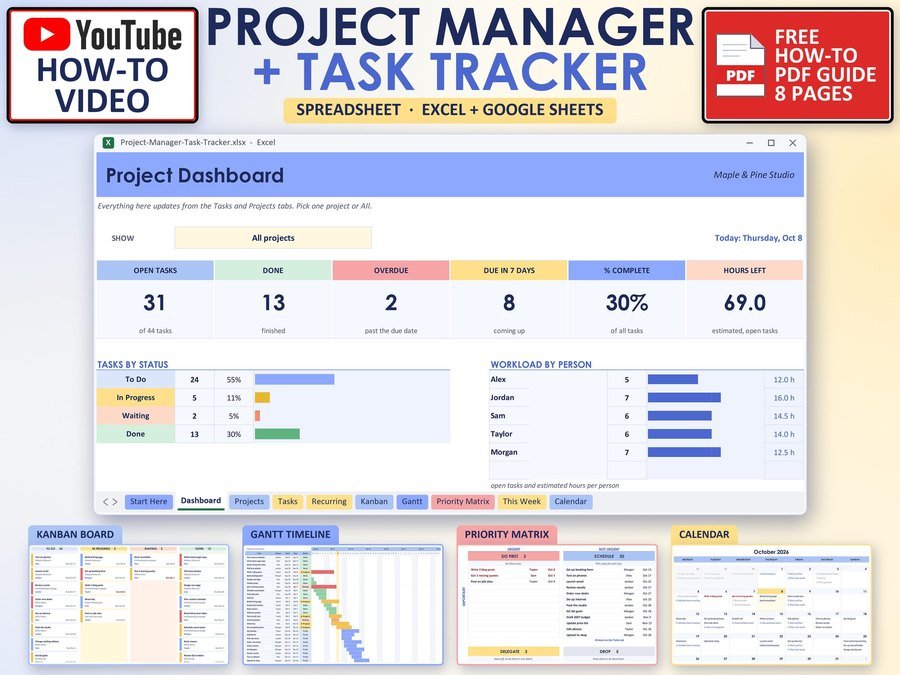
Projects, tasks and deadlines in one place. Excel + Google Sheets.
Buy direct · $10.99or on Etsy · $12.99 See it on Smart ToolsQuestions before you buy? Send us a message. Lost your download link? Message us.