
Start in any month
Pick the month your budget year starts, and every tab lines up with it.
Plan the whole year, track what really happens
Type what you plan to earn, spend and save for every month, then add your transactions as they happen. See where you stand: planned versus actual, month by month.
$12.99 one time, buy direct
Instant download: the spreadsheet (.xlsx) and the free 8-page how-to PDF guide, right after you pay.
Buy on Etsy · $14.9935% off on Etsy: code SAVE35
Pick the month your budget year starts, and every tab lines up with it.
Income, Home, Food, Transport, Life and Savings. The categories are yours to rename.
Your plan for every category, month by month, with YEAR and average-per-month columns.
Type the date, pick the category, type the amount. Room for 1,500 rows.
Four big numbers: income, spent, saved and left over, each next to what you planned.
Your top 5 spending categories and an over-budget list, biggest overage first.
Up to 10 goals, with the percent saved and the months to go.
Plain-language checks for a name used twice, an amount typed as text, money that doesn't add up and more.
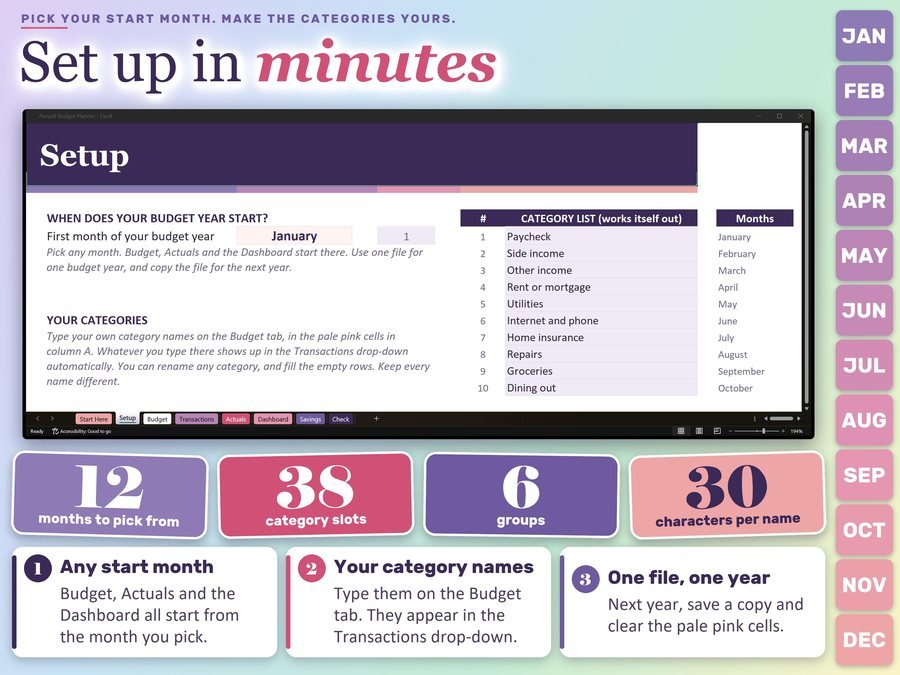
Pick the month your budget year starts. Your category list builds itself.
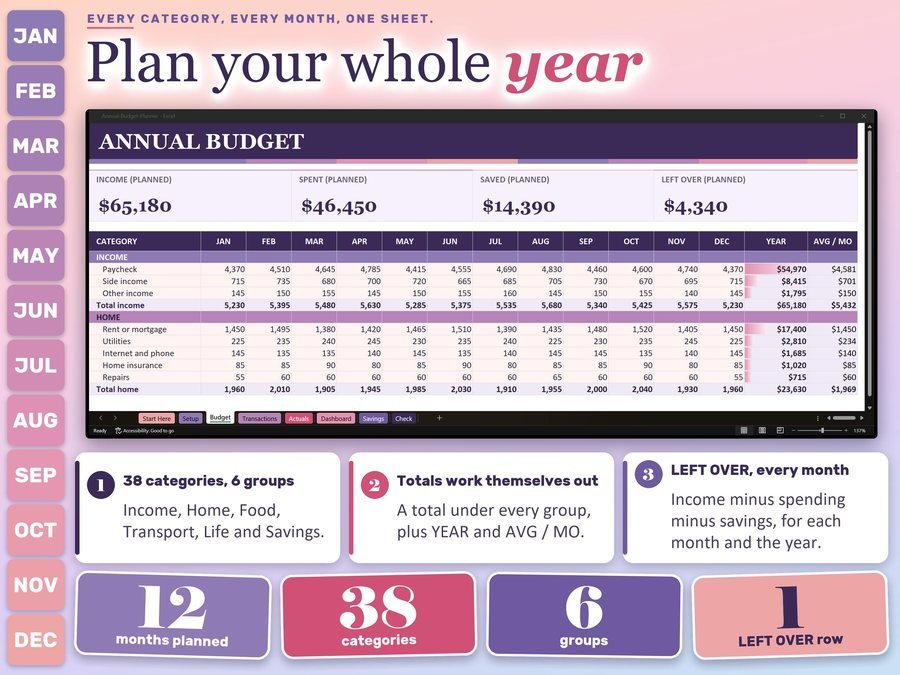
Type what you plan to earn, spend and save for every category.
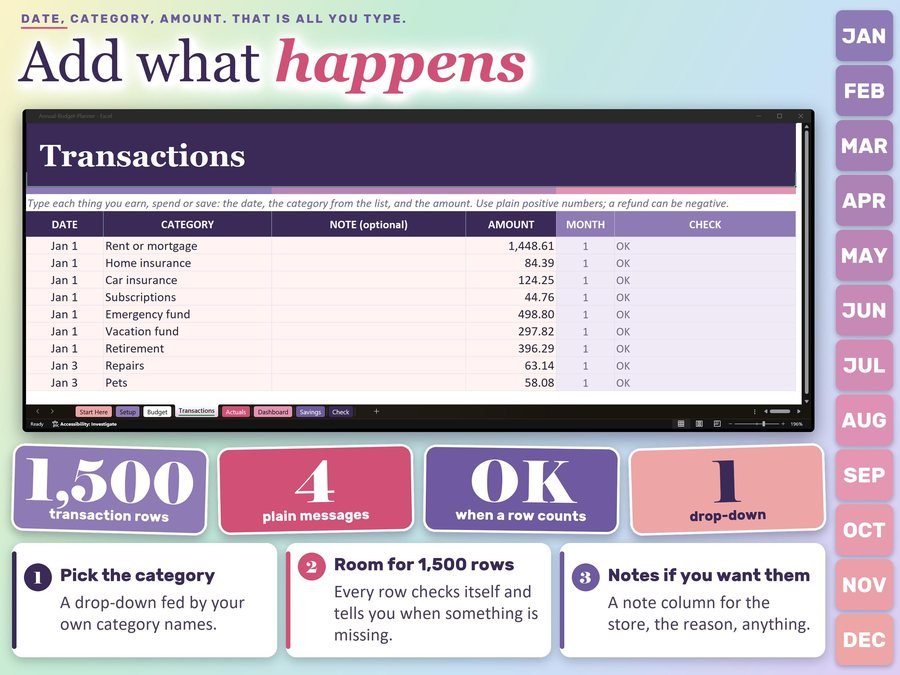
Type the date, pick the category and type the amount. The planner adds it up.
See how to set up and use the Annual Budget Planner.
Plus the free 8-page how-to PDF guide comes with your purchase.
The Actuals tab adds up your transactions by category and month, and the Dashboard charts planned and actual spending for every month.
The Annual Budget Planner Spreadsheet doesn't have reviews yet.
Our Etsy shop has 150 reviews with a 4.8-star average.
Read all our reviews on Etsy →No. Pick the month your budget year starts and every tab lines up with it.
Yes. There's room for 38 in six groups: Income, Home, Food, Transport, Life and Savings.
Room for 1,500 rows on the Transactions tab.
Use one file for one budget year. For the next year, save a copy and clear the amounts and transactions.
Yes. Upload the file to Google Drive, open it, then choose File, Save as Google Sheets. Google Sheets doesn't keep the Excel formula locks, so type only in the pale pink cells.
No. It's a tracking tool, and your numbers are only as good as what you type.
Buy direct and you land on your download page right after you pay, with the spreadsheet and the free how-to PDF guide. On Etsy, open Purchases in a web browser and click Download Files.
Yes. Watch the how-to video on this page to see how it works.
More tools for your money.
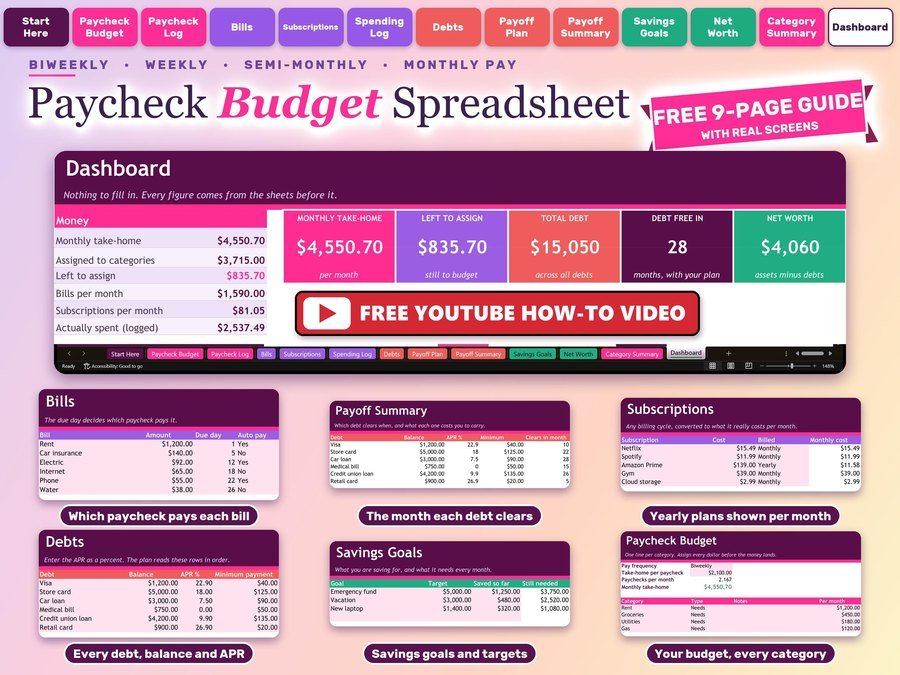
Plan every paycheck, bills and debt payoff
Buy direct · $10.99or on Etsy · $12.99See it on Smart Tools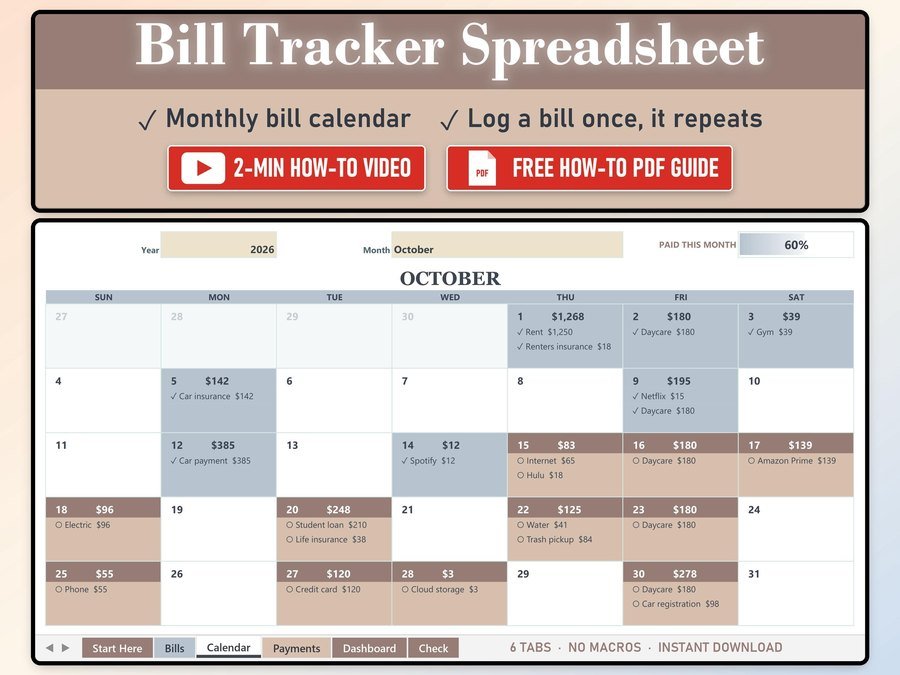
Every bill on a monthly calendar
Buy direct · $10.99or on Etsy · $12.99See it on Smart Tools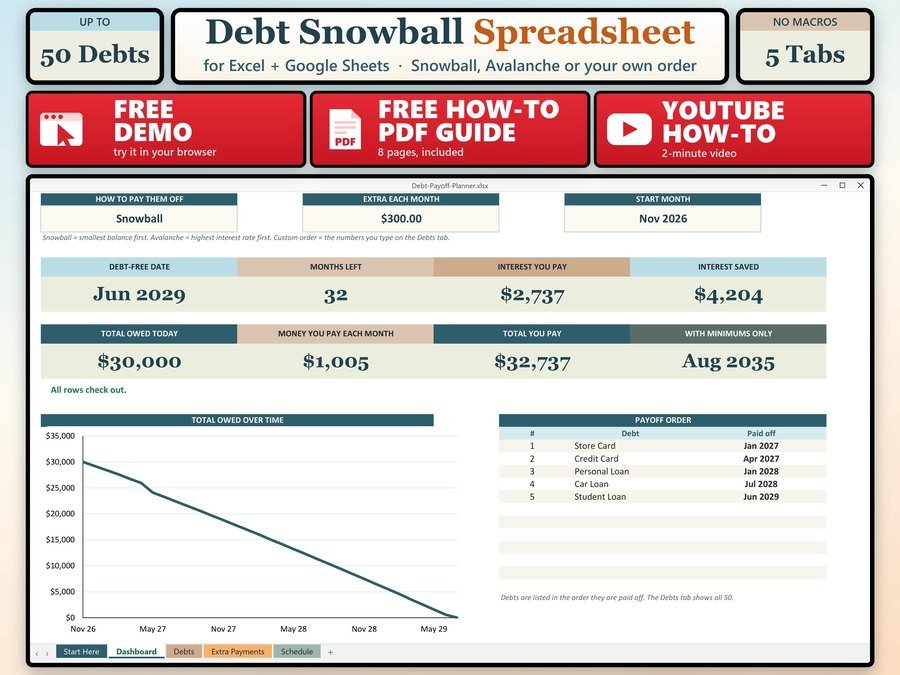
See the month you will be debt free
Buy direct · $7.99or on Etsy · $9.99See it on Smart ToolsQuestions before you buy? Send us a message. Lost your download link? Message us.