
A budget that shows what you owe
Five columns: estimated, quoted, deposit paid, balance still owed and the date that balance is due, with a per-category roll-up.
Budget, guest list, seating and checklist in one file
Plan your whole wedding in one file that does the math for you: the budget, the guest list, RSVPs, who sits where, what everyone is eating and which vendor still needs a deposit.
$12.99 one time, buy direct
Instant download: the spreadsheet (.xlsx) and the free 11-page how-to PDF guide, right after you pay.
Buy on Etsy · $14.9935% off on Etsy: code SAVE35
Five columns: estimated, quoted, deposit paid, balance still owed and the date that balance is due, with a per-category roll-up.
What you owe in each of the next twelve months, built straight from your due dates. It reconciles to the penny.
250 guests with address, side, RSVP, meal, plus one, dietary note and table. A plus one gets their own meal choice.
30 tables with capacity checks and meal counts per table for your caterer. It flags any table over its seat count.
Type your wedding date once and the checklist tasks get real due dates. They go overdue or due in 30 days on their own.
40 vendors with contacts, and three quotes side by side with the spread and what you would save.
Type a start time and a length and it works out the end. Task Delegation shows who owns what, who is done and who is overdue.
Registry, music with a do-not-play list, photo shot list, rehearsal dinner, bridal shower, bachelorette, honeymoon and gift and thank-you tracking.

Fill in your wedding date and your total budget on Start Here.
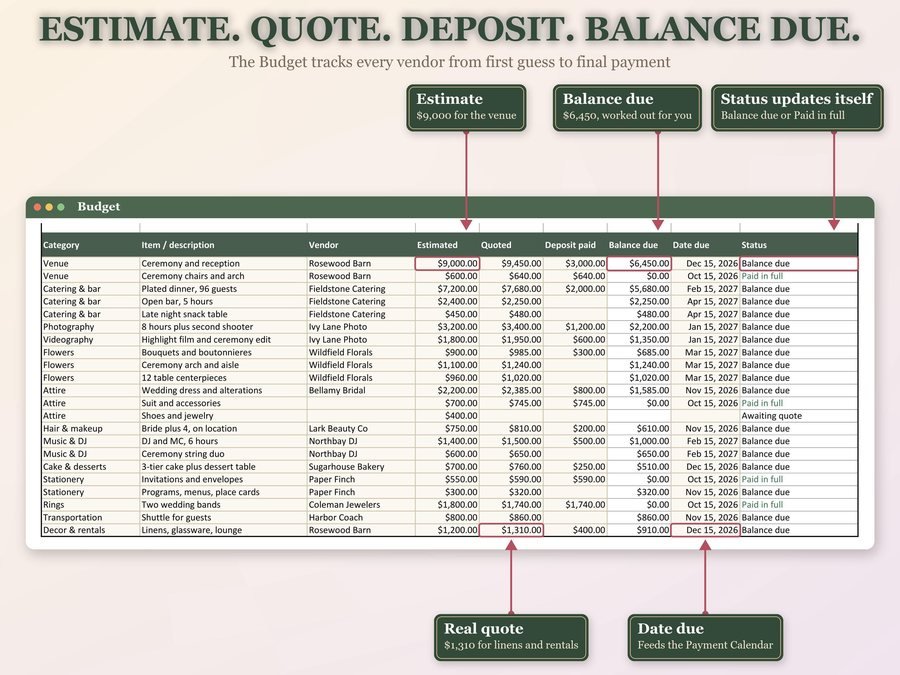
Add your budget lines and what each vendor quoted. The payment calendar builds itself.
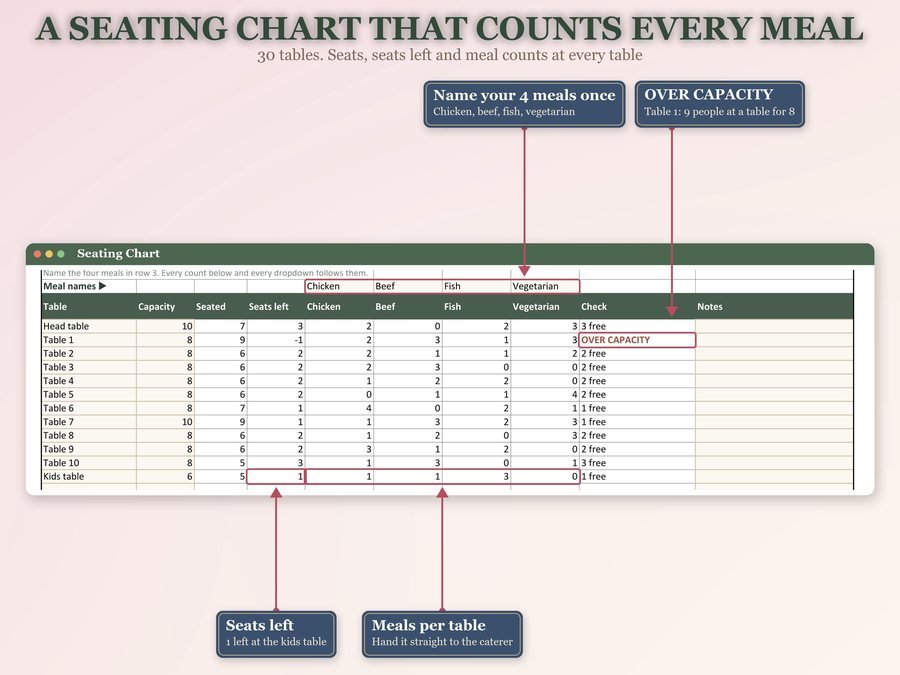
Log RSVPs as they come back, then drop each guest onto a table. The meals count themselves.
The step-by-step video tutorial, start to finish.
Plus the free 11-page how-to PDF guide comes with your purchase.
Guests flow from invited, to RSVP, to meal choice, to a table. It works out the meal counts per table and overall, and keeps a running total of accepted but not seated: the guests who said yes and still have nowhere to sit.
The Wedding Planner Spreadsheet doesn't have reviews yet.
Our Etsy shop has 150 reviews with a 4.8-star average.
Read all our reviews on Etsy →Yes. Upload it to Google Drive and open it with Google Sheets. It's built and tested for Excel, Google Sheets and LibreOffice.
Yes. Open it in Google Sheets and use Share to invite them.
It's built and tested for Excel, Google Sheets and LibreOffice. On a Mac, use Excel for Mac or Google Sheets in your browser.
Each tab has a set number of rows: 250 guests, 30 tables, 60 budget lines, 40 vendors and 120 tasks. A row typed below the last row isn't counted.
No. It's a spreadsheet, not an app. You enter RSVPs as they arrive.
Type the new date. All 101 checklist tasks move with it, nothing retyped.
Buy direct and you land on your download page right after you pay, with the spreadsheet and the free how-to PDF guide. On Etsy, open Purchases in a web browser and click Download Files.
Yes. Watch the how-to video on this page to see it working, step by step.
More tools for planning life together.
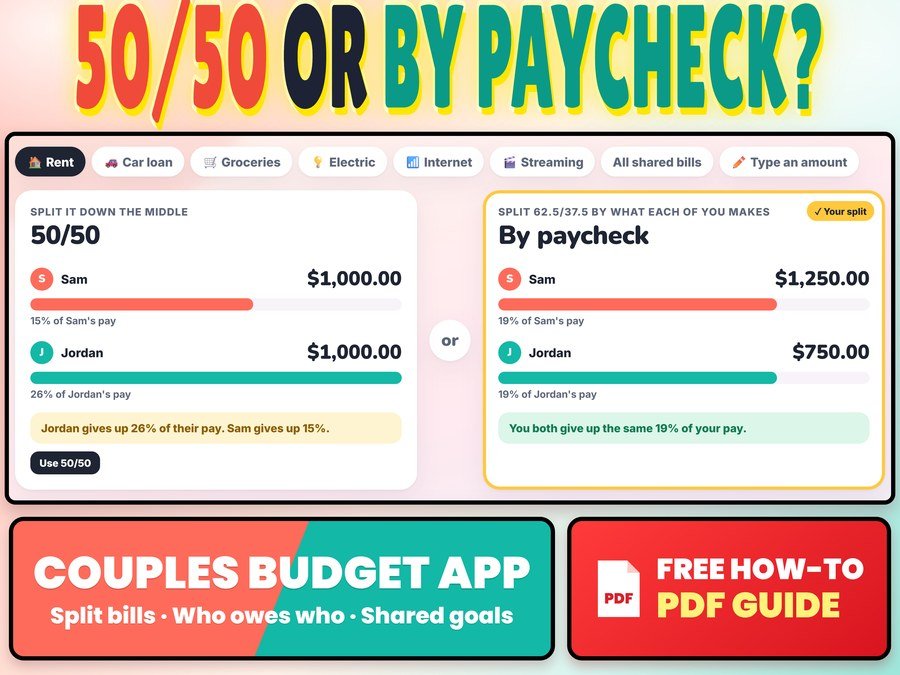
Split bills 50/50 or by paycheck and see who owes who
Buy direct · $12.99or on Etsy · $14.99See it on Smart Tools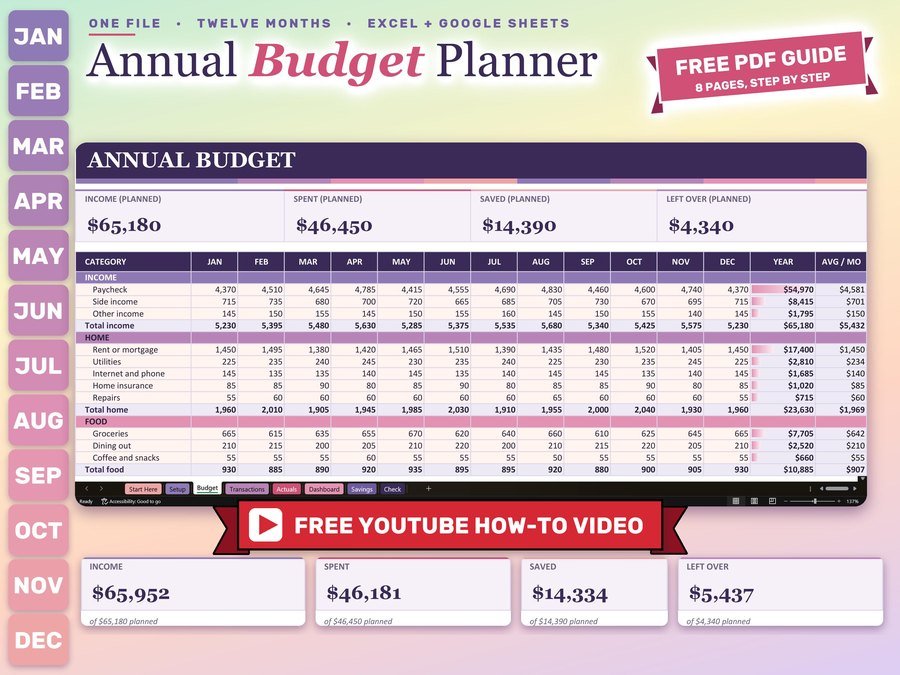
Monthly and yearly budget planner
Buy direct · $12.99or on Etsy · $14.99See it on Smart Tools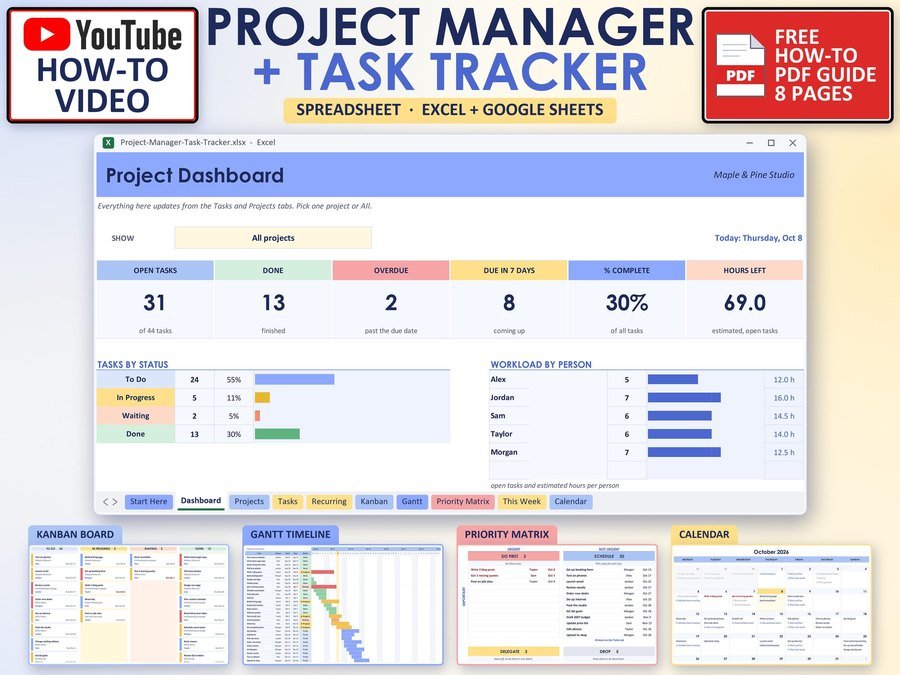
Projects, tasks and deadlines in one place
Buy direct · $10.99or on Etsy · $12.99See it on Smart ToolsQuestions before you buy? Send us a message. Lost your download link? Message us.