
Type it once, it fills in everywhere
Add your place's name, your town, your Wi-Fi, check-in and check-out times, parking and house rules. Your details show up on every page, sign and card, and a change updates them all.

Type your place's details once and Welcomequill fills in a whole kit for your short-term rental: a welcome book to print and as a phone-size guide, 84 signs in 7 sizes, cards, a guest feedback form, checklists, guest messages and 90 days of social posts made from your photos. It works in your web browser on a computer, tablet or phone.
$19.99 one time, on Etsy
35% off on Etsy: code SAVE35
Add your place's name, your town, your Wi-Fi, check-in and check-out times, parking and house rules. Your details show up on every page, sign and card, and a change updates them all.
Tick what your place has from 32 amenities: hot tub, pool, pets, fire pit, EV charger, kayaks and more. Your kit adds those signs and pages and leaves the rest out.
Download the welcome book on Letter or A4 with your cover, contents and page numbers, or as a phone-size guide with tap-to-call numbers, tap-to-map places and contents that jump to each page.
Wi-Fi, house rules, check-out, parking, trash day, quiet hours, hot tub and pool rules and many more, at Letter, A4, 8x10, 5x7, A5, half letter or 4x6. Small sizes print 2 or 4 to a sheet with cut lines.
Lakehouse, Cabin, Coastal, Modern, Desert and Blush, each with book cover styles, plus Black & white (ink saver) for home printers. Use your own logo or make one in the app.
39 messages for every step of a stay, from before booking to after check-out, with your details filled in. Tap Copy and paste it into your booking messages.
Posts made from your own photos in your kit's look, each with a caption written for your place, plus story frames, reel covers and highlight covers.
Turnover mode puts the cleaning list on a phone: tap each job as it's done. Plus a restock list, money in and out with a CSV for your bookkeeper, a setup budget and a listing writer.
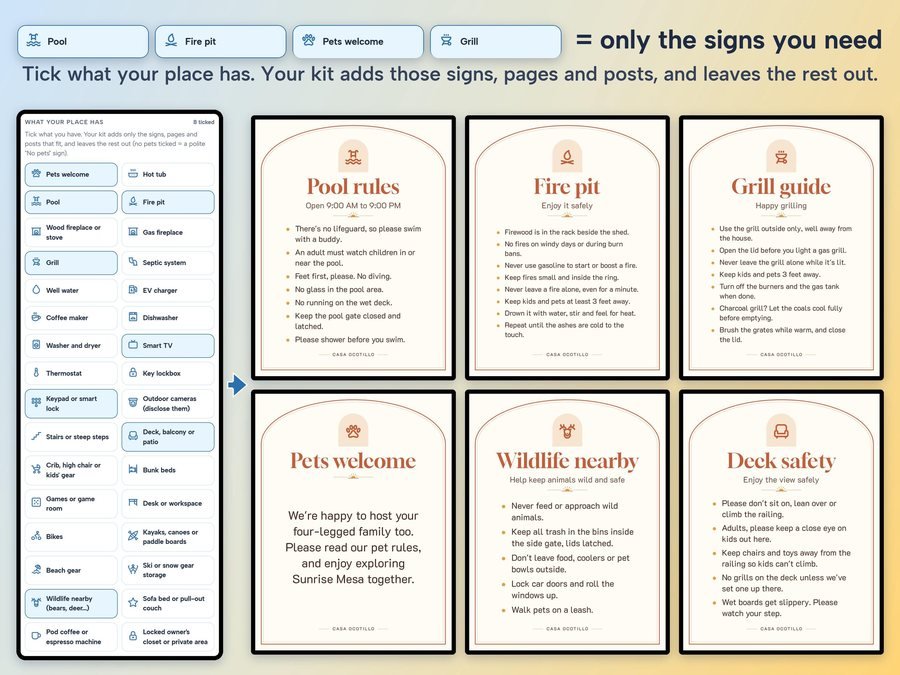
Your place's name, Wi-Fi, check-in and check-out, parking and house rules, then what your place has.

One tap changes the look of everything: the book, the signs, the cards and the posts.

Download the welcome book, the signs and cards to print, and text or email the phone guide to guests before they arrive.
See how to set up one rental in Welcomequill, start to finish: your details, what your place has, a look, the welcome book and phone guide, signs, messages and turnover mode.
Plus the free how-to PDF guide comes with your purchase.
Business mode is for co-hosts, cleaners and property managers: add as many places as you like, each with its own look and logo and a client name, and make the whole kit for a client at once.
Welcomequill doesn't have reviews yet.
Our Etsy shop has 150 reviews with a 4.8-star average.
Read all our reviews on Etsy →A welcome book to print and as a phone-size guide, 84 signs in 7 sizes, 5 cards and a guest feedback form, 6 printable checklists, 39 ready-to-copy guest messages and 90 days of social posts made from your photos.
No. Type your place's details once and they show up on every page, sign and card. Change your Wi-Fi later and every sign updates by itself, even the ones you edited.
No. Tick what your place has from 32 amenities and your kit adds those signs and pages and leaves the rest out.
Yes. Download phone guide gives you the book at phone size, with tap-to-call numbers, tap-to-map places and contents that jump to each page. Text or email it to guests before they arrive.
Letter, A4, 8x10, 5x7, A5, half letter or 4x6. Small sizes print 2 or 4 to a sheet with cut lines.
No. It isn't a set of design-app templates, and it doesn't need a design app. One tap changes the look of your whole kit.
Yes. It works in your web browser on a computer, tablet or phone, and keeps working offline once it's open.
Yes. Use Welcomequill for your own places, for your business, and to make kits for your clients, co-hosting, cleaning and property management included. Business mode keeps each place with its own look and logo and a client name.
It's a digital download. After you buy on Etsy, open Purchases in a web browser and click Download Files, then open the guide PDF and tap your private app link.
More for hosts and small businesses.
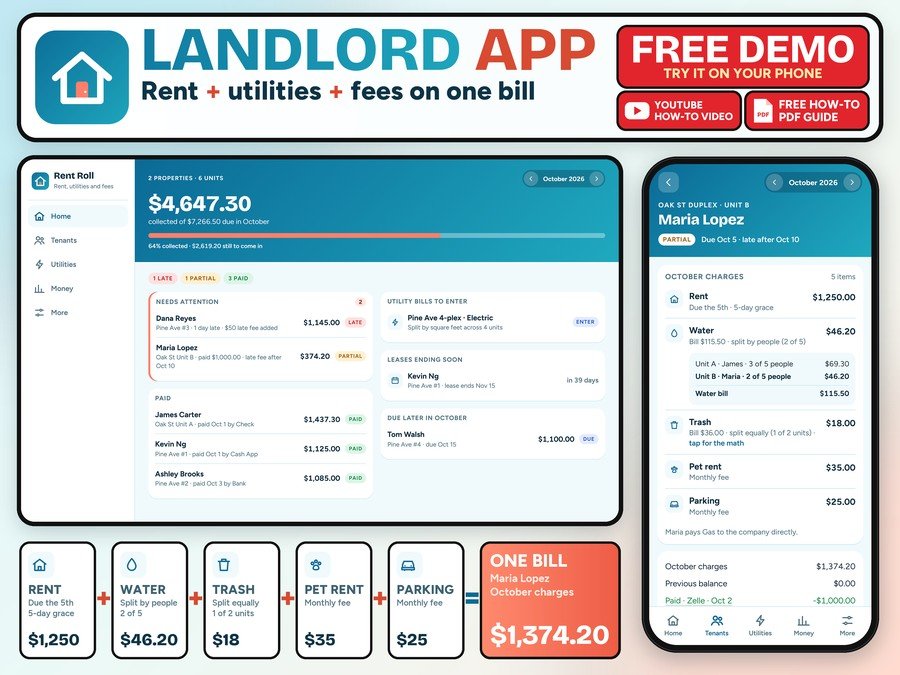
Rent, utilities and fees on one bill for every tenant
Buy direct · $14.99or on Etsy · $16.99See it on Smart Tools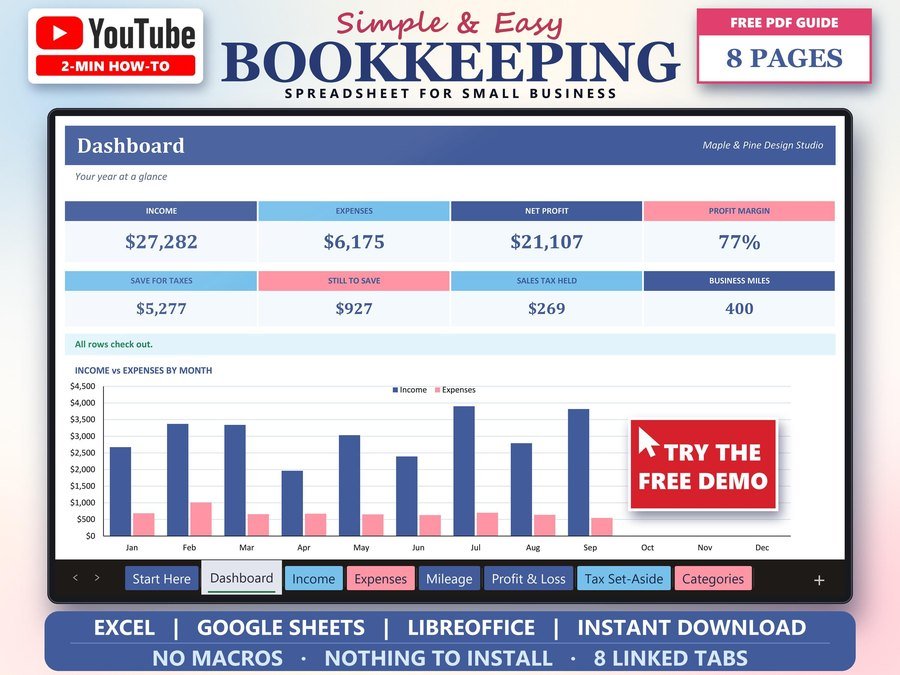
Income, expenses and profit for small business
Buy direct · $15.99or on Etsy · $17.99See it on Smart Tools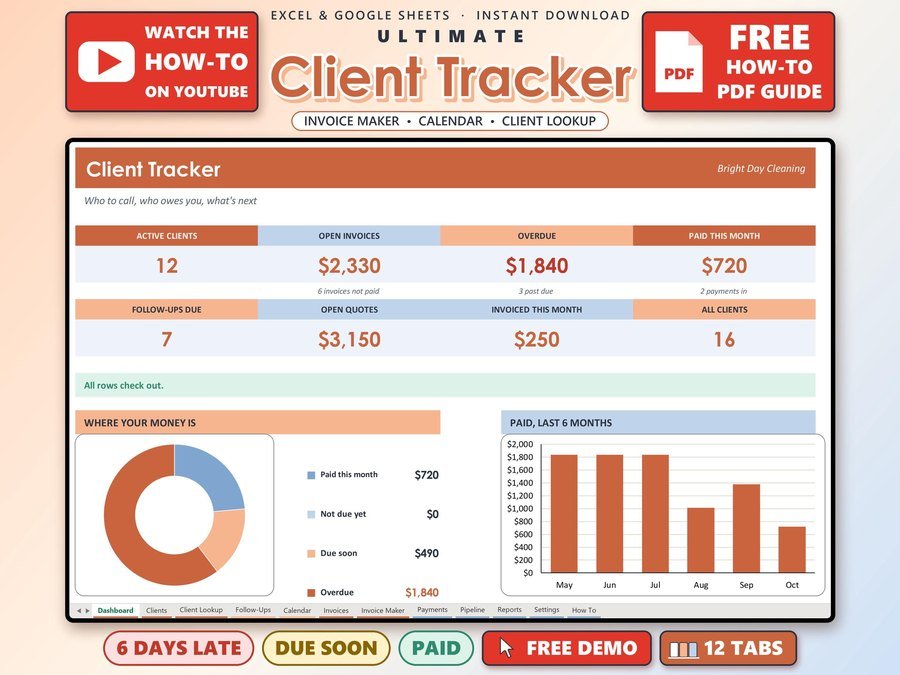
Small business CRM with invoices and payments
Buy direct · $17.00or on Etsy · $19.00See it on Smart ToolsQuestions before you buy? Send us a message. Lost your download link? Message us.