

By Authur C. Art
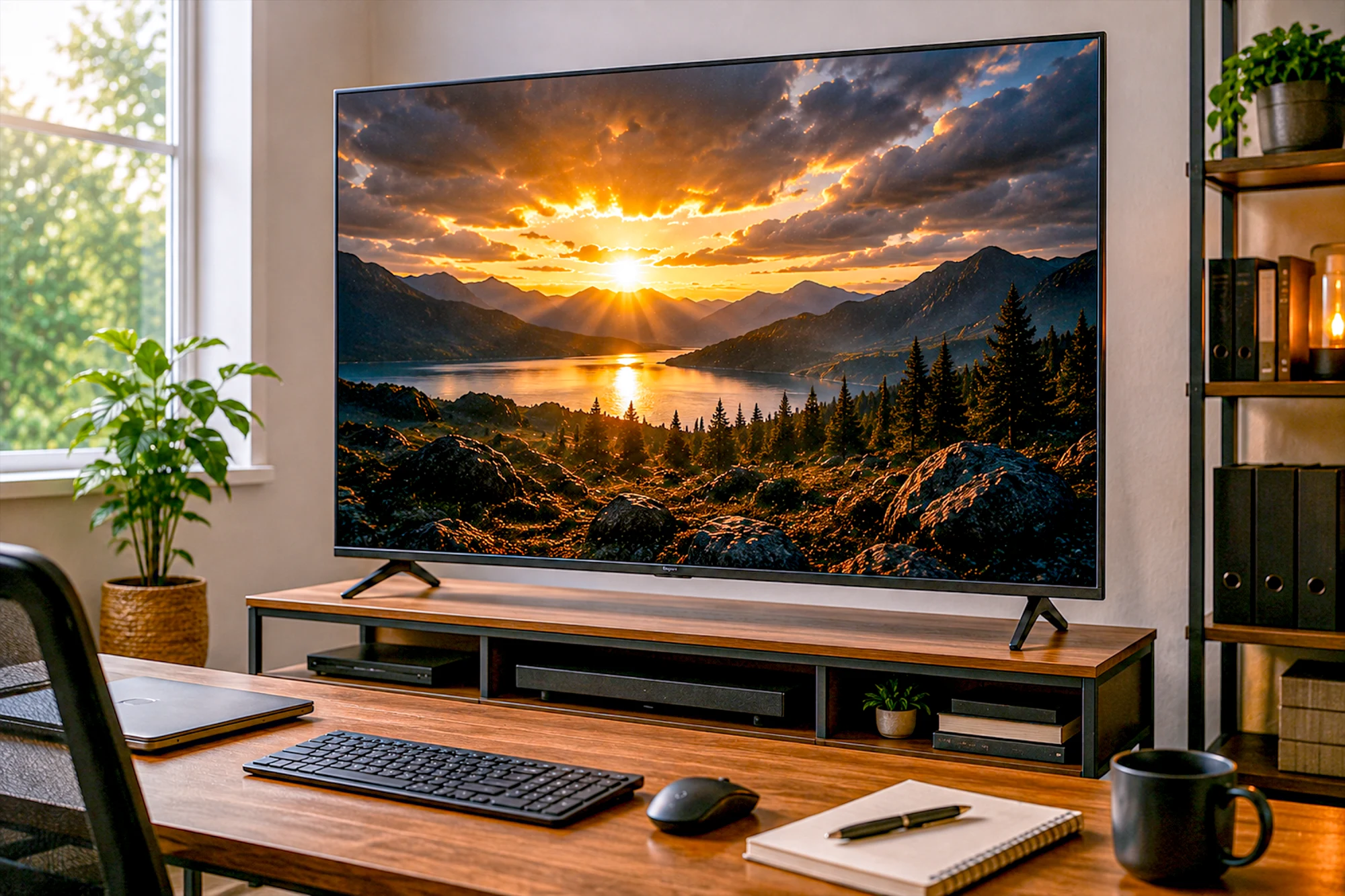
OLED vs QLED vs Mini-LED
Three panel technologies, three different compromises. How each one makes light, where each wins, and five Prime-verified televisions worth buying.
OLED vs QLED vs Mini-LED is the decision that settles how your television actually looks, and it is the one the spec sheet explains worst. The three names sound like variations on a theme. They are not. One of them makes light in a fundamentally different way from the other two, and that single difference drives almost everything you will notice from the sofa.
This guide explains what each panel technology really does, where each one wins, where each one falls down, and which televisions are worth buying in each camp right now. Five sets in total, every one verified on its own product page for price, rating, seller and Prime eligibility on the day of writing.
The finding that runs through this guide: there is no best panel technology. There are three different sets of compromises, and the right one is decided by the room you watch in and the light in it, long before your budget gets a vote.
How we chose these televisions
Every set here was checked on its own Amazon product page on the day of publication, not pulled from a feed. We confirmed the buy-box seller, Prime eligibility, stock status, current price, star rating and review count by hand.
We reject anything sold by a marketplace reseller, anything whose listing is a used or open-box offer, and anything showing as unavailable or down to its last unit. That screening removed more candidates than it kept: of the televisions we shortlisted for this guide, over half failed on seller or Prime alone.
We do not accept payment for placement. Affiliate links pay us a commission if you buy, at no extra cost to you, and never decide which products appear.
What this guide covers
- The 30-second answer
- What the three names actually mean
- What is OLED?
- What is QLED?
- What is Mini-LED?
- Full head-to-head comparison
- Contrast and black level
- Brightness and your room
- Burn-in, honestly
- Which panel for gaming
- Which panel for movies
- The televisions we would buy
- Every pick side by side
- Frequently asked questions
OLED vs QLED vs Mini-LED: the 30-second answer
OLED gives you the best picture and the biggest asterisk. Every pixel makes its own light, so black is a pixel switched off and contrast is effectively infinite. You pay for it in money, in peak brightness on a full white screen, and in a small long-term burn-in risk.
QLED is the value answer. It is a conventional LED-backlit LCD with a quantum dot layer that improves color. It gets bright, it costs the least, it has no burn-in risk at all, and its black levels are the weakest of the three.
Mini-LED is the compromise that mostly works. Same LCD principle as QLED, but the backlight is broken into hundreds or thousands of tiny zones that dim independently. You get most of OLED’s contrast and more brightness than OLED can manage, without the burn-in question.
The practical answer: in a bright room, buy Mini-LED. In a dark room where picture quality is the point, buy OLED. On a budget, or for a television that mostly shows daytime broadcast and sport, buy QLED and spend the difference elsewhere.
What the three names actually mean
Part of the confusion in OLED vs QLED vs Mini-LED is that the three terms do not describe the same kind of thing, and the marketing deliberately blurs that.
OLED is a panel technology. It describes how the screen produces light: organic compounds that glow when current passes through them, one per subpixel, with no backlight anywhere in the set.
QLED is a filter added to an ordinary LCD. A QLED television is an LED-backlit LCD with a quantum dot film between the backlight and the panel. The dots convert blue backlight into purer red and green, which widens the color range. The letters look parallel to OLED. The technology is not.
Mini-LED describes the backlight, not the panel. A Mini-LED set is still an LCD, usually with quantum dots as well, but its backlight uses far smaller LEDs grouped into many independently controlled dimming zones instead of a few large ones.
What is OLED? How it works and who it is for
OLED stands for organic light-emitting diode. Each subpixel contains an organic compound that emits its own light when current runs through it. There is no backlight and no shutter. To show black, a pixel simply stops emitting.
That is the whole advantage in one sentence, and everything good about OLED follows from it. Black is genuinely black rather than dark gray, because nothing is lit behind it. A bright star can sit next to true black in the same frame with no halo around it. Contrast is quoted as 1,500,000:1 or simply as infinite, and both are ways of saying the same thing.
Response time is the other consequence. There is no liquid crystal to rotate, so pixels change state in about 0.1 milliseconds rather than several. Motion looks clean without any of the smearing LCDs show in dark scenes.
Where OLED gives ground: full-screen brightness. An OLED panel limits how much of the screen can be at peak brightness simultaneously, to manage heat and protect the panel. A small highlight can be very bright. A full white field cannot. In a room with midday sun on the screen, a good Mini-LED set will simply look better, and no amount of picture-mode fiddling changes that.
Price is the other cost. OLED starts roughly where Mini-LED tops out, and the gap widens as sizes grow.
Who should buy OLED: anyone whose main viewing happens in a dim or light-controlled room, who watches a lot of film and prestige television, and who cares more about how good the picture is than how bright it can go.
QD-OLED and W-OLED are not the same
Two panel makers supply the OLED sets you can buy. Samsung Display makes QD-OLED, which puts quantum dots over a blue OLED layer and produces very high color volume, meaning saturated colors stay saturated as they get brighter. LG Display makes W-OLED, which adds a white subpixel to raise brightness.
The visible difference in a normal living room is smaller than the argument online suggests. QD-OLED holds color better at high brightness. W-OLED handles ambient light on a switched-off screen better, because QD-OLED without a polarizing layer can look faintly gray under strong room light.
What is QLED? How it works and who it is for
A QLED television is an LCD. Behind the panel sits an LED backlight that is on whenever the set is on, and the liquid crystal layer blocks that light selectively to build the image. The quantum dot film in front of the backlight converts light into purer red and green than white LEDs manage on their own.
What quantum dots genuinely deliver is color volume: rich, saturated color that holds up as the picture gets brighter. That is a real improvement over a plain LED LCD and it is why QLED sets look vivid in a shop.
Where QLED gives ground: black level, and it is not close. The backlight is still shining behind a shutter that never fully closes, so some light always leaks. On a basic QLED the backlight is edge-lit or split into a handful of zones, which means a dark scene is lit at roughly the same intensity as a bright one. Blacks read as dark gray, and bright objects on dark backgrounds carry a visible halo.
Who should buy QLED: anyone furnishing a bright room on a budget, anyone whose television mostly shows daytime broadcast, sport and news, and anyone who wants the largest screen their money can buy. A 65-inch QLED costs less than a 55-inch Mini-LED, and screen size is the upgrade most people actually feel.
What is Mini-LED? How it works and who it is for
Mini-LED changes the backlight and leaves the rest of the LCD alone. Instead of a few dozen large LEDs, the set uses hundreds or thousands of much smaller ones, arranged directly behind the panel and grouped into independently controlled dimming zones.
When a scene is mostly dark, the zones behind the dark areas dim or switch off entirely while the zones behind bright areas stay lit. Black levels improve dramatically over conventional QLED, and because it is still an LCD with a full backlight, peak brightness stays far above what OLED can sustain.
Where Mini-LED gives ground: zone count is finite, so a bright object against a dark background can still show a faint halo, an effect called blooming. It is most visible on white subtitles over a night scene. More zones mean less blooming, which is most of what separates a cheap Mini-LED from an expensive one.
The other honest caveat is that Mini-LED is a spectrum rather than a standard. A set with 200 zones and a set with 2,000 zones both wear the badge, and they do not perform alike. Zone counts are frequently absent from listings, which makes reviews more useful than spec sheets here.
Who should buy Mini-LED: most people. It is the answer for a bright living room, for mixed viewing, for sport in the afternoon and films at night, and for anyone who wants strong contrast without thinking about burn-in.
OLED vs QLED vs Mini-LED: full head-to-head comparison
This is the table that settles most of the argument. Read the contrast row and the brightness row together, because between them they contain the whole trade.
| Property | OLED | QLED | Mini-LED |
|---|---|---|---|
| How it makes light | Self-emissive pixels | LED backlight + quantum dots | Zoned Mini-LED backlight + quantum dots |
| Black level | Perfect, pixel is off | Weakest, backlight leaks | Very good, limited by zone count |
| Contrast | Effectively infinite | Lowest of the three | High, near OLED in most scenes |
| Peak brightness | Good, limited on full screen | High | Highest |
| Blooming / halo | None | Noticeable | Some, varies with zones |
| Viewing angles | Excellent | Narrow on most panels | Narrow to moderate |
| Response time | About 0.1ms | Several milliseconds | Several milliseconds |
| Burn-in risk | Low but real | None | None |
| Best room | Dark or light-controlled | Bright | Bright or mixed |
| Relative cost | Highest | Lowest | Middle |
Contrast and black level: the real dividing line
If you compare one specification across OLED vs QLED vs Mini-LED, make it contrast, because it explains more of what you will actually see than resolution, refresh rate or color gamut combined.
Contrast ratio is the gap between the brightest white and the darkest black a set can show at once. It says nothing about how bright the screen gets. It describes how far apart the two ends are.
Why it matters more than the number suggests: contrast is what your eye reads as depth. A high-contrast image looks three-dimensional and a low-contrast one looks flat, even when both are sharp and both are colorful. It is the quality people describe as a picture having weight without being able to say why.
And your room decides how much you care. Ambient light falling on the screen raises the black level regardless of the panel, so in a sunlit room the gap between a QLED and an OLED narrows to something you would struggle to pick out. Draw the curtains and it becomes the most obvious difference between these three technologies. This is why we ask about your room before your budget.
Brightness, and why the shop floor misleads you
Televisions are displayed under retail lighting that is far brighter than any living room, in a picture mode built to win exactly that fight. It is the single worst environment in which to judge OLED, and the best possible one for a bright QLED.
Brightness matters in two different ways, and conflating them causes most of the bad advice in this category.
Full-screen brightness is how bright the set can go across the whole panel: a snowfield, a daytime sports pitch, a bright interface. LCD wins this outright, and Mini-LED wins it by the most. OLED deliberately limits it.
Highlight brightness is how bright a small area can go: a sun, a explosion, a reflection off chrome. This is what makes HDR look like HDR, and OLED does very well here because the surrounding pixels can be fully black at the same time.
The practical rule: if the screen faces a window and you watch in the daytime, prioritize full-screen brightness and buy Mini-LED. If you watch at night with the lights low, highlight brightness against true black is what you will notice, and OLED wins.
Viewing angles, and where you actually sit
Viewing angle is the specification people skip because it sounds like it only matters to whoever gets the bad seat. On a large television in a real room, it matters to everyone.
OLED holds up. Color and contrast stay consistent well off-axis, because there is no backlight and no shutter whose behavior depends on the angle you view it from.
LCD panels shift, and both QLED and Mini-LED are LCDs. Move off center and blacks wash out and colors cool. Some sets use wide-angle layers to reduce it, usually at a cost to contrast straight on.
How to decide: if your seating is a single sofa facing the screen, this barely matters. If you have a wide room, a corner unit, or people watching from a kitchen island off to one side, it matters a great deal, and it is a genuine argument for OLED that has nothing to do with black level.
Burn-in: the honest state of it in 2026
Burn-in is permanent image retention. If an OLED pixel shows the same bright element for thousands of hours, it ages faster than its neighbors and a faint ghost of that element remains. On a television the candidates are obvious: a news ticker, a channel logo, a scoreboard, a game HUD.
What has genuinely improved: panels are more resistant than they were, and every OLED television now ships with countermeasures running in the background. Pixel shifting nudges the image a pixel or two periodically. Logo dimming reduces brightness on static bright elements. Panel refresh cycles run compensation passes when the set is idle.
What has not changed: the mechanism still exists. These are mitigations, not a cure.
The honest risk assessment. For mixed viewing at sensible brightness with the countermeasures left enabled, burn-in is unlikely to appear within a normal ownership period. The genuine risk cases are narrow and specific: a television left on one news channel for eight hours a day, or used as a permanent computer monitor with a fixed taskbar.
The part that settles it for most buyers: check the warranty. Several manufacturers now cover burn-in explicitly for a fixed term, which converts an unquantifiable worry into a known term of ownership. If burn-in is what is stopping you buying an OLED, that clause is the thing to look for.
And if the set will genuinely display static content all day, this is not a risk to manage. It is a reason to buy Mini-LED instead, which carries no such risk at all.
OLED vs QLED vs Mini-LED for gaming
Gaming is where OLED vs QLED vs Mini-LED produces the clearest answer of any use case, and the reason is response time rather than contrast.
An OLED pixel changes state in about 0.1 milliseconds. An LCD pixel takes several, and it takes longest moving between two dark shades, which is exactly where fast game content lives. The result is that OLED motion is cleaner at the same refresh rate, with none of the dark trailing LCDs show behind moving objects at night.
What to look for regardless of panel:
- HDMI 2.1 on the port you actually use. This is what carries 4K at 120Hz from a PS5 or Xbox Series X. Count the ports: some sets have one, some have four, and the one you need may be the one the soundbar is using.
- A native high refresh rate. 120Hz is the meaningful threshold. Be careful with marketing numbers like Motion Rate 240, which describe processing rather than the panel.
- VRR, variable refresh rate, which keeps the picture from tearing when the console’s frame rate wobbles.
- Low input lag in game mode, ideally under 15ms.
Where each panel lands. OLED is the best gaming picture, full stop, and the burn-in question is more relevant here than anywhere else because HUD elements are static and bright. Mini-LED is the strongest all-round choice, especially in a lit room, and several sets in this guide run 144Hz or 165Hz natively. Basic QLED is fine for casual play but is the weakest of the three for fast games in dark scenes.
OLED vs QLED vs Mini-LED for movies and 4K streaming
Film is the use case where the OLED vs QLED vs Mini-LED argument is most emotional and, honestly, most justified. Cinema is graded in the dark, and a large part of what a colorist does lives in the bottom of the picture, in shadow detail you cannot see if your black level is gray.
OLED is the closest thing to what the director approved. Letterbox bars disappear into the bezel instead of glowing. Night scenes have depth rather than a uniform murk. If you watch films at night with the lights down, this is the panel that changes the experience.
Mini-LED gets impressively close, and in one respect beats OLED: HDR highlights can hit a higher peak, so a sunrise or an explosion has more punch. What gives it away is blooming around bright objects on black, and subtitles are where you will spot it.
QLED is the weakest for film and it is not a close call. Without meaningful local dimming, dark films look flat and the letterbox bars stay visibly lit.
Formats worth checking: Dolby Vision is supported by LG, TCL and Hisense but not by Samsung, which backs HDR10+ instead. Every set in this guide supports at least one advanced HDR format, but if you are committed to a Dolby Vision library, check the badge before you buy rather than after.
Which panel suits your room
This is the question that should come first, and it is the one buyers ask last. OLED vs QLED vs Mini-LED is really a question about light, and your room supplies most of it.
A bright room with windows facing the screen. Mini-LED, comfortably. You need brightness to overcome ambient light, and reflections punish a glossy OLED panel more than a matte LCD. An OLED in a sun-facing room wastes most of what you paid for.
A dedicated media room or a room you can darken. OLED. This is where its advantages are visible in every single scene, and where its brightness limitation costs you nothing.
A mixed living room, curtains sometimes open. Mini-LED is the safe answer, and it is why it is the default recommendation for most households. If your evening viewing dominates and you can control the lamps, OLED still makes sense.
A kitchen, a spare room, or a set that is on as background. QLED. Buy the size you want, spend the least, and put the savings into something you will notice more.
Panel technology for a home office
Using a television as a work display changes the calculus, and it is the one scenario where the usual OLED vs QLED vs Mini-LED ranking inverts.
Burn-in stops being theoretical. A taskbar, a spreadsheet header row and a fixed application layout displayed eight hours a day is the precise pattern that ages OLED pixels unevenly. For a set that doubles as a monitor, this is a real argument against OLED rather than an internet worry.
Full-screen brightness matters more than contrast. Documents and spreadsheets are large white fields, which is exactly where OLED is dimmest and LCD is strongest.
Text clarity depends on subpixel layout. Both QD-OLED and W-OLED use subpixel arrangements that Windows font rendering does not expect, which can give text colored fringing at close range. Standard LCD subpixels avoid the issue.
The recommendation is straightforward: for a television that also works for a living, buy Mini-LED. You get the contrast that makes evening viewing good, the brightness that makes daytime work comfortable, and none of the retention risk.
The five televisions at a glance

| Panel | QLED |
| Size | 43 in |
| Refresh | 60Hz |
| HDR | Dolby Vision, HDR10+ |

| Panel | QLED |
| Size | 65 in |
| Refresh | 144Hz mode |
| HDR | Dolby Vision |

| Panel | Mini-LED |
| Size | 65 in |
| Refresh | 144Hz |
| HDR | DV + HDR10+ |

| Panel | Mini-LED |
| Size | 55 in |
| Refresh | 144Hz |
| HDR | Dolby Vision |
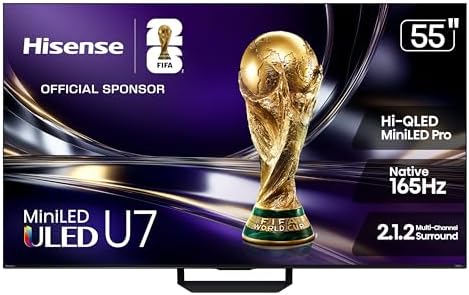
| Panel | Mini-LED Pro |
| Size | 55 in |
| Refresh | 165Hz native |
| HDR | Dolby Vision IQ |
The televisions we would buy in each camp
Five sets, chosen after screening the OLED vs QLED vs Mini-LED shelf on Amazon and rejecting most of the shortlist on seller or Prime eligibility alone. Every one below is sold by Amazon itself, in stock, and Prime eligible as of publication. The OLED camp is empty this month and the section immediately below explains exactly why. Prices move constantly, so each card shows the live figure rather than a number we typed once.
OLED: why there is no pick here right now
This guide would normally name two OLED sets, and for most of 2026 it did. Today it names none, and the reason is worth stating plainly, because it changes what you should actually do.
Every OLED television screened for this update failed on how it is being sold, not on how it performs. Ten OLED listings were opened and checked individually — LG’s C4, C5, C6 and G5 lines, and Samsung’s S85F, S90F and S90H — and not one was both sold by Amazon and Prime eligible. Most sat with third-party resellers such as Video and Audio Center, Walts TV or BrandsMartUSA. Two had no active buy box at all. One was Amazon-sold but carried no Prime offer and a single unit in stock.
None of that is a verdict on the panel. Everything in the OLED section above still holds: it makes its own light, its blacks are genuinely black, and in a dark room nothing else looks like it. The problem is purely who is holding the buy box this month — and a reseller listing means no Prime delivery, a different returns process, and a price that can move under you between clicks.
What to do if OLED is the one you want. Buy it from a retailer you trust rather than from whichever marketplace seller happens to hold the listing today, and read the seller line before you pay — on Amazon it sits directly under the price and reads “Ships from” and “Sold by”. An OLED set goes back in this slot the moment a clean listing exists. Until then Mini-LED is the closest thing to it: most of the contrast, far more brightness, and no burn-in question at all.
1. Hisense 43-inch E6 Hi-QLED — Best small QLED
Best for: a bedroom, a kitchen, a home office, or any room where 55 inches would be too much screen.
Good 43-inch televisions are harder to find than good 65-inch ones, because manufacturers put their engineering into the sizes that sell. This is the exception, and it carries thousands of owner ratings.
It is a straightforward QLED: a quantum-dot layer for color over a conventional backlight, with no local dimming advertised. In a small room that is watched during the day, that is the right set of compromises, and it is why this set stays affordable.
Do not expect it to do dark films justice. Without a zoned backlight, blacks lift toward dark gray in a dim room. Buy it for a bright small room and it is excellent value; buy it as a main cinema screen and you will be disappointed.
Pros
- 2,810 owner ratings behind it
- Dolby Vision and HDR10+ Adaptive, rare at this price
- Fire TV built in, with an Alexa voice remote
- Affordable price for a 43-inch QLED
Cons
- No local dimming advertised, so weak blacks
- 60Hz panel, not for a modern console at 120Hz
- 4.0 star average, the lowest on this page

- HI-QLED COLOR: Experience a visual treat with Hi-QLED Color. Every frame is rich, vibrant, and true-to-life, ensuring th…
- TOTAL HDR SOLUTION: See every basket and goal in all its glory. Total HDR Solution distinguishes between the colors you …
- DOLBY VISION AND DOLBY ATMOS: The fusion of Dolby Vision HDR imaging and Dolby Atmos sound transforms your TV into an en…
2. TCL 65-inch T7 QLED — Best big screen on a budget
Best for: the largest screen your money will buy, in a room with the lights on.
Screen size is the upgrade people actually feel, and this is an affordable route to 65 inches. It is a QLED rather than a Mini-LED, so you are trading black level for diagonal inches, which in a bright room is a trade worth making.
What lifts it above a basic budget set is the gaming specification: Dolby Vision support that Samsung’s range omits, and a game accelerator mode that reaches 144Hz, which is unusual at this price. Google TV handles the software side with a fuller app selection than most manufacturer platforms.
A 55-inch version of the same television exists if the larger panel will not fit your wall. It is the identical set, so choose on room size rather than specification.
Pros
- 65 inches for less than most 55-inch Mini-LED sets
- Dolby Vision and Dolby Atmos support
- 144Hz game accelerator mode
- Google TV with a broad app catalog
Cons
- QLED black levels, so dark films look flat
- Visible haloing around bright objects on dark backgrounds
- Narrow viewing angles typical of LCD
- 4K UltraHD Resolution: Experience incredible detail with 4X the resolution of 1080p Full HDTVs
- QLED (Quantum Dot Technology): Rich, vibrant colors covering nearly the entire DCI-P3 color space to bring images to lif…
- 144Hz Panel Refresh Rate: Watch action-packed movies, fast-paced video games, and live sports with an ultra-smooth viewi…
3. Hisense 65-inch E7 Mini-LED — Best Mini-LED value
Best for: the largest zoned-backlight screen you can get without moving into premium money.
This is the set that makes the strongest argument in the whole guide, because it puts a full-array zoned Mini-LED backlight on a 65-inch screen at a value price. That is the sweet spot of the current market.
The dimming zones do the work that separates a good picture from a flat one: dark scenes stay dark instead of being lit uniformly by a backlight that cannot tell the difference. It supports both major HDR formats, Dolby Vision and HDR10+, which very few sets at any price do, and runs Amazon’s Fire TV platform.
Refresh rate is not the compromise here that it usually is at this price. The panel runs at a native 144Hz, so a PS5 or Xbox Series X gets full 120Hz play, and the faster panel helps sport and fast camera pans too.
Pros
- 65 inches with a real zoned Mini-LED backlight at a value price
- Supports both Dolby Vision and HDR10+
- Native 144Hz panel, so 120Hz console gaming works
- 402 owner ratings behind it
- Far better black levels than any QLED here
Cons
- Wi-Fi 5 rather than Wi-Fi 6
- Some blooming remains around bright objects on dark backgrounds
- Fire TV platform pushes Amazon content heavily

- HI-QLED MINILED: Mini-LED backlighting uses thousands of precise light zones to enhance contrast across the screen, reve…
- NATIVE 144HZ GAME MODE: High refresh performance keeps fast movement fluid and sharp, reducing blur during gameplay and …
- DOLBY VISION & DOLBY ATMOS: Experience cinematic HDR with vivid brightness and deeper contrast through Dolby Vision, pai…
4. TCL 55-inch QM6K Mini-LED — Best all-round Mini-LED
Best for: a mixed living room that watches sport in the afternoon and films at night, with a console attached.
If the Hisense above is the value pick, this is the balanced one. It pairs the same zoned Mini-LED principle with a genuinely fast 144Hz panel, which covers console gaming at 120Hz with headroom and puts it ahead of most sets at this price for anything that moves quickly.
TCL’s high brightness LED backlight is the other reason it is here. Mini-LED’s advantage over OLED is peak output, and this set uses it: in a room with the curtains open it holds a punchy picture where an OLED would be straining. Dolby Vision, Dolby Atmos and Onkyo-tuned audio round it out, on Google TV.
It already carries well over a thousand owner ratings, which for a relatively recent model is a good sign rather than a neutral one.
Pros
- Native 144Hz, comfortably covers 120Hz console gaming
- High brightness backlight suited to a lit room
- Dolby Vision, Dolby Atmos and Onkyo audio
- 2,009 owner ratings
Cons
- 55 inches, where the Hisense gives you 65 for about $100 more
- Blooming still visible on subtitles over dark scenes
- LCD viewing angles, so off-axis seats lose contrast

- TCL QM6K QD-MINI LED TV SERIES – AFFORDABLE PREMIUM PERFORMANCE FOR SPORTS, GAMING & STREAMING. Experience superior cont…
- QD-MINI LED. IT’S MINI LED PLUS QLED COLOR – BREATHTAKING BRIGHTNESS AND COLOR IN ANY LIGHT. Combines ultra-precise Mini…
- TCL HALO CONTROL SYSTEM – BETTER BLACKS. SHARPER DETAIL. NO BLOOMING. Advanced local dimming eliminates haloing, enhance…
5. Hisense 55-inch U7 Mini-LED — Best for gaming
Best for: a console or gaming PC as the main source, in a room that is not always dark.
This is the fastest television in the guide. A native 165Hz panel is beyond what any current console asks for, which means 120Hz gaming runs with room to spare, and a PC can use the rest. Hisense quotes VRR support up to 330Hz in its reduced-resolution modes.
It is also the most capable Mini-LED here on paper, using the U-series ULED processing with Dolby Vision IQ, IMAX Enhanced certification and an anti-reflection screen treatment that matters more than it sounds in a room with a window behind the sofa.
The one caveat is evidence rather than specification. It is a 2026 model with only a few hundred owner ratings so far, so there is less accumulated experience to draw on. The rating is strong, but it rests on fewer voices.
Pros
- Native 165Hz, the fastest panel in this guide
- Anti-reflection coating for bright rooms
- Dolby Vision IQ and IMAX Enhanced
- Mini-LED contrast with no burn-in risk for static HUDs
Cons
- Only a few hundred owner ratings so far
- Premium price for a 55-inch set
- Refresh rates above 120Hz need a PC to be useful
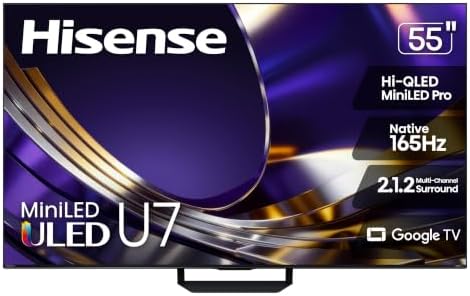
- HI – QLED MINILED PRO: Thousands of MiniLED backlights deliver pinpoint control for vibrant, lifelike pictures. Whether …
- NATIVE 165HZ REFRESH RATE: Advanced motion technology handles gaming, sports and action at high speeds. There’s no blur,…
- ANTI-REFLECTION & GLARE-FREE: Bright windows, overhead lights, afternoon sun—your screen handles it all. The anti-glare …
Every pick side by side
All five televisions in one table, so the OLED vs QLED vs Mini-LED trade is visible at a glance. Live prices sit on the product cards above rather than here, because a number typed into a table is out of date the week after it is written.
| Television | Panel | Size | Refresh | HDR | Rating |
|---|---|---|---|---|---|
| Hisense E6 Hi-QLED | QLED | 43 in | 60Hz | Dolby Vision | 4.0 (2,810) |
| TCL T7 QLED | QLED | 65 in | 144Hz mode | Dolby Vision | 4.4 (725) |
| Hisense E7 | Mini-LED | 65 in | 144Hz | DV + HDR10+ | 4.4 (402) |
| TCL QM6K | Mini-LED | 55 in | 144Hz | Dolby Vision | 4.3 (2,009) |
| Hisense U7 | Mini-LED Pro | 55 in | 165Hz | Dolby Vision IQ | 4.4 (423) |
What we would not worry about
Four specifications that soak up attention in the OLED vs QLED vs Mini-LED debate and deserve very little of it.
8K. There is almost nothing to watch in 8K, the sets cost a large premium, and at normal seating distance you cannot resolve the extra detail on a 65-inch screen. Buy a better 4K set instead.
Motion Rate and Clear Motion numbers. Figures like Motion Rate 240 describe processing, not the panel. The specification that matters is the native refresh rate: 60Hz, 120Hz, 144Hz or 165Hz. Everything else is marketing arithmetic.
Built-in speakers. They are poor on every television in this guide and on almost every television ever made, because there is no room in the chassis for a speaker that moves air. Budget for a soundbar separately and stop reading the audio specifications.
Quoted contrast ratios on LCD sets. Manufacturers measure these in ways that are not comparable between brands. On an LCD, the question that matters is whether it has local dimming and how many zones, not the ratio printed on the box.
Frequently asked questions
OLED vs QLED vs Mini-LED: which is actually best?
OLED produces the best picture, with perfect blacks and effectively infinite contrast, but costs the most and carries a small burn-in risk. Mini-LED is the best choice for most rooms because it delivers most of that contrast with far more brightness and no burn-in question. QLED is the budget answer and the weakest for dark-room viewing. Your room decides this more than any ranking does.
Is OLED better than QLED?
For picture quality, yes, and it is not a close call. OLED switches individual pixels off to make black, while a QLED shines a backlight through a shutter that never fully closes. QLED wins on brightness, on price and on having no burn-in risk whatsoever, which is why it still makes sense for bright rooms and tight budgets.
Does OLED still burn in?
The mechanism still exists, but modern sets ship with pixel shifting, logo dimming and panel refresh cycles that make it unlikely under normal mixed viewing. The genuine risk cases are narrow: a set left on one channel for eight hours a day, or used as a permanent computer monitor with a fixed taskbar. Several manufacturers now cover burn-in explicitly in the warranty, which is the clause to look for.
What is the difference between Mini-LED and OLED?
Mini-LED is an LCD with a backlight split into many small, independently dimmed zones. OLED has no backlight at all and lights each pixel individually. That means OLED achieves perfect black while Mini-LED gets close but can show a faint halo around bright objects. Mini-LED goes considerably brighter and cannot suffer burn-in.
Is Mini-LED worth it over QLED?
Yes, if you watch anything in a dim room. The zoned backlight is the single biggest upgrade available on an LCD television, and it is what separates a picture with depth from a flat one. If your set mostly shows daytime broadcast and sport with the curtains open, the difference narrows and a QLED at a larger size may serve you better.
Is a QLED television just an LCD?
Yes. QLED is an ordinary LED-backlit LCD with a quantum dot film added to improve color. The name is deliberately styled to look like OLED, but the two work in completely different ways. This is the single most common misunderstanding in television buying.
What does QD-Mini LED mean?
It is a Mini-LED backlight combined with a quantum dot layer, so a set that is both Mini-LED and QLED at once. Almost every Mini-LED television sold today includes quantum dots, so the two terms usually travel together. What matters is the Mini-LED part, because that is the bit that controls contrast.
Which panel type is best for a home office?
Mini-LED. Static work layouts displayed for hours are the one pattern that genuinely risks OLED burn-in, and documents are large white fields where OLED is dimmest and LCD is strongest. Mini-LED gives you the contrast for evening viewing plus the brightness for daytime work, with no retention risk.
How long do OLED televisions last?
Manufacturers rate current panels at around 100,000 hours to half brightness, which is over 20 years at five hours a day. Panel lifespan is not the practical concern. Uneven aging of pixels that display the same static element constantly is the thing to manage, and that is what the built-in countermeasures address.
Which is cheaper, OLED, QLED or Mini-LED?
QLED is cheapest, Mini-LED sits in the middle and OLED costs the most, though the gap has narrowed considerably. At the value end the ordering can invert by size: a 65-inch Mini-LED frequently costs less than a 55-inch OLED, so compare on the screen size you actually want rather than on the badge.
Does a Dolby Vision television matter?
It helps, and it is worth knowing that Samsung does not support it anywhere in its range, backing HDR10+ instead. LG, TCL and Hisense all implement Dolby Vision. Most major streaming services carry both formats, so it only becomes decisive if your library or your disc collection leans heavily one way.
What size television should I buy?
Bigger than you think, in most rooms. Screen size is the upgrade people notice most, and it is usually a better use of money than a panel upgrade at the same price. A rough guide is a viewing distance of about 1.2 times the screen diagonal for 4K, which puts 65 inches at roughly six and a half feet.
The bottom line on OLED vs QLED vs Mini-LED
If you take one thing from this guide, take this: OLED vs QLED vs Mini-LED has no winner, only three compromises, and you are choosing which one you can live with. OLED gives up brightness and money. QLED gives up black level. Mini-LED gives up a little of both and asks the least of you in return, which is why it is the right answer for most rooms.
Buy Mini-LED if your room has windows, your viewing is mixed, or a console is attached. It is the default recommendation here for good reason.
Buy OLED if you can control the light and picture quality is the reason you are shopping at all. Nothing else matches it in the dark.
Buy QLED if you want the biggest screen for the least money, or the set lives in a bright room where the contrast argument mostly evaporates anyway.
Smart Tech Buying recommends products based on independent research and editorial judgment; affiliate relationships never determine our picks. We earn a commission from qualifying Amazon purchases at no extra cost to you. Prices, ratings and availability were verified on each product page at the time of publication and change frequently.
Why You Can Trust Smart Tech Buying
Every recommendation is based on extensive product research, manufacturer specifications, customer feedback, long-term reliability, value, and suitability for real-world use. When we have personal experience with a product, we include those insights. We regularly review our guides to keep recommendations current as new products are released.