

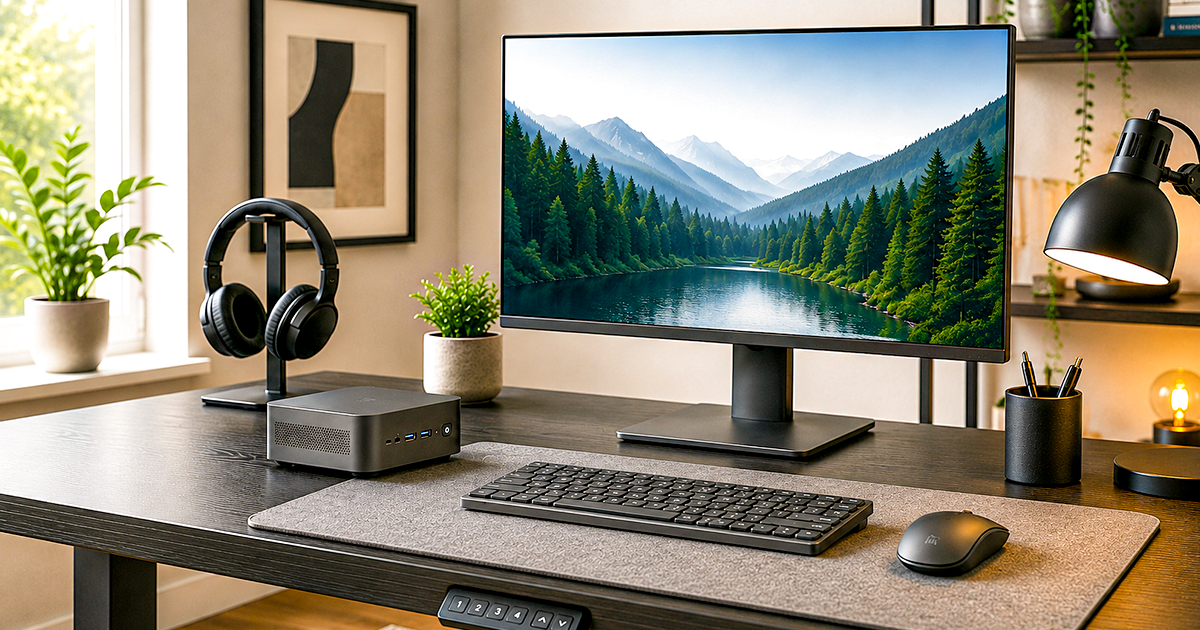
Best Keyboard & Mouse Combos of 2026
Seven wireless sets we'd actually buy – from a $21 workhorse to a backlit mechanical powerhouse, for every desk and budget.
A good keyboard and mouse combo is the cheapest upgrade that makes your computer feel better every single day. You touch these two things more than anything else on your desk, so a set that types quietly, tracks smoothly, and just works without a tangle of cables pays you back every hour you sit down. The trouble is that Amazon lists thousands of them, and most look identical in a thumbnail.
So we did the sorting for you. We focused on wireless combos you can actually buy right now, weighed comfort, noise, battery life, build quality, and price, and picked seven winners for different people and budgets – from a $21 set that has survived in millions of homes to a backlit, multi-device powerhouse that is a joy to type on. Whatever you spend, every pick here is one we would happily put on our own desk.
Setting up or upgrading the rest of your workspace too? These combos pair perfectly with our picks in the Best Desktop Computers for 2026 and Best Home Office Monitors for 2026 guides. Tight on space? See the Best Mini PCs for 2026.
QUICK PICKS – BEST KEYBOARD & MOUSE COMBOS 2026
- Best overall: Logitech MX Keys S Combo – premium feel, backlit, works across every device
- Best everyday value: Logitech MK345 Full-Size – the sweet spot of price and quality
- Best budget: Logitech MK270 – reliable basics for around $21
- Best for comfort: Logitech Signature Comfort Plus MK880 – palm rest and silent keys
- Best quiet combo: Logitech MK295 SilentTouch – 90% less typing noise
- Best mechanical: Logitech MX Mechanical – tactile keys, full-size with numpad
- Best for Mac: Logitech MK955 Signature Slim – slim, quiet, switches between Mac and PC
Which is the best keyboard and mouse combo for you?
| If you… | Get this | Why |
|---|---|---|
| Want the best all-around set and don’t mind paying for it | Logitech MX Keys S Combo | Premium typing, backlighting, multi-device |
| Are kitting out a home office on a sensible budget | Logitech MK345 Full-Size | Great quality for the money |
| Just want something reliable for as little as possible | Logitech MK270 | Proven, cheap, everywhere |
| Type all day and want your wrists to thank you | Logitech MK880 Comfort Plus | Palm rest and silent keys |
| Share a room, take calls, or work late | Logitech MK295 SilentTouch | Near-silent typing and clicking |
| Love a tactile, mechanical feel for heavy typing | Logitech MX Mechanical | Mechanical keys, full-size with numpad |
| Work on a Mac, or switch between Mac and PC | Logitech MK955 Signature Slim | Mac-friendly, multi-device switching |
All seven of the best keyboard and mouse combos compared
Star ratings reflect our editorial take for everyday work and home use. Prices move around a lot on Amazon, so tap through on any pick to see the current price before you buy – several of these go on sale often.
| # | Photo | Combo | Key features | Our rating | Price |
|---|---|---|---|---|---|
| 1 |  | Logitech MX Keys S ComboBest Overall | Backlit keys · palm rest · USB-C · Bluetooth · multi-device · Win/Mac/Linux | ★★★★★ | Check price ↗ |
| 2 |  | Logitech MK345 Full-SizeBest Everyday Value | 2.4GHz USB-A nano receiver · integrated palm rest · spill-resistant · media keys · Win/macOS/ChromeOS | ★★★★★ | Check price ↗ |
| 3 |  | Logitech MK270Best Budget | 2.4GHz wireless · compact mouse · 8 shortcut keys · 2-year battery | ★★★★★ | Check price ↗ |
| 4 |  | Logitech MK880 Comfort PlusBest for Comfort | Full-size palm rest · silent clicks · Bluetooth · Win/macOS | ★★★★★ | Check price ↗ |
| 5 |  | Logitech MK295 SilentTouchBest Quiet | SilentTouch keys · full numpad · 90% less noise · lag-free wireless | ★★★★★ | Check price ↗ |
| 6 |  | Logitech MX MechanicalBest Mechanical | Tactile Quiet mechanical · backlit · full-size · keyboard only | ★★★★★ | Check price ↗ |
| 7 |  | Logitech MK955 Signature SlimBest for Mac | Slim · quiet typing · switch across 3 devices · Bluetooth · Win/Mac | ★★★★★ | Check price ↗ |
The best keyboard and mouse combos of 2026 – full reviews
1. Logitech MX Keys S Combo – Best Overall

- Engineered for Speed and Precision: MX Keys S Wireless Keyboard features fast fluid laptop-like typing combined with the…
- Fluid Typing Experience: Laptop-like profile with spherically-dished keys shaped for your fingertips delivers a fast, fl…
- Scroll 1000 Lines Per Second: With MagSpeed, Logitech’s fastest and most precise scroll wheel (3), and an 8K DPI sensor,…
If you spend your day at a keyboard and want the nicest set most people will ever need, this is it. Buy it if you care about how typing feels, want backlit keys for early mornings and late nights, and like the idea of one keyboard and mouse that flow between your laptop, desktop, and tablet with a tap. Skip it if you only do light email and browsing – you would be paying for polish you won’t use, so grab the MK345 or MK270 below instead.
Why we love it: the MX Keys S has the best typing feel of any wireless combo here – cushioned, confident, with smart backlighting that lights up as your hands approach. The included MX-series mouse has a fast, near-silent scroll wheel that flies through long documents and web pages. It connects by Bluetooth or the tiny Logi Bolt receiver, charges over USB-C, and remembers up to three devices. The catch: it is the priciest pick, and the mouse is shaped for right-handers.
✓ Pros
- Best-in-class typing feel
- Smart, automatic key backlighting
- Fast, quiet scroll wheel
- Bluetooth or Bolt, USB-C charging
- Switches across three devices
✗ Cons
- Premium price for a keyboard and mouse
- Mouse is right-handed only
- Overkill for light use
2. Logitech MK345 Full-Size Wireless Combo – Best Everyday Value

- Dependable wireless connection: Enjoy the reliability and convenience of 2.4 GHz connectivity with your logitech wireles…
- Full-Size Wireless Keyboard: Comfortable, quiet typing on a familiar keyboard layout with palm rest, spill-resistant des…
- Plug and Play: MK345 works seamlessly with Windows, macOS, and ChromeOS. Experience hassle-free setup with the logitech …
This is the one we recommend to most people, and the one we would buy for a whole office. Buy it if you want a full-size layout with a proper palm rest, quiet keys and a mouse that stays comfortable all day – without paying flagship money. Skip it if you need Bluetooth or backlighting (it has neither), or you are counting every dollar, in which case the MK270 does the basics for less.
Why we love it: it nails the things you notice daily. The keyboard is full-size with an integrated palm rest, a spill-resistant design and easy-access media keys, and the contoured right-handed mouse tracks smoothly for everyday work. Both run from one USB-A nano receiver over 2.4GHz, rated to about 10 meters. Logitech rates the keyboard at up to three years of battery and the mouse at 18 months, batteries included. The catch: no Bluetooth and no backlit keys – it is a receiver-only combo, so it needs a spare USB-A port.
✓ Pros
- Excellent quality for the price
- Full-size with integrated palm rest
- Spill-resistant, quiet keys
- Up to 3-year keyboard battery
- 4.5 stars across 41,000+ ratings
✗ Cons
- No Bluetooth – USB-A receiver only
- No key backlighting
- Mouse shaped for right hands
3. Logitech MK270 – Best Budget

- Reliable Plug and Play: The USB receiver provides a reliable wireless connection up to 33 ft (1), so you can forget abou…
- Type in Comfort: The design of this keyboard creates a comfortable typing experience thanks to the low-profile, quiet ke…
- Durable and Resilient: This full-size wireless keyboard features a spill-resistant design (2), durable keys and sturdy t…
When you just need a wireless keyboard and mouse that work, this is the safest cheap buy on Amazon – over a hundred thousand reviews and still going. Buy it if you want dependable basics for a home PC, a back-to-school setup, or a second desk, for around the price of lunch. Skip it if you type for hours and want comfort extras like a palm rest or quieter keys – spend a little more on the MK345 or MK880.
Why we love it: it is plug-and-play simple. One tiny USB receiver runs both the full-size keyboard and the compact mouse, the keys are quiet enough, there are handy shortcut keys, and the batteries famously last years. For the money, nothing this reliable is this cheap. The catch: it is basic – no Bluetooth, no backlight, no frills.
✓ Pros
- Unbeatable value
- Proven by 100,000+ reviews
- One receiver for both devices
- Up to 2-year battery life
- Simple, no setup needed
✗ Cons
- No Bluetooth (receiver only)
- No backlighting or palm rest
- Plain, basic feel
4. Logitech Signature Comfort Plus MK880 – Best for Comfort

- All-day typing comfort: With a curved dual-foam palmrest for silky-soft support and adjustable tilt legs, this Bluetooth…
- Enhanced comfort for your palm: The right-handed mouse adapted for most hand sizes is sculpted with an innovative built-…
- Simple connections: Wireless keyboard and mouse connect via Bluetooth pairing and switch between up to three devices wit…
If your wrists ache by the afternoon, this combo is built to fix that. Buy it if you type for hours and want an integrated palm rest, gentle key feel, and silent clicks that won’t wear on you. Skip it if you need a true split ergonomic keyboard or you want backlighting – this is about everyday comfort, not a specialist ergo shape.
Why we love it: the full-size keyboard has a cushioned palm rest baked in, the keys are soft and quiet, and the mouse clicks silently – a small thing that makes a long day feel calmer. It pairs over Bluetooth with both Windows and macOS. With a 4.1-star early rating, owners clearly feel the difference. The catch: review numbers are still small since it is newer, and there is no backlight.
✓ Pros
- Integrated cushioned palm rest
- Soft, quiet key feel
- Silent mouse clicks
- Bluetooth for Windows and macOS
- Excellent early owner ratings
✗ Cons
- Not a split ergonomic design
- No key backlighting
- Fewer reviews (newer model)
5. Logitech MK295 SilentTouch – Best Quiet Combo

- Innovative SilentTouch technology for same typing and clicking feel with 90% less noise (1)
- Keyboard with 8 convenient shortcuts and full numpad for efficient data entry and easier navigation. Gives you one-touch…
- Contoured and portable shape with smooth, precise clicking and pointing on most surfaces and SilentTouch technology for …
Share a bedroom, a nursery wall, or a video call all day? This is the combo that won’t drive anyone (including you) crazy. Buy it if you want dramatically quieter typing and clicking without giving up a full-size layout with a number pad. Skip it if silence isn’t a priority – you can save a few dollars with the MK270.
Why we love it: Logitech’s SilentTouch keys cut typing noise by about 90%, and the mouse clicks are hushed too, so late-night work and on-camera calls stop sounding like a typing contest. You still get a full numpad, solid optical tracking, and reliable receiver wireless. The catch: it uses the USB receiver rather than Bluetooth, and the keys feel a touch soft to some typists.
✓ Pros
- About 90% quieter typing
- Quiet mouse clicks too
- Full-size layout with numpad
- Reliable, lag-free wireless
- Great price for the comfort
✗ Cons
- Receiver only, no Bluetooth
- Soft key feel isn’t for everyone
- No backlighting
6. Logitech MX Mechanical – Best Mechanical (keyboard only)

- Tactile Quiet mechanical key switches with a satisfying tactile bump you feel – for precise feedback, reactive key reset…
- Low-profile keys, more comfort: A keyboard layout designed for effortless precision, with a full-size form factor and lo…
- Smart illumination: Backlit keys light up the moment your hands approach the cordless keyboard and automatically adjust …
For people who love the feel of a mechanical keyboard but still want it wireless, quiet and grown-up, this is the pick. One thing to know first: unlike every other entry here, this one is the keyboard on its own. Logitech’s bundled keyboard-and-mouse listing currently has no seller, so we link the keyboard directly and suggest pairing it with the MX Master 3S bought separately. Buy it if you type a lot and want satisfying tactile keys. Skip it if you are noise-sensitive in a shared room (even “quiet” mechanical keys click) or you want one box with a mouse in it.
Why we love it: the MX Mechanical gives you real tactile keys with tasteful backlighting, Tactile Quiet switches that stay genuinely restrained for a mechanical board, and a full-size layout with a numpad. It connects over Bluetooth, charges by USB-C, and roams across macOS, Windows, Linux, iOS and Android. The catch: mechanical keys are never truly silent, and you will need to budget for a mouse separately.
✓ Pros
- Satisfying tactile mechanical keys
- Tactile Quiet switches, restrained for a mechanical board
- Tasteful key backlighting
- Works across every major OS
- Full-size layout with numpad
✗ Cons
- Keyboard only – no mouse in the box
- Not silent like membrane combos
- Low-profile keys are not for everyone
7. Logitech MK955 Signature Slim – Best for Mac

- Type and Click Across Your Personal and Work Computers: Move seamlessly between your home desktop and your work laptop w…
- Save Time Like Magic: Customizable keys, buttons and shortcuts for extended possibilities with the Logi Options+ App; av…
- Enhance Your Space: A sleek and solidly built full-size bluetooth keyboard with familiar laptop-style typing and a comfo…
Mac users are often stuck choosing between Apple’s pricey accessories and cheap PC sets that feel wrong on macOS. This slim combo is the happy middle. Buy it if you work on a Mac, or bounce between a Mac and a PC, and want a clean, quiet, low-profile set that switches between them instantly. Skip it if you are all-Windows and don’t need multi-device switching – the MK345 gives you more for less.
Why we love it: the low-profile keys feel modern and quiet, the mouse is sized for larger hands, and Bluetooth lets you flip between up to three devices – handy when one combo serves your MacBook, an iPad, and a work PC. It is multi-OS certified and styled to sit nicely next to Apple gear. The catch: it costs more than the everyday picks, and there is no backlight.
✓ Pros
- Clean, quiet low-profile keys
- Mac and Windows friendly
- Switches across three devices
- Mouse suits larger hands
- Looks great beside Apple gear
✗ Cons
- Pricier than everyday picks
- No key backlighting
- Slim keys feel shallow to some
How to choose the best keyboard and mouse combo
Spending two minutes on these five questions will point you to the best keyboard and mouse combo for your desk – and stop you overpaying for features you’ll never touch.
Bluetooth or a USB receiver?
A USB receiver just plugs in and works – great for desktops and the simplest setup. Bluetooth frees up a USB port and lets one combo jump between a laptop, tablet, and phone. The nicest sets, like the MX Keys S and MK955, offer both. If you only ever use one computer, a receiver is perfectly fine.
How much noise can you live with?
If you take calls, share a room, or work while others sleep, quiet keys are worth real money. The MK295 SilentTouch and MK880 are built for hush. Mechanical sets like the MX Mechanical are satisfying but audible, so save those for a room of your own.
Comfort for long days
If you type for hours, look for a palm rest and a mouse that fits your hand. The MK880 and MK345 include palm rests; the MX-series mice are shaped for all-day use. Comfort is the feature you’ll appreciate most six months in.
Do you want backlighting?
Backlit keys help in dim rooms and look great, but they cost extra and use more battery. Only the MX Keys S and MX Mechanical here are backlit. If you touch-type or work in good light, you can skip it and save.
Mac, Windows, or both?
Most combos here are certified for Windows, macOS, Chrome, and Linux, so you are rarely locked in. If you live on a Mac or switch between machines, the MK955 and the MX sets are the most Mac-friendly and remember multiple devices.
The bottom line on the best keyboard and mouse combo
If you want our one-line answer on the best keyboard and mouse combo: most people should buy the Logitech MK345 Full-Size – it feels far nicer than its price suggests. Want the best there is? The MX Keys S Combo is a pleasure to use every day. Pinching pennies? The MK270 has kept millions of desks running for years. Whichever you choose, click through to check today’s Amazon price – these go on sale more often than you’d think, and you may catch your pick for less.
Best keyboard and mouse combo: frequently asked questions
Are keyboard and mouse combos better than buying separately?
For most people, yes. A combo is cheaper than buying a comparable keyboard and mouse on their own, the two are designed to pair on one receiver, and setup is effortless. Buy separately only if you want a very specific keyboard and a very specific mouse that aren’t sold together.
Do these work with a laptop or only a desktop?
They work with both. A wireless combo turns a laptop into a comfortable desk setup – just plug in the receiver or pair over Bluetooth. It is one of the easiest ways to make working from a laptop feel less cramped.
How long do the batteries last?
Most of these run for a year or more on a set of batteries, and Logitech’s basic combos are famous for two-year keyboard life. The MX Keys S keyboard is rechargeable over USB-C. You will not be swapping batteries often.
Which combo is quietest?
The MK295 SilentTouch is the quietest here, cutting typing noise by around 90%, with the MK880 close behind. Both are ideal for shared spaces and video calls. Avoid mechanical sets if silence is your priority.
Are these good for gaming?
These are productivity and home-office combos, so they handle casual gaming fine but aren’t built for competitive play. If gaming is your focus, look for a dedicated gaming keyboard and mouse with faster response and higher mouse DPI.
How we select products
To find the best keyboard and mouse combo for each kind of desk, we research current combos across brands and price points, and prioritize models that are genuinely in stock as new listings on Amazon so the links you click lead to the product you read about. We weigh typing feel, noise, comfort, connectivity, battery life, build quality, and price, and we focus on the needs of real buyers – home offices, remote workers, students, and families. We do not accept payment for placement; we may earn a commission when you buy through our Amazon links, at no extra cost to you.
Related SmartTechBuying guides
- Best Desktop Computers for 2026
- Best Mini PCs for 2026
- Best Home Office Monitors for 2026
- Best Business Laptops for 2026
Why You Can Trust Smart Tech Buying
Every recommendation is based on extensive product research, manufacturer specifications, customer feedback, long-term reliability, value, and suitability for real-world use. When we have personal experience with a product, we include those insights. We regularly review our guides to keep recommendations current as new products are released.