

Best Smart TVs for Home Offices
Six 4K sets we'd actually put on a desk – more screen than two monitors, and a proper TV when the workday ends.
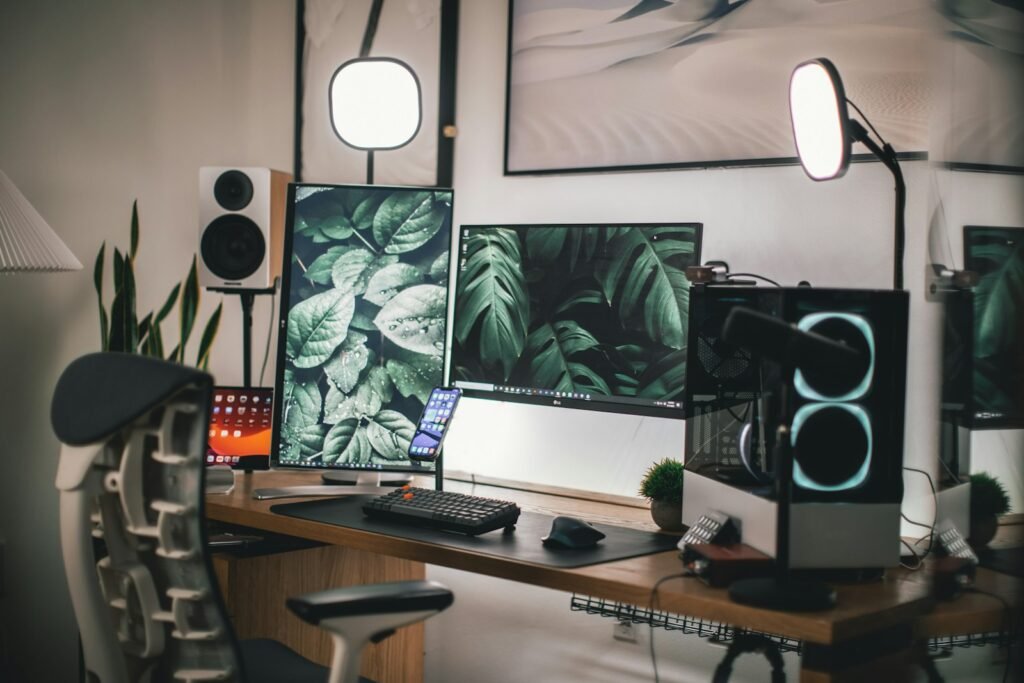
The best Smart TVs for home offices have quietly taken the place of the second monitor. For years the home office followed a simple formula: a computer, a desk, and a monitor. But a growing number of remote workers, freelancers, and small business owners are quietly breaking that last rule and putting a 4K Smart TV on the desk instead. The reason is hard to argue with. A 43-inch 4K TV gives you more usable screen than two 24-inch monitors, costs less than one good ultrawide, and when the workday ends it becomes a proper television for streaming, gaming, and catching the game.
This guide is about choosing the right one. Not the best TV for a dark home theater, and not a generic “best TVs” list, but the best Smart TVs for home offices, where real work actually happens. We will explain, in plain English, exactly what makes a TV good (or bad) as a productivity display, when a monitor is still the smarter buy, and which ten televisions we would actually put in a home office in 2026 across every budget and platform.
THE SHORT ANSWER
- Best overall for a desk: the 50-inch Sony Bravia 3 — Google TV, Sony’s picture processing, and a size that still works at arm’s length.
- Best value: the TCL QM6K delivers bright Mini-LED picture and 144Hz for far less than a premium set.
- Tightest budget: the Samsung U8000H puts a 43-inch 4K screen on your desk for around $230.
- Best 43-inch (the home-office sweet spot): the Samsung Q7F for color-accurate work.
- Best for bright rooms: the Hisense U7, a 165Hz Mini-LED set that punches through window glare.
Why consider a Smart TV instead of a monitor?
Before the picks, the case for the swap — because the best Smart TVs for home offices only make sense once you understand what a television gives you that a monitor does not.
The case for a TV on your desk comes down to one word: space. A 43-inch 4K TV gives you roughly the same screen area as four 21-inch 1080p monitors arranged in a grid, all on a single seamless panel with no bezels running down the middle. For anyone who works across many windows at once — spreadsheets beside email beside a browser, or a video timeline above a preview — that uninterrupted real estate is genuinely transformative.
Price is the second argument. A good 43-inch 4K TV costs $300 to $600. A 42-inch 4K productivity monitor with similar specs often costs more, sometimes far more. You are buying a panel made in enormous volume for the living-room market, and you benefit from those economies of scale.
Then there is everything a Smart TV does that a monitor cannot. It runs Netflix, YouTube, and Spotify without a computer attached. It lets you wirelessly cast from a phone or laptop with AirPlay or Chromecast, so you can throw a presentation on screen in seconds. It has multiple HDMI ports, so your work laptop and a games console can both stay plugged in. And it has built-in voice assistants, USB ports, and a remote. When the laptop closes at 5 p.m., your productivity display instantly becomes a proper television.
When a monitor is still the better choice
We are not going to pretend a TV is always the right answer. There are real cases where a dedicated monitor wins, and honesty matters more than a tidy recommendation:
Color-critical creative work. If you edit photos or video to professional color standards, TVs are tuned for punchy, pleasing images rather than accuracy. They generally do not cover sRGB or Adobe RGB to spec, and you cannot calibrate them the way you can a creative monitor. For that work, buy a monitor.
Very close, all-day desk viewing. A TV is designed to be seen from across a room. Sit 18 inches from a 50-inch screen and you will spend the day craning your neck and rolling your eyes to the corners. TVs work best on a desk when you can sit back three to four feet, which usually means a deeper desk and a screen of 43 to 50 inches, not 65.
Ergonomics and adjustability. Monitors raise, lower, tilt, and swivel. Most TVs sit on a fixed stand at one height, so you may need a separate mount or riser to get the top of the screen to eye level.
What to look for in the best Smart TVs for home offices
A handful of specs do most of the work in separating a great productivity TV from a frustrating one. Here is what actually matters at a desk.
Resolution. Buy 4K, full stop. At a desk distance you sit close enough that 1080p looks soft, and 4K is what makes a large screen usable for sharp text and multiple windows. Every TV in this guide is 4K.
Chroma 4:4:4 support. This is the make-or-break spec for text, as explained above. It ensures the TV displays the full color detail of each pixel rather than approximating it, which is what keeps small fonts crisp instead of fringed.
Input lag. Input lag is the delay between moving your mouse and seeing the cursor move. High lag makes a desktop feel sluggish. Look for a TV with a Game mode that drops input lag below about 20ms; under 15ms feels instant. All our picks manage this in the right mode.
Refresh rate. A 60Hz panel is perfectly fine for office work, writing, and browsing. A 120Hz or 144Hz panel makes scrolling, cursor movement, and gaming noticeably smoother, and it is the one luxury spec worth paying for if your budget allows. We note the refresh rate on every pick.
Brightness. A home office is often a bright room with windows. Brighter TVs (QLED and especially Mini-LED) fight glare and stay punchy in daylight. A dim budget TV can look washed out next to a sunny window.
HDMI 2.1. You only need HDMI 2.1 if you want 4K at 120Hz or higher from a PC or a PlayStation 5 / Xbox Series X. For pure office work, HDMI 2.0 is plenty. If you game seriously, prioritize a set with HDMI 2.1 ports.
HDR. High Dynamic Range improves contrast and color in movies and games. It does little for spreadsheets, but it is a nice bonus for the after-work half of the TV’s life. Dolby Vision and HDR10+ are the premium formats to look for.
Operating system, brightness sensor, warranty. The smart platform (covered below) shapes daily use. An automatic brightness sensor is a small comfort that adapts the screen to your room. And a standard one-year warranty is the norm — a few brands include longer protection, which we mention where it applies.
TV technologies explained, simply
Panel type decides brightness, contrast and price, so it is worth knowing which is which before comparing the best Smart TVs for home offices on spec sheets.
Four panel types cover almost every TV you will see. Here is the plain-English version of what each one means for a desk.
OLED uses pixels that light themselves, so each one can switch fully off for perfect black and infinite contrast. The picture is gorgeous and the response time is instant, which makes OLED the closest thing to a flawless monitor. The two catches for office use: OLEDs are not the brightest in a sunlit room, and because static images (a fixed taskbar, a spreadsheet’s gridlines) sit in the same spot for hours, there is a small long-term risk of “burn-in.” Modern OLEDs have good protections, but if your screen shows the same static interface eight hours a day, factor it in.
QLED is an LED TV with a “quantum dot” layer that boosts color and brightness. It cannot match OLED’s perfect blacks, but it gets brighter, costs less, and has zero burn-in risk — which arguably makes it the safer pick for all-day productivity. Most good value TVs are QLEDs.
Mini-LED is QLED’s more advanced sibling. It packs thousands of tiny LEDs behind the screen, grouped into dimming zones, for much better contrast and very high brightness. It is the best technology for a bright home office, combining QLED’s no-burn-in toughness with near-OLED contrast. The Hisense U7 and TCL QM6K here are Mini-LED.
LED (standard). The classic, most affordable type, with a basic backlight and no quantum-dot or mini-LED tricks. Picture quality is a step down, but a good 4K LED set like the Samsung U8000H is all many people need for a second screen on a budget.
Best screen sizes for a desk
Size is the single biggest decision here, and it is where most of the best Smart TVs for home offices are won or lost.
Size is the decision people get wrong most often. Bigger is not better at a desk — the right size depends entirely on how far back you sit. Here is the quick guide.
43 inches is the home-office sweet spot. It is big enough for serious multi-window work, small enough to take in without moving your head, and it fits a normal desk at a normal seating distance of about three feet. If you are buying one TV purely as a productivity display, start here.
50 inches is the comfortable maximum for most desks, ideal if you sit a little further back or want a more immersive after-work TV. 55 inches works if your desk is deep and you can sit four feet away, or if the TV is wall-mounted with some distance. 65 inches and up belongs across a room, not on a desk — at arm’s length it forces constant neck movement and the corners fall outside your comfortable field of view.
A simple rule: for a TV used mainly as a monitor, multiply the screen size by roughly 1.2 to get the minimum comfortable viewing distance in inches. A 43-inch screen wants about 51 inches (a bit over four feet) for movies, though you can sit somewhat closer for desktop work where you are reading text rather than watching action.
Smart platforms compared
The operating system is the part you touch every day, so it is worth a moment before you choose between the best Smart TVs for home offices below.
Every Smart TV runs an operating system that shapes how you find apps, cast from devices, and use voice control. None is bad, but they differ, and the right one often depends on the rest of your tech.
Google TV (Sony, Hisense, TCL) has the best content search and recommendations, built-in Chromecast for easy casting from Android and Chrome, and Google Assistant. It is the natural fit if you live in Google’s ecosystem. The trade-off is a home screen that pushes recommendations and ads.
Roku is the simplest, most neutral platform — a clean grid of apps with no agenda, fast and friendly, and it works with Alexa, Google, and Apple alike. It is the best choice for anyone who wants streaming to just work without a learning curve. It is lighter on smart-home and advanced features than the others.
Fire TV (Amazon, Insignia) is the pick for Alexa households. It puts Amazon’s voice assistant front and center, doubles as a smart-home hub, supports hands-free control, and even handles Zoom video calls with an add-on webcam. Expect Amazon content and ads to feature prominently on the home screen.
webOS (LG) and Tizen (Samsung) are the polished in-house platforms on those brands’ TVs. Both are fast, mature, and packed with apps, with their own voice assistants plus Alexa support. They are excellent; they simply tie you to LG’s or Samsung’s ecosystem and, increasingly, show ads on the home screen too.
The 6 best Smart TVs for home offices: at a glance
Here are the best Smart TVs for home offices side by side. Prices move constantly, so tap any product card below to check the current Amazon price before buying.
| TV | Panel | Platform | Size | Refresh | HDMI 2.1 | Best for |
|---|---|---|---|---|---|---|
| Samsung U8000H | LED | Tizen | 43″ | 60Hz | No | Tightest budget |
| Samsung Q7F | QLED | Tizen | 43″ | 60Hz | No | Best 43-inch |
| Hisense U7 | Mini-LED | Google TV | 55″ | 165Hz | Yes | Best Mini-LED / bright rooms |
| Sony Bravia 3 | LED | Google TV | 50″ | 60Hz | No | Best overall / Google TV |
| Amazon Omni QLED | QLED | Fire TV | 50″ | 60Hz | 1 port (eARC) | Best Fire TV / Alexa |
| TCL QM6K | QD-Mini LED | Google TV | 55″ | 144Hz | 1 port (eARC) | Best value |
Affiliate disclosure: the product links below are Amazon affiliate links. Smart Tech Buying may earn a commission if you buy through them, at no extra cost to you. This never affects which products we pick or how we rank them.
What the 6 cost, side by side
Live Amazon prices, checked August 30, 2026 — cheapest to dearest. Tap any row for the current price.
Prices fluctuate — tap any row for the live price on Amazon. Bars run from zero, so they show what these actually cost. Prices are for the size we recommend for a desk; other sizes cost more or less. The pattern worth remembering: the size that fits your desk matters more than the panel badge — a well-set-up 43-inch beats a bigger screen you have to sit too close to. The cheapest here is 35% of the price of the dearest.
All six Smart TVs at a glance

| Panel | LED |
| Size | 50 in |
| Platform | Google TV |
| Refresh | 60Hz |

| Panel | Mini-LED |
| Size | 55 in |
| Platform | Google TV |
| Refresh | 144Hz |

| Panel | QLED |
| Size | 43 in |
| Platform | Tizen |
| HDR | Quantum HDR |
| Panel | Mini-LED Pro |
| Size | 55 in |
| Refresh | 165Hz |
| Extra | Anti-reflection |
| Panel | QLED |
| Size | 50 in |
| Platform | Fire TV |
| Extra | Hands-free Alexa |
The 6 best Smart TVs for home offices and productivity
Six sets survived the screen. Every one is sold by Amazon itself, Prime eligible and rated 4.0 or better on a real sample of owners, which is a stricter bar than most lists of the best Smart TVs for home offices bother with.
1Sony Bravia 3 (50″) — Best Overall & Best Google TV
- GOOGLE TV WITH GOOGLE ASSISTANT: Get access to all your favorite streaming apps in one place with Google TV. And with Go…
- YOUR FAVORITE STREAMING APPS IN ONE PLACE: Get access to all your favorite streaming apps, including Netflix, Prime Vide…
- MOVIES INCLUDED WITH THE BRAVIA TV: Streaming high-bitrate, high-quality 4K UHD movies included with the SONY PICTURES C…
Sony’s Bravia 3 brings the company’s renowned picture processing to a 50-inch Google TV, and it is the pick here for anyone living in the Google ecosystem. The 4K HDR Processor X1 and Triluminos Pro color give it a natural, accurate image that punches above its price, with Dolby Vision and Dolby Atmos support and AirPlay 2 and Google Cast built in for casting from either phone in the house.
Why we recommend it: Google TV is the best of the platforms for content search and casting, and Sony’s color accuracy and 4K X-Reality PRO upscaling make everyday content look clean and lifelike. It ships and sells directly from Amazon with a 4.2-star average across more than 1,500 reviews, and it carries Sony’s PlayStation 5 extras — Auto HDR Tone Mapping and Auto Genre Picture Mode — if a console shares the desk. It is a straightforward LED panel at 60Hz rather than a Mini-LED or high-refresh set, so you are paying partly for Sony’s processing and software polish rather than raw panel specs.
✓ What’s great
- Excellent Sony color and upscaling
- Google TV with AirPlay 2 and Google Cast
- Dolby Vision and Dolby Atmos support
- Ships and sold by Amazon; 4.2★ across 1,500+ reviews
- Extra PS5-friendly gaming features
✗ Watch outs
- Basic LED panel, 60Hz
- 50 inches wants a deeper desk or a wall mount
- Costs more than spec-equivalent rivals
- Panel: LED 4K, 60Hz
- Platform: Google TV
- Processing: 4K HDR Processor X1, Triluminos Pro
- HDR: Dolby Vision, Dolby Atmos
- Sizes: also 65″, 75″, 85″
2TCL QM6K (55″) — Best Value

- TCL QM6K QD-MINI LED TV SERIES – AFFORDABLE PREMIUM PERFORMANCE FOR SPORTS, GAMING & STREAMING. Experience superior cont…
- QD-MINI LED. IT’S MINI LED PLUS QLED COLOR – BREATHTAKING BRIGHTNESS AND COLOR IN ANY LIGHT. Combines ultra-precise Mini…
- TCL HALO CONTROL SYSTEM – BETTER BLACKS. SHARPER DETAIL. NO BLOOMING. Advanced local dimming eliminates haloing, enhance…
The TCL QM6K is our value champion because it delivers things that used to cost twice as much: a QD-Mini LED backlight with hundreds of dimming zones, high brightness that shrugs off a sunny room, and a true 144Hz native panel for smooth motion. TCL calls this tier “affordable premium,” and for once the marketing is fair.
Why we recommend it: for a home office that needs to stay bright and readable in daylight, Mini-LED is the technology you want, and the QM6K is the cheapest good way to get it. The high brightness keeps spreadsheets crisp next to a window, the 144Hz panel makes the desktop feel responsive, and Google TV plus Chromecast make casting from a laptop effortless. At 55 inches it is best wall-mounted or on a deep desk where you can sit back; if your desk is shallow, look at a 50-inch set instead. It runs on Wi-Fi 5 rather than the newer standard, a minor note for a mostly wired desk setup.
✓ What’s great
- Mini-LED brightness and contrast at a low price
- True 144Hz native panel for smooth motion
- No burn-in risk for all-day work
- Google TV with built-in Chromecast
- Onkyo 2.1 sound with a built-in subwoofer
✗ Watch outs
- 55 inches is large for a shallow desk
- Wi-Fi 5, not Wi-Fi 6
- Narrower viewing angles than OLED
- Panel: QD-Mini LED QLED, 144Hz native
- Platform: Google TV
- Ports: 4x HDMI (1 with eARC)
- Gaming: AMD FreeSync Premium Pro, up to 288 VRR
- Sizes: also 50″, 65″, 75″ and up
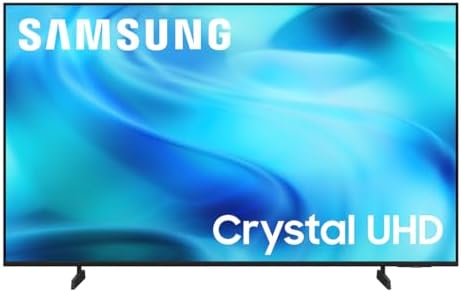
3Samsung U8000H Crystal UHD (43") — Best Budget
- CRYSTAL PROCESSOR: Powerful processor enhances colors and sharpens details for a vibrant 4K viewing experience. Experien…
- ENDLESS FREE CONTENT: Watch 2,700+ free streaming options, including 750+ subscription-free channels on Samsung TV Plus….
- MOTION XCELERATOR: Experience clear picture and smooth motion in games and sports. Enjoy smooth motion and clear visuals…
You do not need to spend much to get a 4K screen on your desk, and Samsung’s U8000H proves it. At around $230, this 43-inch Crystal UHD set gives budget buyers a large, sharp second display for spreadsheets, reference documents and casual entertainment, running Samsung’s Tizen platform with a voice remote in the box.
Why we recommend it: for a secondary monitor, a starter home office, or anyone who wants the most usable screen for the least money, this is the pick. The 4K resolution keeps text readable at desk distance, and the Crystal Processor handles upscaling when the source is lower quality. It is also one of the few sets at this price with a wired Ethernet port alongside Wi-Fi, which matters if your desk is already cabled, and Samsung TV Plus adds 750+ subscription-free channels for after hours. Be realistic about the trade-offs that come with the price: it is a basic LED panel, so brightness and contrast are limited, the refresh rate is 60Hz, and colors shift when you sit off to one side. For a straight-ahead desk setup on a budget, none of that gets in the way.
✓ What’s great
- 43-inch 4K screen for around $230
- Wired Ethernet as well as Wi-Fi and Bluetooth
- Crystal Processor 4K upscaling for lower-quality sources
- 750+ free channels via Samsung TV Plus
- Sold and shipped by Amazon
✗ Watch outs
- Limited brightness and contrast (basic LED panel)
- 60Hz only
- Colors shift when viewed off-center
- Smallest screen of the ten picks here
- Panel: LED 4K Crystal UHD, 60Hz
- Platform: Tizen (Samsung Smart TV)
- Ports: HDMI, USB and Ethernet, plus Wi-Fi and Bluetooth
- Features: Crystal Processor 4K, 4K upscaling, Motion Xcelerator, Color Booster
- Size: 43-inch (2026 model)
4Samsung Q7F QLED (43″) — Best 43-Inch
- POWERS DRAMATICALLY CLEAR COLOR AND SOUND: Enjoy your movies and shows in stunning 4K, regardless of the source resoluti…
- OVER A BILLION COLORS THAT STAY TRUE EVEN IN THE BRIGHTEST SCENES**: Appreciate every beautiful shade of color with incr…
- SECURES PERSONAL DATA*** WITH TRIPLE-LAYER PROTECTION: Your TV experiences are secured. Samsung Knox Security defends ag…
For many people the ideal home-office TV is exactly 43 inches — big enough for real multitasking, small enough to sit right on a desk — and the Samsung Q7F is our favorite at that size. It is a QLED, so you get quantum-dot color and brightness with no burn-in risk, and Samsung’s panel is Pantone-validated for color accuracy that is unusually good for a TV.
Why we recommend it: the Q7F hits the productivity sweet spot. The 43-inch size fits a normal desk at a normal distance, the QLED panel stays bright and vivid in a lit room, and the color accuracy means photos and design work look truer than on a typical television. Samsung’s Tizen platform is fast and well-stocked, and because it is QLED you can leave a static desktop on screen all day without worry. The honest caveats: at 43 inches this model is 60Hz rather than 120Hz, and it has three HDMI ports rather than four, so heavy multi-device setups should count their connections.
✓ What’s great
- Ideal 43-inch desk size
- Pantone-validated, color-accurate QLED
- Bright enough for a sunlit office
- No burn-in risk for all-day use
- Fast, polished Tizen platform
✗ Watch outs
- 60Hz at this size, not 120Hz
- Only three HDMI ports
- Viewing angles narrower than OLED
- Panel: QLED 4K, 60Hz (43″)
- Platform: Tizen with Samsung Vision AI
- Color: 100% color volume, Pantone validated
- Ports: 3x HDMI
- Sizes: also 50″, 55″, 65″ and up
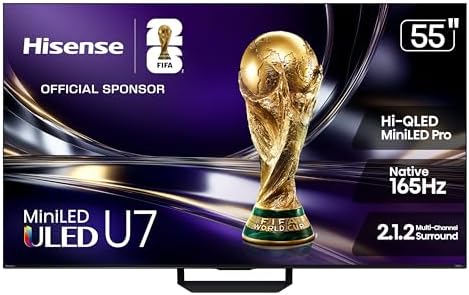
5Hisense U7 (55″) — Best Mini-LED for Bright Rooms
- HI – QLED MINILED PRO: Thousands of MiniLED backlights deliver pinpoint control for vibrant, lifelike pictures. Whether …
- NATIVE 165HZ REFRESH RATE: Advanced motion technology handles gaming, sports and action at high speeds. There’s no blur,…
- ANTI-REFLECTION & GLARE-FREE: Bright windows, overhead lights, afternoon sun—your screen handles it all. The anti-glare …
If your home office is flooded with daylight, brightness and glare control are everything — and the 2026 Hisense U7 attacks both, pairing a bright Mini-LED panel with an anti-reflection screen, a fast native 165Hz refresh and quantum-dot Hi-QLED color at a solidly mid-range price.
Why we recommend it: Mini-LED is the ideal home-office technology — it combines QLED’s burn-in-free toughness with contrast that approaches OLED, and the U7 adds an anti-reflection coating that keeps the screen crisp and readable even with the blinds open. The 165Hz panel makes everything feel smooth, and Fire TV with Alexa+ is built in. As with our other 55-inch picks, plan to wall-mount it or sit back on a deep desk. Fire TV’s shopping-forward home screen is the usual minor annoyance.
✓ What’s great
- Bright Mini-LED with an anti-reflection screen
- No burn-in risk
- Fast native 165Hz panel
- Dolby Vision IQ, Atmos and IMAX Enhanced
- Strong value at around $650
✗ Watch outs
- 55 inches is large for a close desk
- Fire TV pushes recommendations
- Newer 2026 listing with a modest review base so far
- Panel: ULED Mini-LED Hi-QLED, 165Hz native
- Platform: Fire TV (Alexa+)
- HDR: Dolby Vision IQ, IMAX Enhanced
- Audio: 2.1.2 channel, Dolby Atmos
- Gaming: VRR up to 330
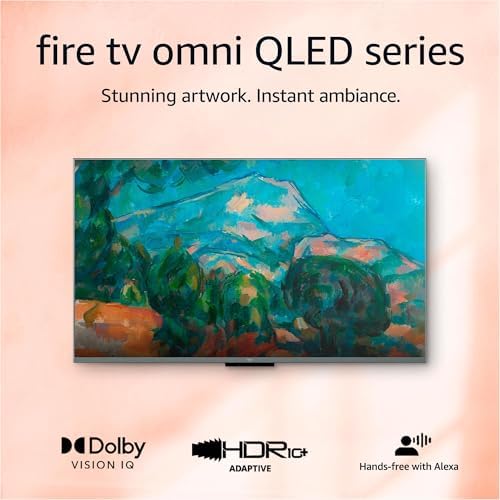
6Amazon Fire TV Omni QLED (50″) — Best Fire TV & for Alexa

- Stunning 4K Quantum Dot Display (QLED) – Makes movies, shows, and live sports pop in brighter, richer, and more lifelike…
- Advanced HDR – Scenes leap off the screen in deep, realistic color with Dolby Vision IQ and HDR10+ Adaptive. HDR10 and H…
- Adaptive Brightness – Fire TV automatically optimizes the brightness of movies and shows through a built-in sensor that …
Amazon’s Fire TV Omni QLED is the pick for anyone who runs their home and office through Alexa. It pairs a quantum-dot display with full-array local dimming and two features that earn their keep at a desk: a hands-free Alexa you can talk to across the room, and a clever Ambient Experience that turns the idle screen into artwork, family photos, or glanceable Alexa widgets like your calendar and the weather.
Why we recommend it: it is the most “smart-office” TV here. You can dim the lights, check a camera feed, set reminders, and even take two-way Zoom calls (with an add-on webcam) entirely by voice, and the Ambient Experience means the screen is useful even when you are not actively watching. The QLED panel with local dimming looks good for the price. It is a 60Hz set rather than a high-refresh gaming display, and like all Fire TVs the home screen leans heavily on Amazon’s content and ads — the cost of that deep Alexa integration.
✓ What’s great
- Best-in-class hands-free Alexa and smart-home hub
- Ambient Experience makes the idle screen useful
- Two-way Zoom video calls with a webcam
- QLED with full-array local dimming
- HDMI 2.1 eARC port for audio
✗ Watch outs
- 60Hz, not a high-refresh panel
- Home screen pushes Amazon content and ads
- Mid-tier peak brightness
- Panel: QLED 4K with local dimming, 60Hz
- Platform: Fire TV, hands-free Alexa
- Ports: 3x HDMI 2.0 + 1x HDMI 2.1 eARC
- Extras: Ambient Experience, Zoom support
- Size: 50-inch (other sizes available)
How to choose among the best Smart TVs for home offices
With the picks covered, here is how to match one to your specific desk, room, and budget.
Start with your desk depth and seating distance. This decides size before anything else. If you sit about three feet away, choose 43 inches. If you can sit back four feet or plan to wall-mount with some distance, 50 to 55 inches works. Resist the urge to go bigger than your space allows — an oversized screen at close range causes neck strain and pushes the corners out of view.
Read your room’s lighting. A bright, window-filled office calls for a high-brightness QLED or Mini-LED set (the Hisense U7 or the TCL QM6K). A darker room is far more forgiving, and any panel here will look good in one.
Match the budget to the job. If this is purely a productivity display, a $200–$400 set like the Samsung U8000H or the Samsung Q7F does the job beautifully. If it is also your main TV for movies and gaming, stepping up to the QM6K or the U7 pays off every evening.
Plan your connections and mounting. Count your devices and make sure the TV has enough HDMI ports (most have three or four). If you want 4K 120Hz from a PC or new console, insist on HDMI 2.1. Decide early whether the TV will sit on a stand or mount on the wall — a wall mount or a separate riser is often the key to getting the screen to a comfortable eye level, since most TV stands sit lower than a monitor arm would.
Think about wireless and future-proofing. Built-in Chromecast or AirPlay makes casting from your devices effortless. And buying a 4K set with a modern panel and at least HDMI 2.1 (if you game) means the screen will still feel current in five years. Whatever you choose, a fast, reliable connection underpins all of it — if your Wi-Fi struggles, a streaming TV will too.
Frequently asked questions
The questions that come up most often when people shortlist the best Smart TVs for home offices.
Can I use a Smart TV as a computer monitor?
Yes, and it works very well with the right setup. Connect your computer by HDMI, make sure the TV is 4K and supports chroma 4:4:4, and enable the TV’s PC mode or Game mode (on some sets you also label the HDMI input “PC”). Done that way, a modern 4K TV gives you a huge, sharp desktop with crisp, readable text.
Will text look blurry on a TV?
Only if it is set up wrong. Blurry text on a TV almost always comes from one of two things: the TV is not displaying 4:4:4 chroma, or it is not in PC/Game mode. Fix those two settings on a 4K TV and text is sharp. Every pick in this guide handles 4:4:4 correctly when configured properly.
Is OLED worth it for a home office?
OLED gives you the best picture and the sharpest motion, which makes it a fantastic display — but it carries a small risk of “burn-in” if the same static interface (a taskbar, gridlines) stays on screen for many hours every day. If you can vary your content and use the screen-care features, OLED is superb. If you will stare at a fixed layout all day, a QLED or Mini-LED avoids the worry entirely. We are not linking an OLED pick at the moment: every OLED set we screened for this guide was held by a third-party reseller, out of stock, or missing Prime delivery, and we only recommend listings sold by Amazon itself or the manufacturer.
Is 120Hz necessary for work?
No. A 60Hz TV is perfectly smooth for writing, browsing, spreadsheets, and email. A 120Hz or 144Hz panel makes scrolling and cursor movement feel slicker and is great for gaming, so it is a worthwhile upgrade if your budget allows — but it is a luxury, not a requirement, for productivity.
Do Smart TVs support Bluetooth keyboards and mice?
Many do, especially Google TV, Fire TV, and webOS models, which let you pair Bluetooth keyboards, mice, and headphones for navigating the TV itself. For actual computer work, though, your keyboard and mouse connect to your computer, and the TV simply displays the screen — so this is rarely a limitation.
Can I connect two computers to one TV?
Yes. Almost every Smart TV has three or four HDMI ports, so you can keep a work laptop and a personal desktop (or a games console) plugged in at once and switch between them with the remote. Count your devices before buying to be sure you have enough inputs.
Can I use a TV for Zoom and Teams meetings?
Two ways. The simplest is to run the call on your connected computer and use the TV as the big display. Some TVs go further: Amazon’s Fire TV Omni QLED supports two-way Zoom calling with an add-on webcam — turning the TV itself into a big-screen meeting station.
Do I need HDMI 2.1?
Only for high-frame-rate gaming. HDMI 2.1 is required for 4K at 120Hz or higher from a PC or a PlayStation 5 / Xbox Series X. For ordinary office work and 4K 60Hz, HDMI 2.0 is completely sufficient. If you game seriously, prioritize a set with HDMI 2.1 ports like the Hisense U7.
Should I buy a 43-inch or a 55-inch TV?
It depends on how far you sit. For a TV that sits on your desk where you are about three feet away, 43 inches is the comfortable sweet spot. Choose 50 to 55 inches only if you sit further back or wall-mount the TV with some distance — at close range a 55-inch screen forces you to move your head and eyes constantly.
Does using a TV as a monitor use more electricity?
Somewhat. A large 4K TV draws more power than a small desktop monitor — expect a modest addition to your electricity bill with all-day use. Enabling the TV’s energy-saving or automatic-brightness mode trims this, and for most home offices the difference is minor.
How long do Smart TVs last?
A good Smart TV typically lasts seven to ten years of hardware life. The bigger question is software: smart platforms slow down and drop app support after several years. Buying a current model from a major brand gives you the longest runway of updates before the smart features start to feel dated.
Which Smart TV platform is best?
There is no single best — it depends on your ecosystem. Roku is the simplest and most neutral, Google TV has the best search and casting for Android users, Fire TV is ideal for Alexa households, and LG’s webOS and Samsung’s Tizen are polished in-house platforms on those brands’ TVs. Any of them streams everything; pick the one that matches the devices you already use.
Final verdict: the best Smart TVs for home offices
There is no single best Smart TV for every home office — only the best one for your desk, your room, and your budget. Here is the quick summary to help you decide.
Best overall: the 50-inch Sony Bravia 3 is the most complete TV-as-monitor pick on this list — Google TV, Sony’s picture processing, and a size that still works at arm’s length. Best value: the TCL QM6K delivers bright Mini-LED picture and 144Hz smoothness for far less than a flagship. Tightest budget: the Samsung U8000H puts a 43-inch 4K screen on your desk for around $230.
Best 43-inch: the color-accurate Samsung Q7F nails the home-office sweet spot. Best for bright rooms: the dazzlingly bright Hisense U7. Best smart-office hub: the Amazon Fire TV Omni QLED for Alexa and ambient widgets.
Whichever you choose, a 4K Smart TV is one of the most cost-effective ways to get more screen, more flexibility, and a better after-hours experience from your home office. Pick the size that fits your desk, the panel that suits your lighting, and enjoy a workspace that works as hard as you do — then streams your favorite show the moment you clock off.
Related Smart Tech Buying guides
If the best Smart TVs for home offices are not quite the answer for your desk, these cover the alternatives.
Building out the rest of your workspace? These detailed guides pair naturally with a new big-screen display:
- Best Home Office Monitors of 2026 — for when a dedicated monitor is the better call
- Best Business Laptops of 2026 — the machine that drives your new display
- Best Wi-Fi Routers of 2026 — reliable Wi-Fi keeps streaming and casting smooth
- How to Build the Ultimate Smart Home Office — fit the TV into a complete setup
- How Smart Displays Boost Home Office Productivity — the smaller-screen companion to a big display
We are also expanding this Displays section with focused explainers — TV vs monitor for productivity, OLED vs QLED vs Mini-LED, Google TV vs Roku vs Fire TV, and a dedicated best 43-inch TVs guide — so check back as the cluster grows.
Why You Can Trust Smart Tech Buying
Every recommendation is based on extensive product research, manufacturer specifications, customer feedback, long-term reliability, value, and suitability for real-world use. When we have personal experience with a product, we include those insights. We regularly review our guides to keep recommendations current as new products are released.