
Best AI Voice Recorders
Five AI note takers — and the subscription math the sticker price hides.
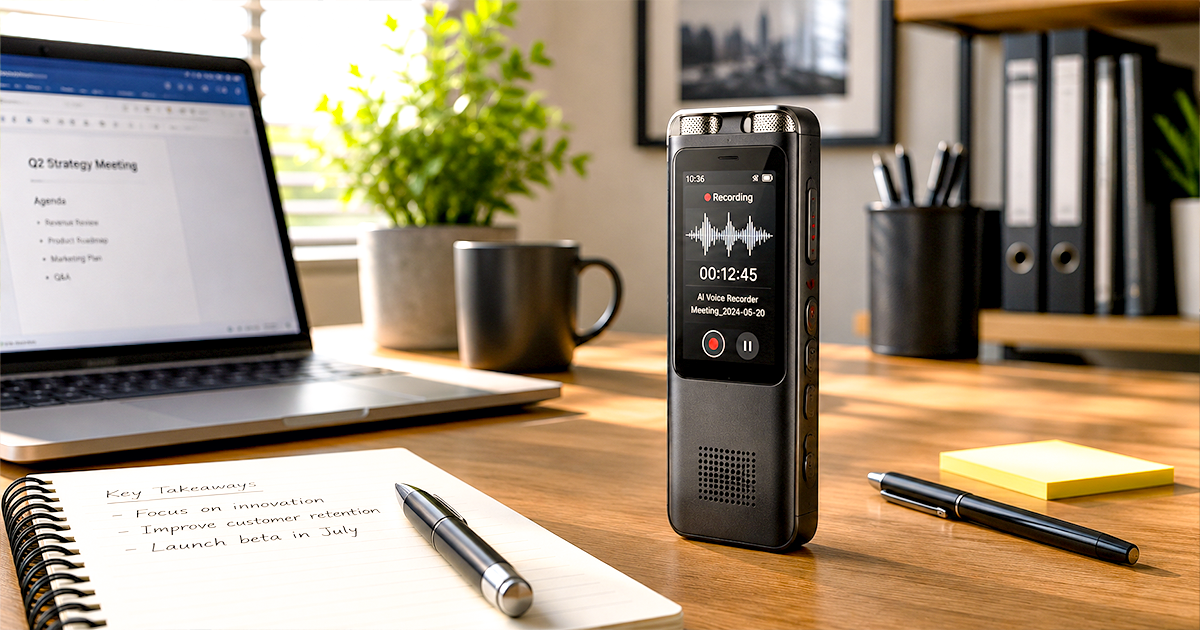
The best AI voice recorder in 2026 is the PLAUD Note Pro — a credit-card-thin device that records meetings and calls, then turns them into transcripts, summaries and action items through its app. It is the most capable all-rounder, but it is not the right pick for everyone, and the real cost is not the hardware — it is the subscription. Below is one clear pick per job, with honest notes on what each device gets wrong and exactly what it costs to live with for two years.
By Authur C. Art, Founder & Lead Reviewer — Smart Tech Buying.
Disclosure: Smart Tech Buying is reader-supported. As an Amazon Associate we earn from qualifying purchases. This does not affect our recommendations or the price you pay.
An AI voice recorder is no longer a niche gadget for journalists. If you sit in back-to-back meetings, take client calls, run interviews, or lose half your afternoon writing up notes, a device that captures the conversation and hands you a clean summary minutes later is one of the highest-leverage upgrades you can make to a working day. The category has matured fast: the best devices now transcribe in over a hundred languages, label who said what, and draft your follow-up email before you have left the room.
But this is also a category built on a quiet catch. Almost every one of these devices is cheap to buy and expensive to actually use, because the AI that makes them useful lives behind a monthly subscription. The honest job of this guide is to tell you not just which recorder is best, but what it will really cost you once the free minutes run out — and which devices skip the subscription entirely. We cross-check manufacturer specifications against independent testing and a heavy read of verified buyer feedback, and we name one clear pick per use case. Where a device has a real catch — a subscription wall, a buggy app, a privacy trade-off — we say so plainly.
Best AI Voice Recorders 2026 at a Glance
| Device | Best For | Hardware Price | Subscription | Rating |
|---|---|---|---|---|
| PLAUD Note Pro | Best overall | $189.00 | 300 free min/mo, then $99.99–$239.99/yr | 4.5 |
| HiDock P1 | Best for calls / no subscription | $199.00 | Lifetime free transcription | 4.0 |
| PLAUD NotePin S | Best wearable | $179.00 | 300 free min/mo, then $99.99–$239.99/yr | 4.4 |
| soundcore Work by Anker | Best value | $169.99 | 300 free min/mo, then $99.99–$239.99/yr | 4.1 |
| Pocket AI Recorder | Best MagSafe phone recorder | $159.00 | Check plan pricing | 4.6 |
What the hardware costs, side by side
Live Amazon prices — the sticker only, before any subscription.
Prices fluctuate — tap any row for the live price on Amazon. This chart is the least useful one on the page. Most of the five sit close together on sticker price, and the PLAUD and soundcore models carry a subscription that can add $99.99–$239.99 every year.
How We Picked the Best AI Voice Recorders
We start with the job, not the gadget. For each pick we asked what kind of recording it is built for — calls, in-person meetings, hands-free capture, or a fixed desk — then weighed five things: transcription accuracy and the AI models behind it, total cost of ownership once you account for the subscription, battery life and storage, app reliability, and how the device handles privacy and recording consent. We give one clear pick per category and flag every catch, because in this market the catch is usually the subscription. Prices and availability shift constantly, so use the buttons throughout to check the current price before you buy.
Best Overall AI Voice Recorder: PLAUD Note Pro
- Stay present in every scenario: Every conversation is covered, in person, on calls, and online. 4 MEMS + 1 VPU microphon…
- Walk out of every meeting with notes ready to act on: Plaud Intelligence transcribes in 112 languages with speaker label…
- AI summary ready before you reach your desk: Auto Transfer moves each recording to the Plaud app automatically, and Auto…
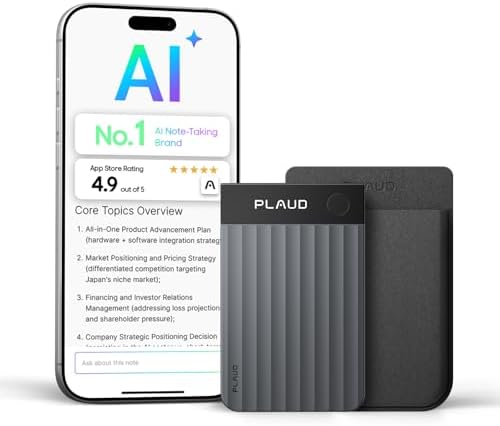
The PLAUD Note Pro is the AI voice recorder most people should buy, and the market agrees — it is the best-selling device in the category by a wide margin. It is a 2.99mm-thin slab roughly the size of a credit card that snaps magnetically to the back of your phone, records calls and in-person meetings automatically, and pushes the audio to the PLAUD app, where AI turns it into transcripts, summaries, mind maps and to-do lists in over 112 languages.
Key specifications:
- Microphones: four MEMS mics plus a VPU (voice processing unit) for noise isolation
- Display: 0.95-inch AMOLED showing recording status and battery
- Recording: up to 30 hours (Enhance) or 50 hours (Endurance); 64GB storage
- Modes: automatic switching between phone-call and in-person recording
- AI: choice of leading models in-app; “Ask PLAUD” lets you query your own recordings
- Weight: about 30g; Corning Gorilla Glass; Apple Find My support
- Price: $189.00
Why it is the best. The Note Pro does the unglamorous things exceptionally well. The four-mic array genuinely pulls clean voices out of a noisy conference room, the automatic mode switching means you stop fiddling with toggles, and the AMOLED display fixes the single biggest complaint about cheaper recorders: you can finally see that it is actually recording. It has been recognized as a Forbes Vetted 2026 Best AI Wearable and an iF Design Award 2026 winner, and independent testers consistently rank its transcription among the most accurate available.
The honest trade-offs. Two things. First, the recorder is useless for AI features without the cloud — there is no local processing, so everything you capture is uploaded to be transcribed. Second, and more important, the headline price is not the real price. You get 300 free transcription minutes a month, which is roughly two or three short meetings a week. Past that you need a Pro plan ($99.99/year for 1,200 minutes a month) or Unlimited ($239.99/year). For a daily user, budget the subscription as part of the purchase. Some buyers also report the app can be occasionally buggy on sync.
Pros
- Best-in-class microphones and transcription accuracy
- AMOLED display and automatic call/meeting switching
- Huge language support and a deep template library
Cons
- Real cost is hardware plus a recurring subscription
- No local AI — every recording is cloud-processed
- Occasional app sync complaints
Who should buy it: professionals in three or more meetings a week who want the most accurate capture and do not mind paying a subscription. Who should skip it: light users who will live inside 300 minutes, or anyone who refuses a recurring fee — look at the HiDock P1 below.
Best for Calls and No Subscription: HiDock P1
Worth knowing: the P1 sits at 4.0 stars across 139 owner ratings — near our four-star floor, on a modest review base. The no-subscription argument below is real and it is why the P1 earns its place, but this is a newer product without the long track record of the subscription-based recorders above. Weigh that against the money you save.
- HiDock P1 – Meeting Note-Taker, Record Even with Your Earphones On
- The HiDock P1 Works with Bluetooth Earbuds – The world’s first recorder to work seamlessly with your own Bluetooth earbu…
- 3 Smart Modes – HiDock P1 adapts to your needs. Use “Call Mode” with earbuds for flawless Zoom/Teams meetings. Switch to…
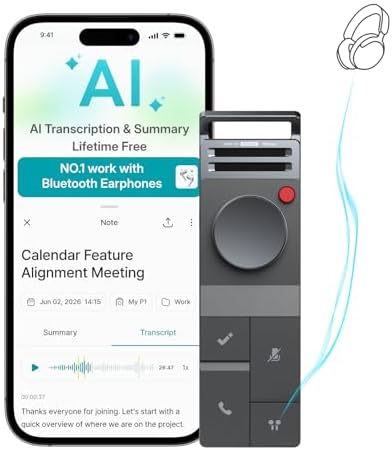
The HiDock P1 is the device to buy if PLAUD’s subscription is a dealbreaker, and it has a genuinely clever trick the others do not. Using its BlueCatch technology, it records both sides of a call directly through your own Bluetooth earbuds — no speakerphone, no awkward device on the table, and clean two-way call audio that app-based recorders simply cannot capture. For anyone who lives on Zoom, Teams and phone calls, that alone makes it worth a look.
The honest caveat: the P1 sits at 4.0 stars across 139 Amazon reviews — one of the thinnest review bases in this guide, and close to the 4.0 bar we hold picks to. It earns its place because no other recorder here captures two-way call audio through your own earbuds, and because it is the only one with no subscription attached, which over two years is the difference between paying once and paying every year. A score resting close to the line, on a small review base, is still worth weighing. If you want a longer track record instead, the PLAUD Note Pro sits at 4.5 across 3,315 reviews — you just take on the subscription.
Key specifications:
- BlueCatch: records two-way audio through your existing Bluetooth earphones
- Three modes: Call (with earbuds), Room (dual ECM mics), and Whisper
- Transcription: 75 languages via top-tier AI models; lifetime free, no subscription
- Storage: 64GB local; recordings stored on-device first
- Security: end-to-end encryption, data stored on SOC/ISO 27001 certified servers
- Control: touch-sensitive USB-C cable; magnetic mount included
- Price: $199.00
Why it works. The headline feature is the lack of a feature you would expect: there is no subscription wall. HiDock includes lifetime free transcription with the device, which over two years is the difference between paying for the hardware once and paying PLAUD’s hardware plus up to $480 in fees. The earbud recording is the standout for call-heavy workers, and storing recordings locally first is a real privacy advantage over cloud-first competitors.
The honest trade-offs. It supports 75 languages to PLAUD’s 112, and a Pro membership still exists for advanced extras, so “free” covers the core transcription rather than every bell and whistle. The earbud-based workflow is brilliant for calls but is one more thing to pair and manage versus a recorder you simply switch on. And as a newer brand, it does not have the same long-term track record as PLAUD.
Pros
- Lifetime free transcription — no recurring subscription for core use
- Records both sides of calls through your own earbuds
- Local-first storage and strong encryption
Cons
- Fewer languages than PLAUD (75 vs 112)
- Earbud pairing is an extra step to manage
- Newer brand with a shorter track record
Who should buy it: heavy call-takers and anyone who wants to avoid a subscription entirely. Who should skip it: users who need the widest language coverage or the most proven ecosystem.
Best Wearable AI Voice Recorder: PLAUD NotePin S

- Plaud Intelligence: Capture conversations in 112 languages and generate accurate transcripts with the Plaud App and Web….
- Multiple Ways To Wear With Included Accessories: Adapt Plaud NotePin S to any workflow instantly with four included acce…
- Enterprise-grade Privacy: Built to the highest standards with ISO 27001/27701, SOC 2, HIPAA, GDPR, and EN18031 complianc…
The PLAUD NotePin S takes the same AI engine as the Note Pro and puts it in a thumb-sized body you wear instead of carry. It ships with four accessories — a magnetic pin, clip, lanyard and wristband — so you can keep it on as a necklace or pinned to a lapel and capture conversations completely hands-free as you move through the day.
Key specifications:
- Wearable design with four included accessories (pin, clip, lanyard, wristband)
- Battery: 20 hours continuous recording, 40 days standby
- Storage: 64GB local; weighs just 0.61 oz
- Transcription: 112 languages with speaker labels; same PLAUD app and plans
- Security: enterprise-grade compliance (ISO 27001/27701, SOC 2, HIPAA, GDPR)
- Price: $179.00
Why it works. A wearable disappears into your routine. Instead of remembering to place a recorder on the table or pull your phone out mid-conversation, the NotePin S is simply already on, ready with a single press. That makes it ideal for coaches, sales reps, students and anyone whose best ideas arrive while walking rather than sitting at a desk.
The honest trade-offs. It is a PLAUD device, so the same subscription math applies — 300 free minutes a month, then a paid plan for heavy use. A clip-on wearable also raises the recording-etiquette question more sharply than a phone-mounted recorder: wearing an always-ready microphone in conversations carries real consent obligations (more on that below). And because it has no display, you rely on the app to confirm status.
Pros
- Truly hands-free capture with four wearing options included
- Same accurate 112-language PLAUD transcription
- Lightweight with strong privacy and compliance credentials
Cons
- Same PLAUD subscription as the Note Pro
- Wearable form raises consent and etiquette questions
- No on-device display
Who should buy it: people who capture ideas and conversations on the move and want zero friction. Who should skip it: desk-bound workers, who get more from the Note Pro’s mics and display.
Best Value AI Voice Recorder: soundcore Work by Anker

- Stop Taking Notes, Start Getting Results: Built for sales reps, consultants, and business professionals, Anker soundcore…
- AI Transcription Plans: Your device includes 300 free minutes of audio transcription each month. Need more capacity and …
- Small as a Coin, Built for All-Day Wear: At just 0.35 oz, Anker soundcore Work AI voice recorder is so light you’ll forg…
The soundcore Work by Anker is one of the cheaper ways onto this list and the only pick here that is MFi-certified for iPhone. At 0.35 oz it is closer to a coin than a card, and it clips to a collar, hangs on a lanyard or rides on the back of your phone. One press starts recording; a double-tap flags the moment you will want to find again later.
Key specifications:
- Weight and wear: 0.35 oz; clip, necklace or phone-mounted
- Recording: up to 32 hours; 64GB storage; USB-C charging
- Transcription: 150+ languages with speaker identification
- Certification: the only MFi-certified AI voice recorder for iPhone (not supported on iPhone 7 and earlier)
- Privacy: AES-256 encryption with recordings stored locally by default; the app is SOC 2 Type I certified
- Price: $169.99
Why it works. Anker is the only mainstream consumer brand in this category, and it shows in the details that usually get skipped: Find My support, so a coin-sized device is not simply gone forever; a real Apple-authorized chipset rather than a generic pairing; and local encrypted storage as the default rather than an option you have to go looking for. Anker claims up to 97 percent transcription accuracy — treat that as the manufacturer’s own figure, but the package around it is the most polished of the cheap options.
The honest trade-offs. It carries the same subscription shape as PLAUD: 300 free minutes a month, then $15.99 a month or $99.99 a year for Pro, or $239.99 a year for Unlimited. Upgrading replaces the free 300 minutes rather than adding to them, and the benefits do not stack across multiple devices. It also sits at 4.1 stars on a younger review base than the PLAUD hardware, so there is less history to judge it by.
Pros
- The only MFi-certified device here
- Genuinely tiny at 0.35 oz, with three ways to wear it
- Local AES-256 storage by default; Find My support
Cons
- Same subscription ceiling as PLAUD once you pass 300 minutes
- Younger review base than the established picks
- Not supported on iPhone 7 and earlier
Who should buy it: anyone testing whether an AI voice recorder earns a place in their week, and iPhone owners who want certified hardware. Who should skip it: people who record in large, noisy rooms and need the Note Pro’s four-mic array.
Best MagSafe Phone Recorder: Pocket AI Voice Recorder

- YOUR AI PERSONAL ASSISTANT FOR EVERYDAY PRODUCTIVITY: More than a voice recorder, Pocket works as your AI personal assis…
- ONE-TAP RECORDING FOR REAL-LIFE MOMENTS: Capture meetings, phone calls, and in-person conversations instantly with a sim…
- SMART AI INSIGHTS & ORGANIZATION: Pocket automatically turns recordings into clear summaries, key action items and struc…
If your meetings happen wherever you are rather than at one desk, the Pocket AI Voice Recorder takes the simplest path of anything in this guide: it snaps onto the back of your phone with MagSafe and turns the device already in your hand into your note taker. It records, auto-transcribes, and turns conversations into summaries, action items and mind maps — and its built-in Ask Pocket assistant lets you question your own notes in plain language.
The review picture: a 4.6-star average across 441 ratings — a modest but real body of owner feedback for a newer brand, at a $159.00 price that sits below most of the other picks here.
Key specifications:
- MagSafe attachment; works with iOS and Android
- Auto transcription with AI summaries, action items and mind maps
- Ask Pocket: query your recordings in plain language
- Up to 4-day battery life
- Price: $159.00 — check current plan terms for advanced AI features
Why it works. Phone-call and in-person capture live where you actually talk: on your phone. There is nothing separate to remember to carry or charge weekly, and the mind-map and action-item output goes further than plain transcripts for turning meetings into follow-ups.
The honest trade-offs. It is a younger brand than PLAUD with a smaller ecosystem, and the advanced AI features may depend on plan terms — confirm what is included before relying on them. It is purely a recorder: no docking-station tricks, no desk-hub role.
Pros
- MagSafe convenience — lives on the phone you already carry
- Real owner feedback: 4.6★ across 441 ratings
- Action items, mind maps and Ask Pocket go beyond plain transcripts
Cons
- Younger brand with a smaller track record than PLAUD
- Plan terms for advanced AI features vary — check before buying
- No desk-dock functionality
Who should buy it: phone-first workers who want capture with zero extra gear to manage. Who should skip it: anyone who wants a desk fixture or a standalone recorder independent of their phone.
What an AI Voice Recorder Really Costs: a 2-Year Breakdown
This is the part of the decision almost every other guide glosses over, and it is the one that matters most. The price on the box is rarely the price you pay, because the AI that makes these devices useful is metered. To make the trade-offs concrete, here is what each pick actually costs over two years if you are a regular user who exceeds the free tier and pays for a mid-level plan.
| Device | Hardware | 2 Years of Subscription | 2-Year Total |
|---|---|---|---|
| PLAUD Note Pro | $189.00 | ~$200 (Pro plan) | Hardware + ~$200 |
| PLAUD NotePin S | $179.00 | ~$200 (Pro plan) | Hardware + ~$200 |
| soundcore Work by Anker | $169.99 | ~$200 (Pro plan) | Hardware + ~$200 |
| HiDock P1 | $199.00 | $0 (free transcription) | Hardware only |
| Pocket AI Recorder | $159.00 | Check plan pricing | Hardware + plan |
The pattern is clear: a subscription-free device can cost far less to live with over two years, even if its hardware price is similar. That does not automatically make the HiDock devices the better buy — PLAUD’s transcription accuracy, language coverage and proven app are worth paying for if your work depends on getting every word right. But you should make that trade deliberately, not discover the subscription after the box is open. If you record heavily and need the most accurate capture, the PLAUD tax is reasonable. If you record heavily and mostly need “good enough,” the HiDock P1 quietly saves you a few hundred dollars. And if you are a light user who will stay inside 300 free minutes a month, every device on this list is effectively free to run — buy on hardware and features alone.
AI Voice Recorder vs Your Phone vs a Meeting Bot
Before you spend anything, it is worth being honest about whether you need dedicated hardware at all. There are three ways to capture and summarize a conversation in 2026, and each suits a different person.
Your phone is free and always with you. Modern phones can record and even live-transcribe, and pairing a voice memo with a transcription app covers occasional needs. The limits show up fast, though: phones cannot cleanly record both sides of a call, the audio quality in a room full of people is mediocre, and you are left stitching together a recording app, a transcription service and a summarizer yourself.
A meeting bot — software like Otter that joins your Zoom or Teams call — is excellent for back-to-back online meetings and needs no hardware. But it only works for calls it can join, it is useless for in-person conversations, and many workplaces and IT departments are increasingly wary of letting a bot sit inside every meeting it can find for privacy and security reasons.
A dedicated AI voice recorder is the answer when you move between phone calls, in-person meetings and ideas on the go, and want one device that captures all of it cleanly and turns it into structured notes automatically. If your recording is occasional and entirely on-screen, save your money. If it is daily and spans the real and digital worlds, a recorder pays for itself in reclaimed time.
How to Choose the Best AI Voice Recorder for Your Work
The best AI voice recorder for you is the one that matches how and where you record. Here is how to weigh the decisions that actually matter.
Count the real cost, not the sticker price
This is the single most important step, and the one most buying guides skip. The hardware is the cheap part. A PLAUD device is a one-time purchase, but heavy users will pay $99.99–$239.99 a year on top of that — so over two years the subscription can cost more than the recorder itself. Devices like the HiDock P1 and H1 include free transcription instead. Before you buy, estimate your monthly recording minutes: if you will stay under 300 a month, any device’s free tier is fine; if you will blow past it, the subscription-free options save real money.
Match the device to where you record
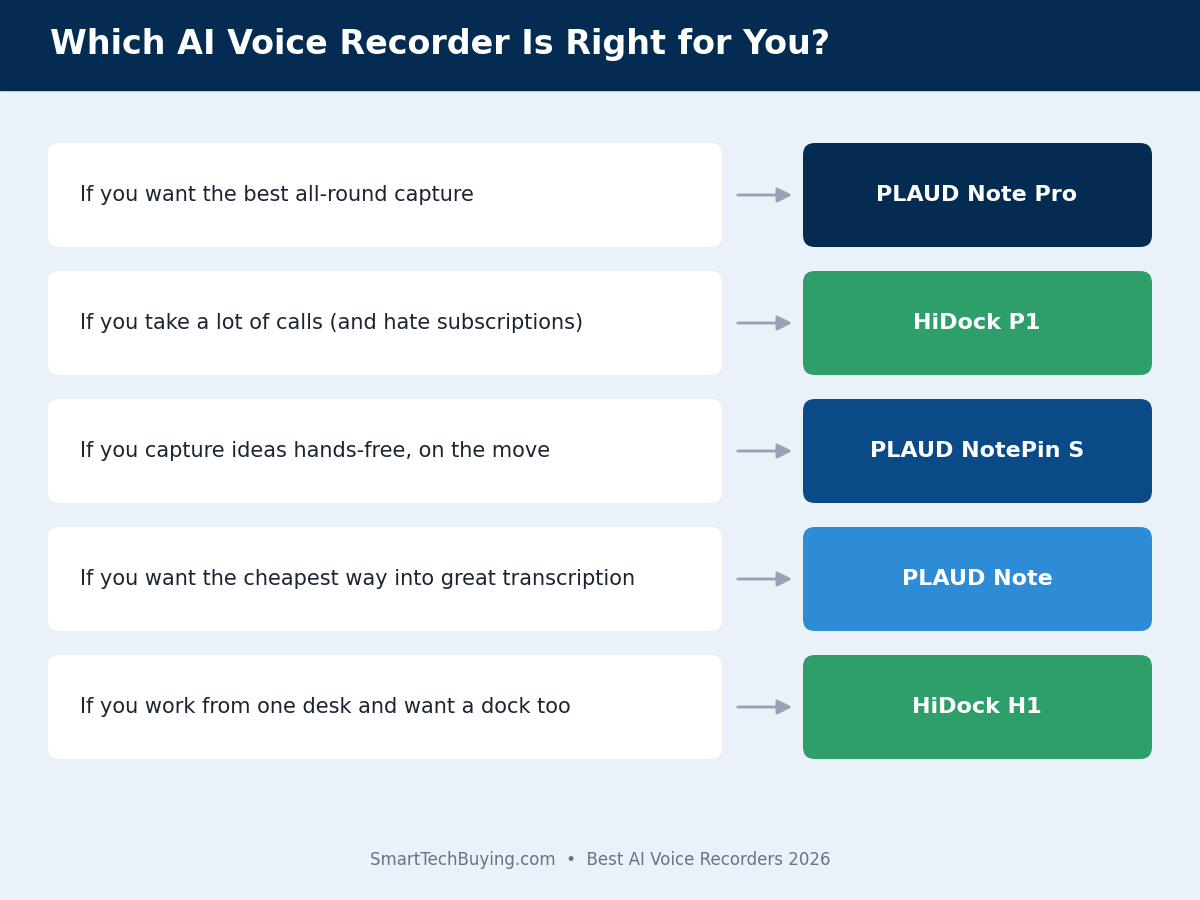
Pick the form factor for your actual day. If you are call-heavy, the HiDock P1’s earbud recording is unmatched. If you capture ideas on the move, a wearable like the NotePin S disappears into your routine. If you work from one desk, the H1 dock-recorder is the tidiest answer. If you want the best all-round mics for in-person meetings, the Note Pro is the pick.
Take recording consent seriously
An AI recorder is a microphone you point at other people, and the law cares about that. Many U.S. states and most other countries require all parties to consent before a conversation is recorded. Before you record a meeting or call, tell people — it is both the legal requirement in two-party-consent jurisdictions and simple courtesy. Features like the Pocket AI Recorder’s optional recording-notification tone make this easier, and any reputable device stores your recordings securely, but the responsibility to ask is yours.
Check the AI and language coverage
Transcription quality is the whole point, so look at the models behind it and the languages supported. PLAUD covers 112 languages; HiDock covers 75. All of the picks here use leading large language models for summarization, which is why their summaries are far better than the raw dictation you would get from an old-fashioned recorder. If you work across languages or accents, favor the broadest coverage and check buyer feedback for your specific language.
Also Worth Considering
The five above are the best AI voice recorder picks for most people, but a few others are worth a look depending on your needs. The original PLAUD Note is still the cheapest way into PLAUD’s app and transcription and a sensible choice for quiet one-on-ones; it is off our main list only because its listing has not been offering fast Prime delivery. If you live entirely inside online meetings and want no hardware at all, software-only assistants such as Otter handle Zoom and Teams calls well, with the caveats noted above about in-person use and workplace privacy policies. And PLAUD’s standard NotePin (the non-S version) remains a slightly cheaper wearable than the NotePin S if you do not need the extra accessories. As always, check current pricing and recent buyer feedback before you commit, since this category moves quickly.
Frequently Asked Questions
What is the best AI voice recorder in 2026?
For most people it is the PLAUD Note Pro, which pairs the best microphones and display in the category with highly accurate transcription in 112 languages. If you want to avoid a subscription, the HiDock P1 is the best alternative because it includes lifetime free transcription and records calls through your own earbuds.
Do AI voice recorders require a subscription?
Some do, some do not — and this is the most important thing to check before buying. PLAUD devices include 300 free transcription minutes a month, then charge $99.99–$239.99 a year for more. HiDock’s P1 and H1 include free transcription with no recurring fee for core use. Estimate your monthly minutes first: light users can live on a free tier, while heavy users should factor a subscription, or choose a subscription-free device.
Are AI voice recorders legal to use?
Yes, but recording laws vary. Many U.S. states and most countries require all parties to consent before a conversation is recorded. The simplest and safest approach is to tell people you are recording before you start. Some devices, like the Pocket AI Recorder, can play a notification tone to announce recording, which helps you stay compliant and courteous.
How accurate is AI transcription?
The leading devices are very accurate in clear conditions with one or two speakers, and they label who said what. Accuracy drops in noisy rooms, with heavy accents, or when many people talk over each other. Better microphones help, which is why the four-mic PLAUD Note Pro outperforms cheaper recorders in a busy conference room.
What is the difference between the PLAUD Note and the PLAUD Note Pro?
The Pro has a better microphone array (four MEMS mics versus two), automatic switching between call and meeting modes, an AMOLED display, and a larger battery. The original Note is cheaper, uses the same app and AI for identical transcription quality, but requires you to flip a switch to change modes. For quiet one-on-ones the Note is plenty; for noisy rooms the Pro is worth the upgrade.
Can an AI voice recorder record phone calls?
Yes. PLAUD devices use a vibration sensor to capture both sides of a call when magnetically attached to your phone, and the HiDock P1 records two-way call audio through your Bluetooth earbuds. This is a genuine advantage over your phone’s voice memo app, which cannot capture both sides of a call cleanly.
Do I even need a dedicated recorder, or is my phone enough?
If you record occasionally, your phone’s voice memo app plus a separate transcription service may be enough. A dedicated AI recorder earns its place when you record regularly: it captures cleaner audio, handles two-way calls, and turns recordings into structured summaries automatically, saving the 20–30 minutes of cleanup you would otherwise spend after every meeting.
Is my data private with an AI voice recorder?
Reputable brands encrypt your recordings and state they do not use your audio to train their AI. PLAUD and HiDock both publish strong security credentials. The main difference is where processing happens: PLAUD uploads audio to the cloud for transcription, while HiDock stores recordings locally first. If on-device-first storage matters to you, favor the HiDock devices.
Key Takeaways: Choosing the Best AI Voice Recorder
- Best overall: PLAUD Note Pro — the most accurate capture and the best hardware, if you accept the subscription.
- Best for calls / no subscription: HiDock P1 — records through your earbuds with lifetime free transcription.
- Best wearable: PLAUD NotePin S — the same PLAUD AI in a hands-free, wear-anywhere body.
- Best value: soundcore Work by Anker — one of the cheaper ways in, and the only MFi-certified pick here.
- Best for a fixed desk: Pocket AI Recorder — a docking station and AI recorder in one.
- Count the subscription, not just the sticker price, and always tell people before you record.
Final Verdict: the Best AI Voice Recorder for Most People
The best AI voice recorder for most people is the PLAUD Note Pro — it captures the cleanest audio, transcribes the most accurately, and its display and automatic mode switching remove the small frustrations that make cheaper recorders annoying. Just buy it with eyes open: budget the subscription if you record daily. If a recurring fee is a dealbreaker, the HiDock P1 is the smarter long-term buy, with lifetime free transcription and a genuinely clever earbud-recording trick. Choose the NotePin S if you want to capture hands-free on the move, the soundcore Work by Anker if you want an inexpensive way to find out whether you will use one at all, and the Pocket AI Recorder if you want your docking station to take your notes for you. Whichever you choose, estimate your monthly minutes before you commit, and always tell people before you hit record. Prices and stock move constantly, so use the buttons above to check the current price before you buy.
Build Out Your AI-Powered Home Office
An AI voice recorder is one piece of a smarter desk. Pair it with the right core gear and you have a setup that works as hard as you do. Read our companion guides next:
- Best Smart Devices for Home Office Productivity 2026
- Best Webcams 2026
- Best Headsets for Remote Work 2026
- Best Docking Stations 2026
- Best Wi-Fi Routers 2026
- Best Home Office Monitors 2026
Why You Can Trust Smart Tech Buying
Every recommendation is based on extensive product research, manufacturer specifications, customer feedback, long-term reliability, value, and suitability for real-world use. When we have personal experience with a product, we include those insights. We regularly review our guides to keep recommendations current as new products are released.